 网硕互联帮助中心
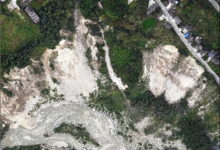
基于深度学习YOLOV11无人机地面垃圾检测系统 无人机地面垃圾监测数据集 航拍地面垃圾检测数据集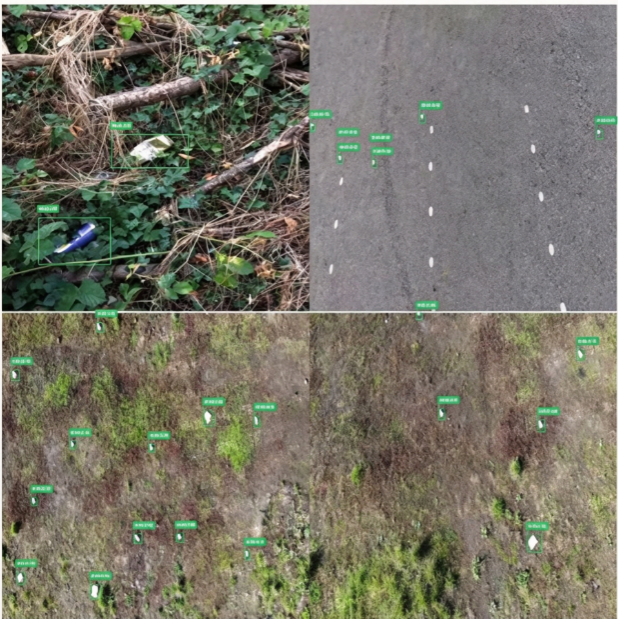
,1141张,提供yolo,voc,coco三种标注方式
图像尺寸:416*416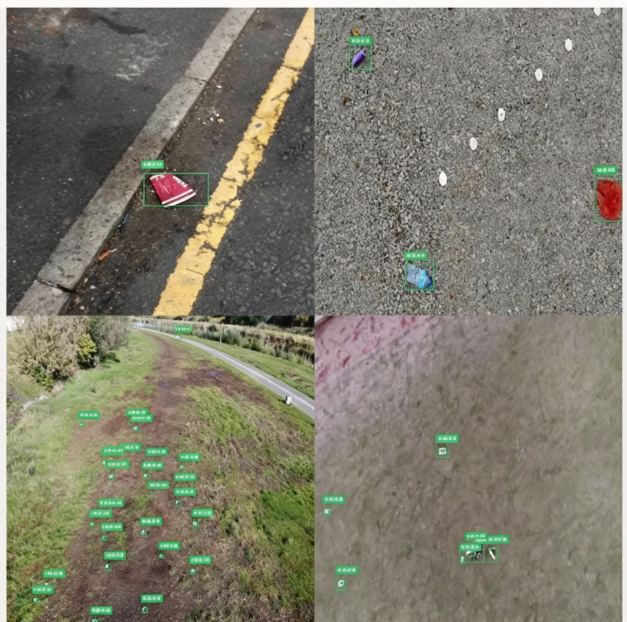
类别数量:1类
训练集图像数量:799; 验证集图像数量:228; 测试集图像数量:114
类别名称: 每一类图像数 ,每一类标注数
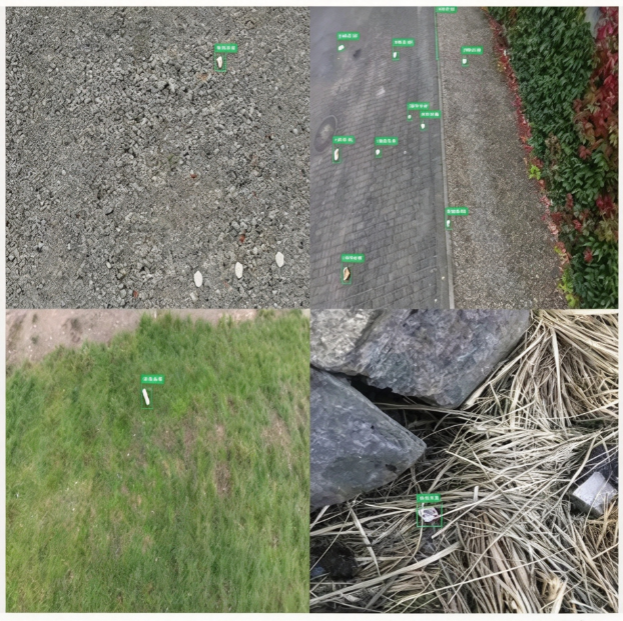
rubbish: 1141,4185
image num: 1141
模型代码
采用 YOLOv11n 网络训练
训练轮次:80 个 epoch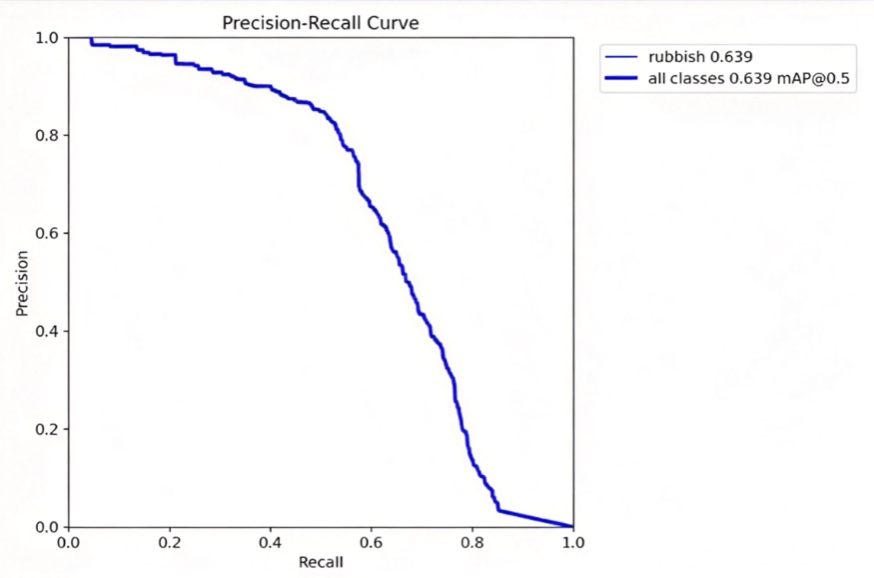
提供全部训练 + 测试源代码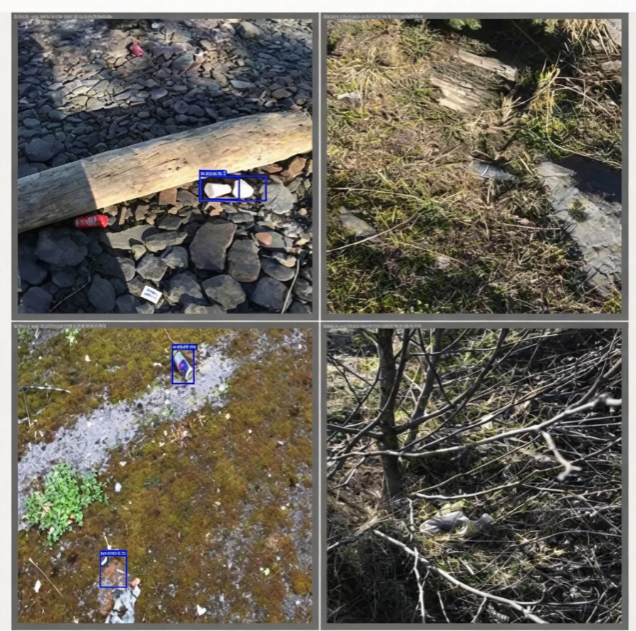
训练精度 mAP 效果如图所示
PyQt5 界面功能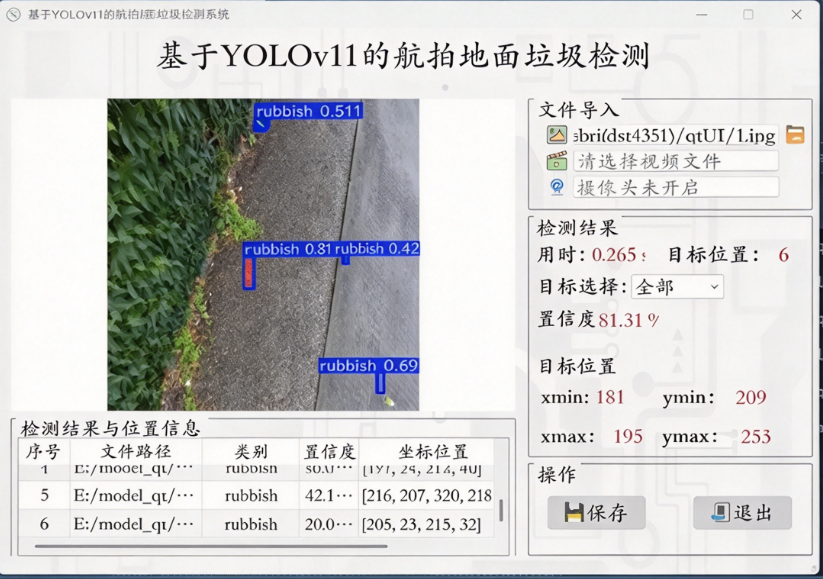
界面使用 PyQt5 开发,提供全部源码(.ui、.qrc、.py 及图标文件)
支持图片检测、视频检测、摄像头实时检测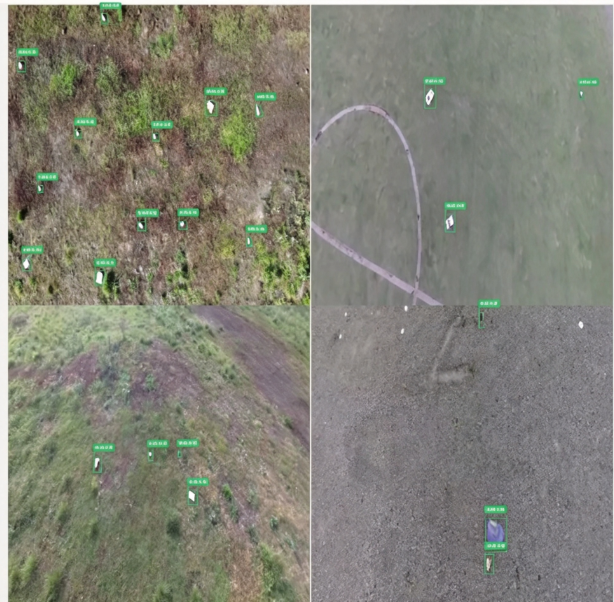
界面实时显示:目标位置、目标总数、置信度等信息
支持检测结果保存导出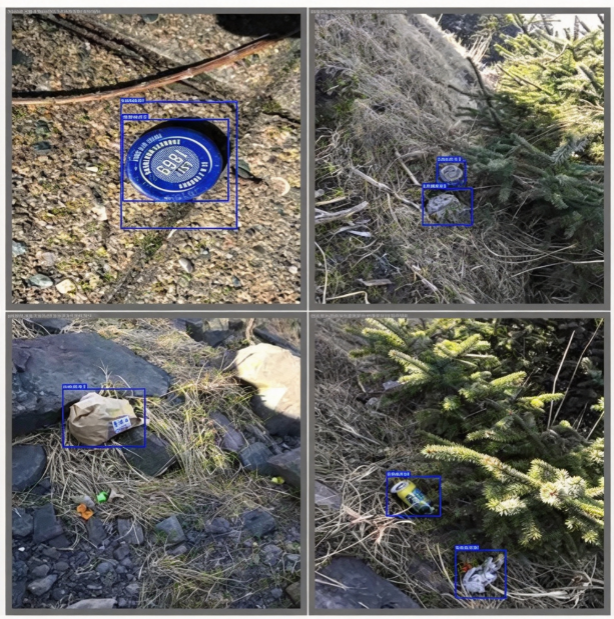
基于YOLOv11航拍地面垃圾检测系统 简易完整代码
1. 环境安装
pip install ultralytics opencv-python PyQt5 numpy
2. 数据集yaml配置 rubbish.yaml
path: ./rubbish_dataset
train: images/train
val: images/val
test: images/test
names:
0: rubbish
nc: 1
3. 模型训练代码 train.py
from ultralytics import YOLO
if __name__ == '__main__':
# 加载YOLOv11模型
model = YOLO("yolo11n.pt")
# 开始训练
results = model.train(
data="rubbish.yaml",
epochs=100,
imgsz=640,
batch=8,
device=0,
workers=0
)
4. 推理GUI界面代码 main_gui.py(简易PyQt界面,图片/视频/摄像头检测)
import sys
import cv2
from PyQt5.QtWidgets import (QApplication, QMainWindow, QPushButton, QLabel,
QFileDialog, QTextEdit, QSpinBox)
from PyQt5.QtGui import QImage, QPixmap
from PyQt5.QtCore import Qt
from ultralytics import YOLO
class DetectorUI(QMainWindow):
def __init__(self):
super().__init__()
self.setWindowTitle("基于YOLOv11航拍地面垃圾检测系统")
self.resize(1200,800)
self.model = YOLO("./runs/detect/train/weights/best.pt")
self.img_label = QLabel("图像显示区域",self)
self.img_label.setGeometry(20,20,700,600)
self.result_text = QTextEdit(self)
self.result_text.setGeometry(750,20,400,300)
self.btn_img = QPushButton("选择图片",self)
self.btn_img.setGeometry(750,340,180,40)
self.btn_img.clicked.connect(self.detect_image)
self.btn_video = QPushButton("选择视频",self)
self.btn_video.setGeometry(750,390,180,40)
self.btn_video.clicked.connect(self.detect_video)
self.btn_cam = QPushButton("摄像头检测",self)
self.btn_cam.setGeometry(750,440,180,40)
self.btn_cam.clicked.connect(self.detect_camera)
def detect_image(self):
file_path,_ = QFileDialog.getOpenFileName()
if not file_path:
return
img = cv2.imread(file_path)
res = self.model(img)[0]
img_plot = res.plot()
rgb_img = cv2.cvtColor(img_plot,cv2.COLOR_BGR2RGB)
h,w,c = rgb_img.shape
qimg = QImage(rgb_img.data,w,h,c*w,QImage.Format_RGB888)
self.img_label.setPixmap(QPixmap.fromImage(qimg).scaled(self.img_label.size(),Qt.KeepAspectRatio))
# 输出检测结果
txt = ""
for box in res.boxes:
cls = self.model.names[int(box.cls)]
conf = float(box.conf)
xyxy = box.xyxy.tolist()[0]
txt += f"类别:{cls},置信度:{conf:.2f},坐标:{xyxy}\\n"
self.result_text.setText(txt)
def detect_video(self):
path,_ = QFileDialog.getOpenFileName()
cap = cv2.VideoCapture(path)
while cap.isOpened():
ret,frame = cap.read()
if not ret:break
res = self.model(frame)[0]
frame = res.plot()
cv2.imshow("video detect",frame)
if cv2.waitKey(1) & 0xFF == ord('q'):
break
cap.release()
cv2.destroyAllWindows()
def detect_camera(self):
cap = cv2.VideoCapture(0)
while cap.isOpened():
ret,frame = cap.read()
if not ret:break
res = self.model(frame)[0]
frame = res.plot()
cv2.imshow("camera detect",frame)
if cv2.waitKey(1) & 0xFF == ord('q'):
break
cap.release()
cv2.destroyAllWindows()
if __name__ == "__main__":
app = QApplication(sys.argv)
win = DetectorUI()
win.show()
sys.exit(app.exec_())
5. 评估代码 eval.py(生成PR曲线)
from ultralytics import YOLO
model = YOLO("./runs/detect/train/weights/best.pt")
metrics = model.val()
print(f"mAP@0.5: {metrics.box.map50}")
# 运行后自动在 runs/val 文件夹生成PR曲线图片

评论前必须登录!
注册