 网硕互联帮助中心
一、前言
Spring Security权限控制可以配合授权注解使用,接着上一节,要开启这些注解,只需要在Spring Security配置文件中添加如下注解:
@Configuration
@EnableGlobalMethodSecurity(prePostEnabled = true)
public class BrowserSecurityConfig extends WebSecurityConfigurerAdapter {
...
}
二、权限控制
2.1 用户授权
在UserDetailService中,我们给当前登录用户授予了”admin”的权限,我们将这块代码改造一下:当登录用户为wno704的时候,其拥有”admin”权限,其他用户则只有”test”权限:
@Configuration
public class MyUserDetailService implements UserDetailsService {
@Autowired
private PasswordEncoder passwordEncoder;
@Override
public UserDetails loadUserByUsername(String username) throws UsernameNotFoundException {
// 模拟一个用户,替代数据库获取逻辑
MyUser user = new MyUser();
user.setUserName(username);
user.setPassword(this.passwordEncoder.encode("123456"));
// 输出加密后的密码
System.out.println(user.getPassword());
List<GrantedAuthority> authorities = new ArrayList<>();
if (StringUtils.equalsIgnoreCase("wno704", username)) {
authorities = AuthorityUtils.commaSeparatedStringToAuthorityList("admin");
} else {
authorities = AuthorityUtils.commaSeparatedStringToAuthorityList("test");
}
return new User(username, user.getPassword(), user.isEnabled(),
user.isAccountNonExpired(), user.isCredentialsNonExpired(),
user.isAccountNonLocked(), authorities);
}
}
2.2 添加访问资源
添加一个方法,并且使用权限注解标明只有拥有“admin”权限的人才能访问:
@GetMapping("/auth/admin")
@PreAuthorize("hasAuthority('admin')")
public String authenticationTest() {
return "您拥有admin权限,可以查看";
}
2.3 测试
启动系统,使用wno704账号登录:
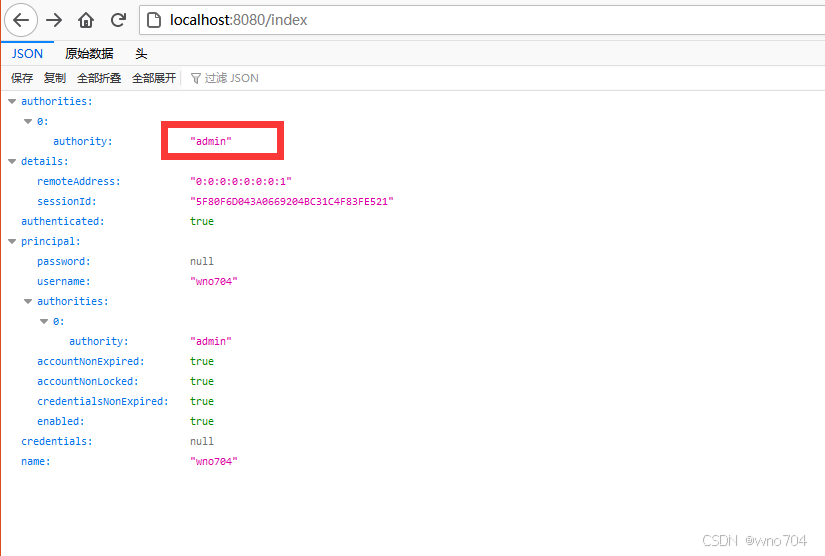
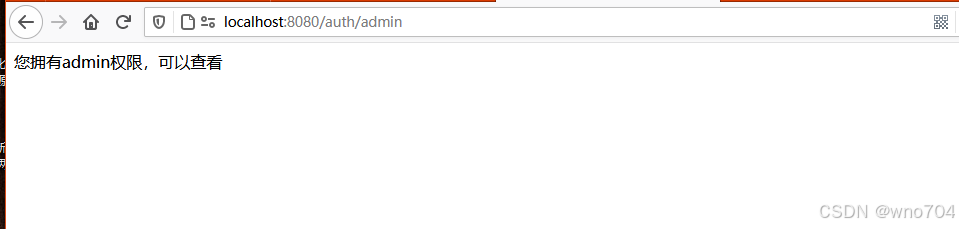
可看到,wno704可以访问该资源。
使用test账号登录:
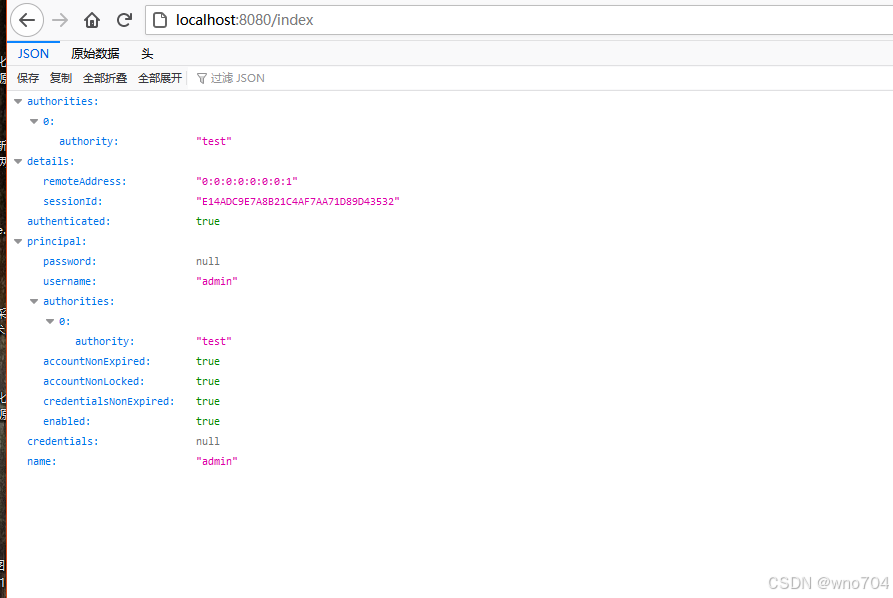
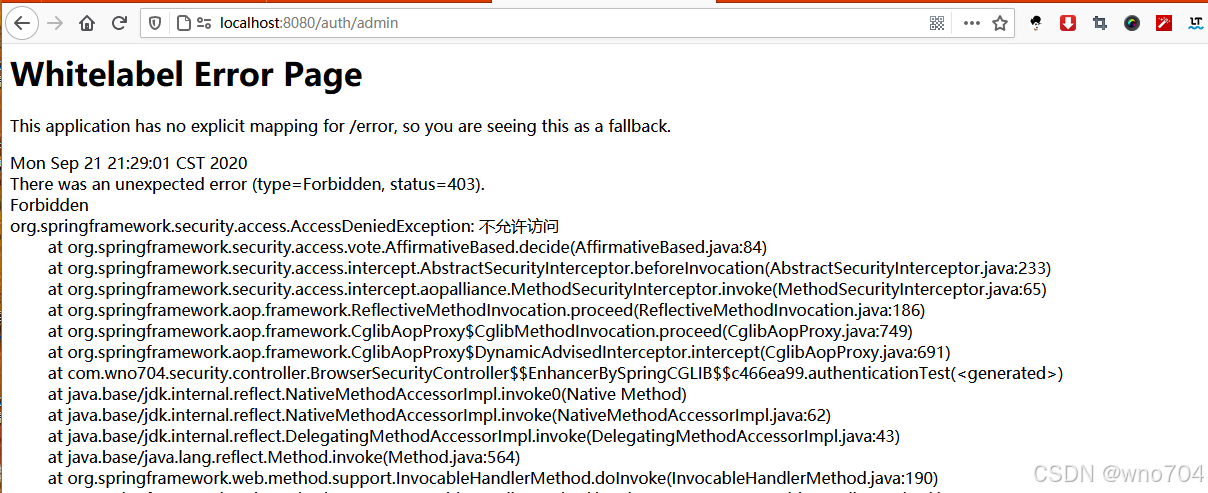
可以看到,soctt没有权限访问,返回403错误码。
三、权限不足处理器
我们可以自定义权限不足处理器来处理权限不足时候的操作。
3.1 新增处理器
新增一个处理器MyAuthenticationAccessDeniedHandler,实现AccessDeniedHandler接口:
@Component
public class MyAuthenticationAccessDeniedHandler implements AccessDeniedHandler {
@Override
public void handle(HttpServletRequest request, HttpServletResponse response, AccessDeniedException accessDeniedException) throws IOException {
response.setStatus(HttpStatus.INTERNAL_SERVER_ERROR.value());
response.setContentType("application/json;charset=utf-8");
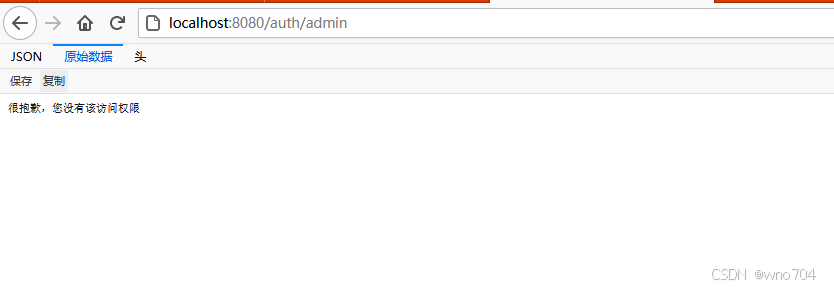
response.getWriter().write("很抱歉,您没有该访问权限");
}
}
3.2 配置处理器
然后将这个处理器添加到Spring Security配置链中:
@Configuration
@EnableWebSecurity
@EnableGlobalMethodSecurity(prePostEnabled = true) //开启security注解
public class BrowserSecurityConfig extends WebSecurityConfigurerAdapter {
@Autowired
private MyAuthenticationSucessHandler authenticationSucessHandler;
@Autowired
private MyAuthenticationFailureHandler authenticationFailureHandler;
@Autowired
private MyAuthenticationAccessDeniedHandler authenticationAccessDeniedHandler;
@Autowired
private ValidateCodeFilter validateCodeFilter;
@Bean
public PasswordEncoder passwordEncoder() {
return new BCryptPasswordEncoder();
}
@Override
protected void configure(HttpSecurity http) throws Exception {
http.exceptionHandling()
.accessDeniedHandler(authenticationAccessDeniedHandler)
.and()
.addFilterBefore(validateCodeFilter, UsernamePasswordAuthenticationFilter.class) // 添加验证码校验过滤器
.formLogin() // 表单登录
// http.httpBasic() // HTTP Basic
//.loginPage("/login.html")
.loginPage("/authentication/require") // 登录跳转 URL
.loginProcessingUrl("/login")
.successHandler(authenticationSucessHandler) // 处理登录成功
.failureHandler(authenticationFailureHandler) // 处理登录失败
.and()
.authorizeRequests() // 授权配置
//.antMatchers("/login.html").permitAll()
.antMatchers("/authentication/require", "/login.html", "/code/image").permitAll() // 登录跳转 URL 无需认证
.anyRequest() // 所有请求
.authenticated() // 都需要认证
.and().csrf().disable();
}
@Override
public void configure(WebSecurity web) throws Exception {
//解决静态资源被拦截的问题
web.ignoring().antMatchers("/css/**");
}
}
3.3 测试
重启系统,再次使用test账号访问/auth/admin:
四、安全注解
4.1 注解介绍
Spring Security提供了三种不同的安全注解:
1.Spring Security自带的@Secured注解;
2.JSR-250的@RolesAllowed注解;
3.表达式驱动的注解,包括@PreAuthorize、@PostAuthorize、@PreFilter和 @PostFilter。
4.2 @Secured
在Spring-Security.xml中启用@Secured注解:
<global-method-security secured-annotations="enabled"/>
例如只有拥有权限“ROLE_ADMIN”的用户才能访问下面这个方法:
@Secured("ROLE_ADMIN")
public void test(){
...
}
权限不足时,方法抛出Access Denied异常。
@Secured注解会使用一个String数组作为参数。每个String值是一个权限,调用这个方法至少需要具备其中的一个权限。如:
@Secured({"ROLE_ADMIN","ROLE_USER"})
public void test(){
...
}
4.3 @RolesAllowed
@RolesAllowed注解和@Secured注解在各个方面基本上都是一致的。启用@RolesAllowed注解:
<global-method-security jsr250-annotations="enabled"/>
栗子:
@RolesAllowed("ROLE_ADMIN")
public void test(){
...
}
4.4 SpEL注解
启用该注解:
<global-method-security pre-post-annotations="enabled"/>
@PreAuthorize
该注解用于方法前验证权限,比如限制非VIP用户提交blog的note字段字数不得超过1000字:
@PreAuthorize("hasRole('ROLE_ADMIN') and #form.note.length() <= 1000 or hasRole('ROLE_VIP')")
public void writeBlog(Form form){
...
}
表达式中的#form部分直接引用了方法中的同名参数。这使得Spring Security能够检查传入方法的参数,并将这些参数用于认证决策的制定。
@PostAuthorize
方法后调用权限验证,比如校验方法返回值:
@PreAuthorize("hasRole(ROLE_USER)")
@PostAuthorize("returnObject.user.userName == principal.username")
public User getUserById(long id){
...
}
Spring Security在SpEL中提供了名为returnObject 的变量。在这里方法返回一个User对象,所以这个表达式可以直接访问user对象中的userName属性。



评论前必须登录!
注册