 网硕互联帮助中心
概述
本项目设计并实现了一个基于改进YOLOV13-C3k2-ConvFormer的室内猫识别系统,专注于室内环境下的猫目标检测任务。系统采用单类别(nc:1)识别方案,专攻’cat’类别的检测。后端算法创新性地融合了YOLOV13架构与C3k2-ConvFormer模块,提升了模型在复杂室内环境下的检测精度与鲁棒性。前端采用flask+vue+elementplus技术栈构建,提供了直观友好的用户界面,实现了从图像输入到目标检测结果输出的完整流程。该系统通过算法优化和技术创新,为室内猫的自动化识别提供了高效可靠的解决方案。
任务目标
随着家庭宠物数量的增加,室内猫的智能识别与管理需求日益凸显。本项目旨在设计并实现一种基于改进YOLOV13-C3k2-ConvFormer架构的室内猫识别系统,通过融合C3k2模块与ConvFormer注意力机制,提升模型在复杂室内环境下的特征提取能力和目标检测精度。研究意义在于:一方面,该系统可为宠物主人提供便捷的猫咪行为监测与健康管理工具,促进人机交互的智能化发展;另一方面,改进的YOLO架构在特定场景下的优化方法可为计算机视觉领域提供新的技术思路。具体目标包括:构建适合室内环境的猫类图像数据集,设计融合卷积与Transformer优势的轻量化检测模型,实现高精度实时检测,并通过实验验证模型在光照变化、背景复杂等挑战条件下的鲁棒性。
数据集信息
本数据集专注于室内环境下的猫类目标识别,包含单一类别’cat’,对应中文含义为’猫’。该数据集选择具有显著优势:首先,专注于单一目标类别使模型能够深度学习猫类特征,提高检测精度;其次,室内场景下的图像数据能够模拟真实家庭环境,增强模型在复杂背景下的鲁棒性;再者,数据集涵盖了不同光照条件、姿态变化和遮挡情况下的猫类图像,有助于提升模型在实际应用中的泛化能力。此外,该数据集为改进YOLOV13-C3k2-ConvFormer架构提供了理想的验证平台,能够有效评估融合C3k2模块与ConvFormer注意力机制在特定目标检测任务中的性能提升。
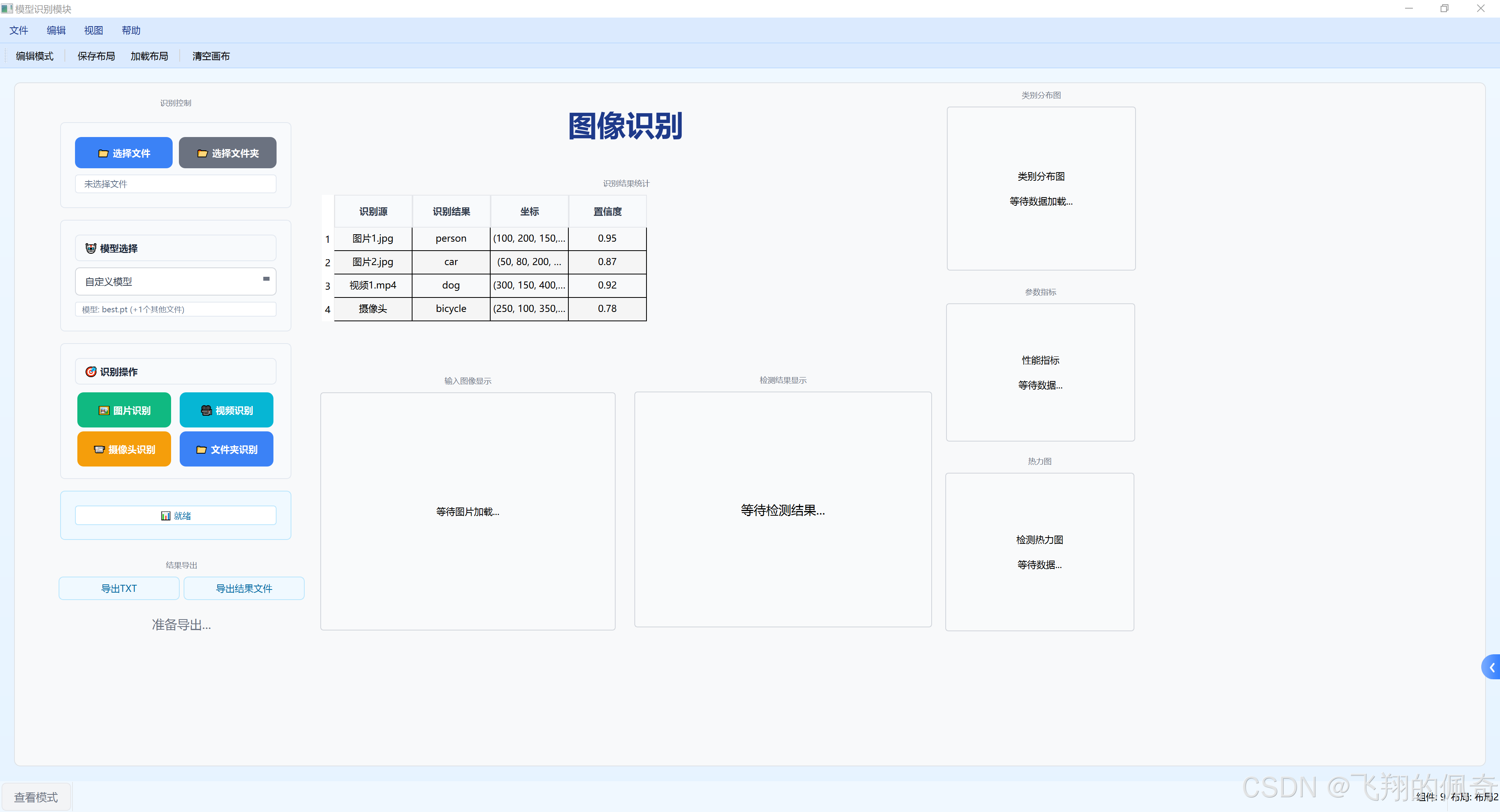
系统功能图片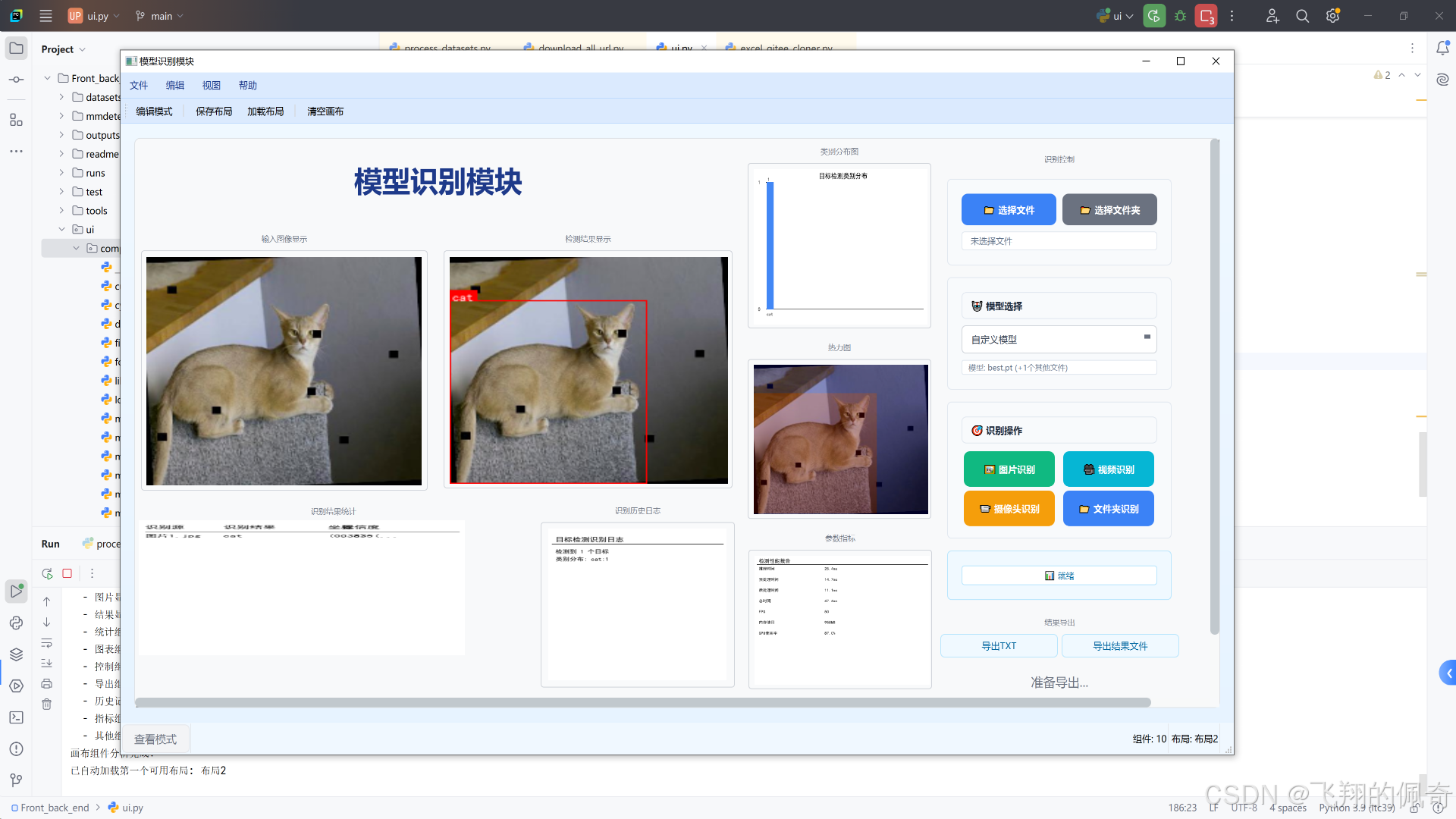
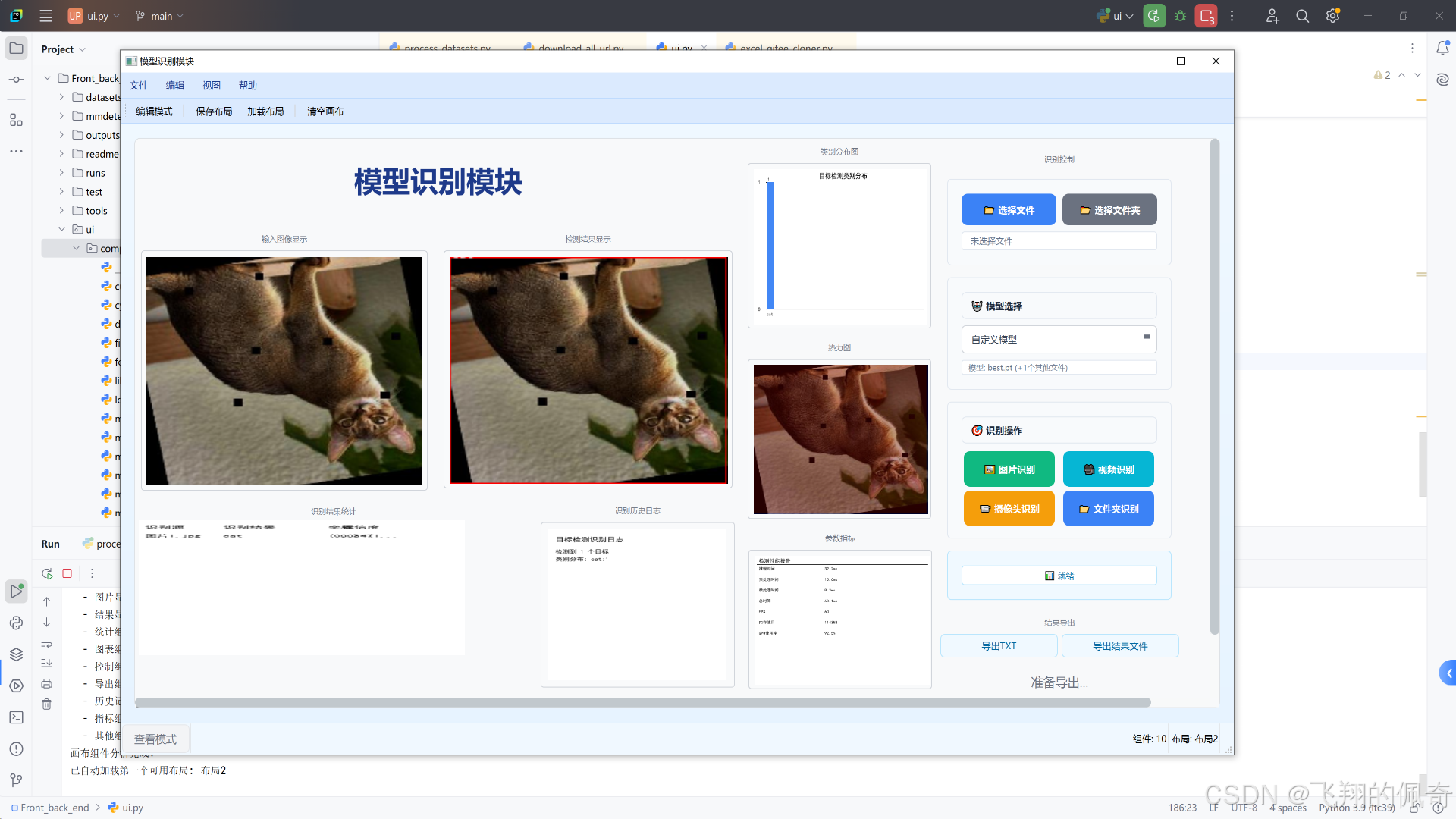
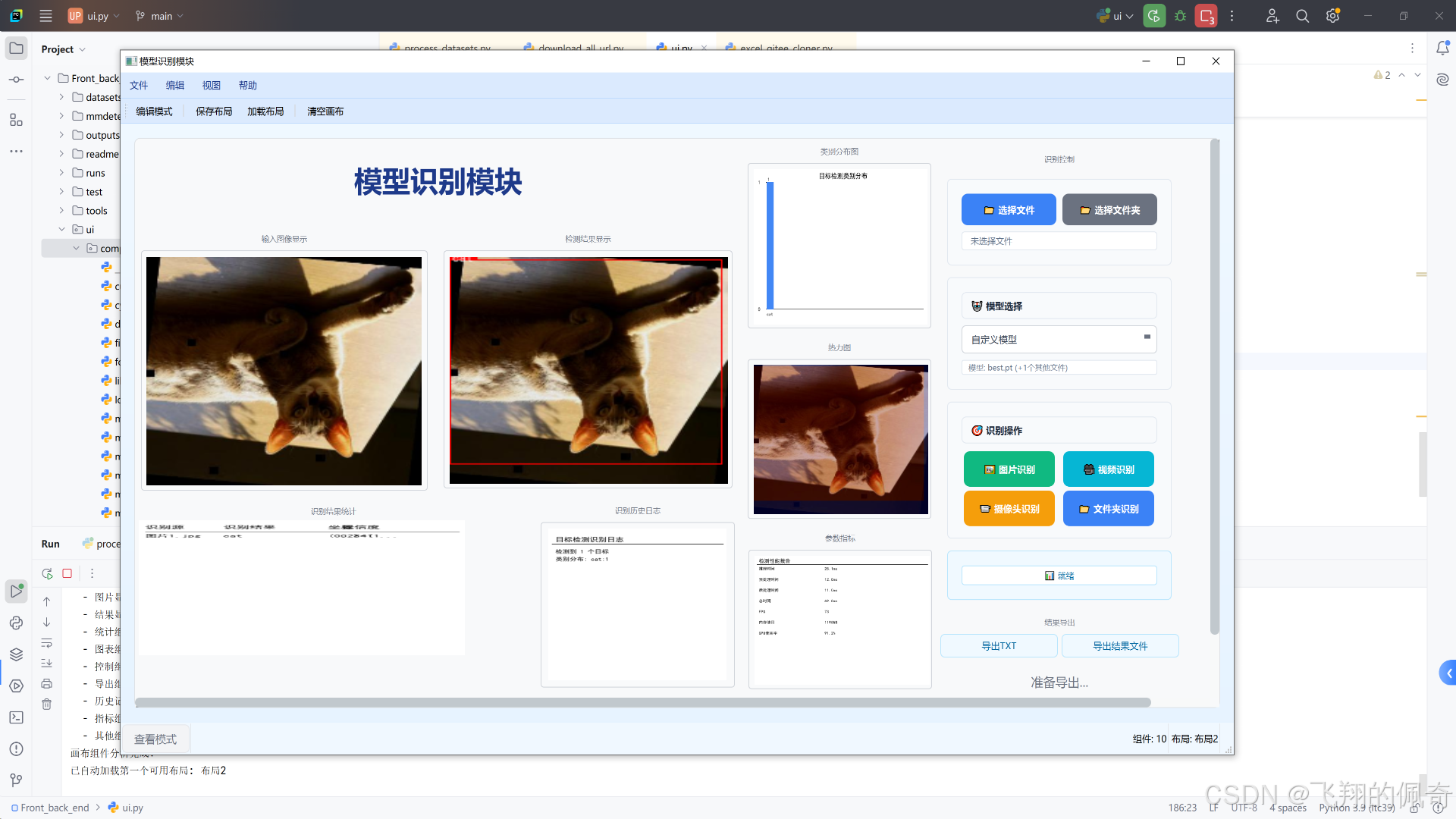
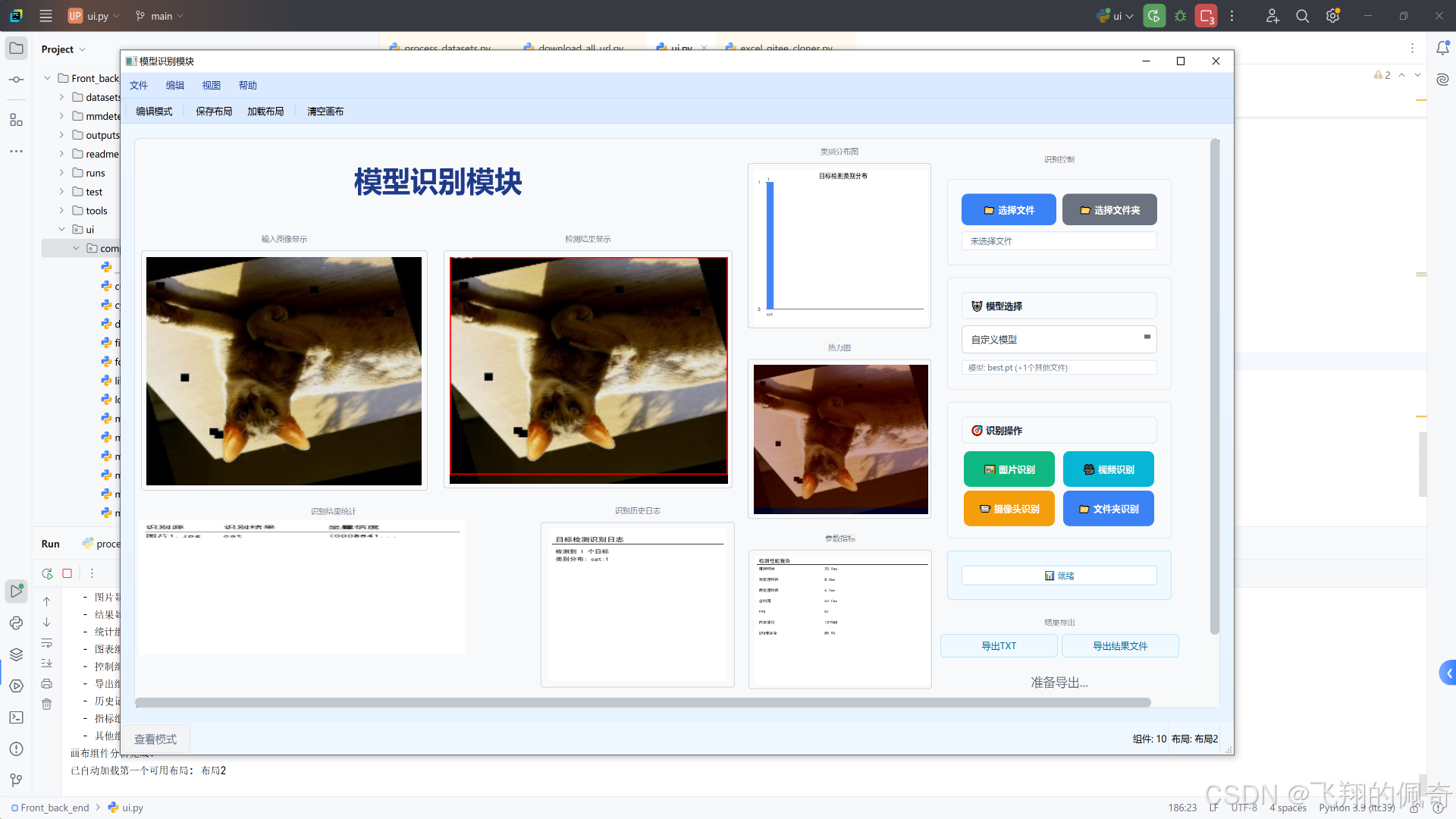
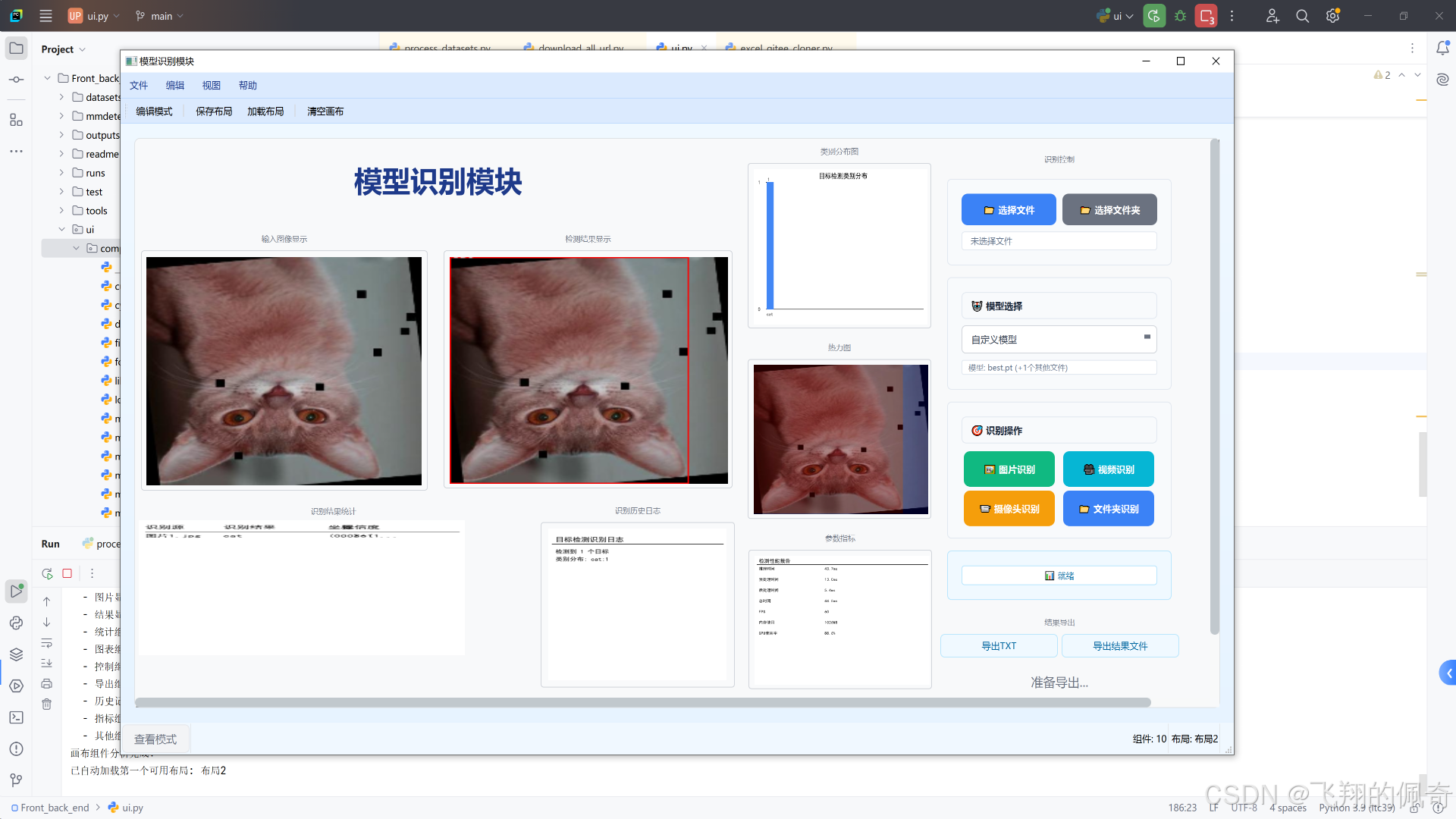
系统清单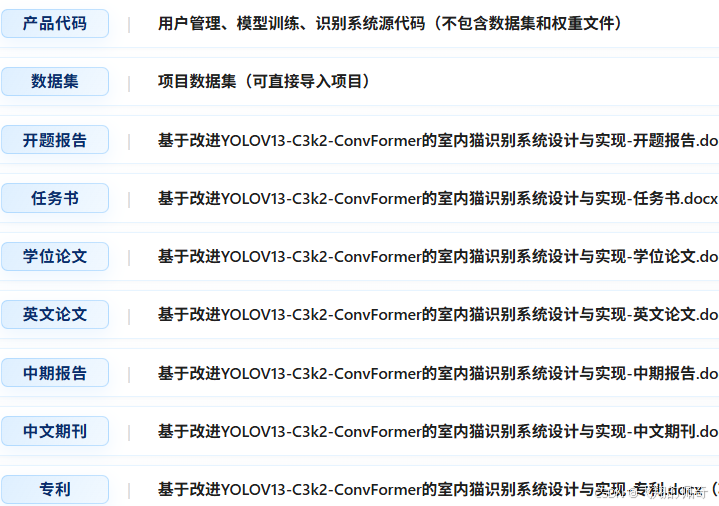
模型训练
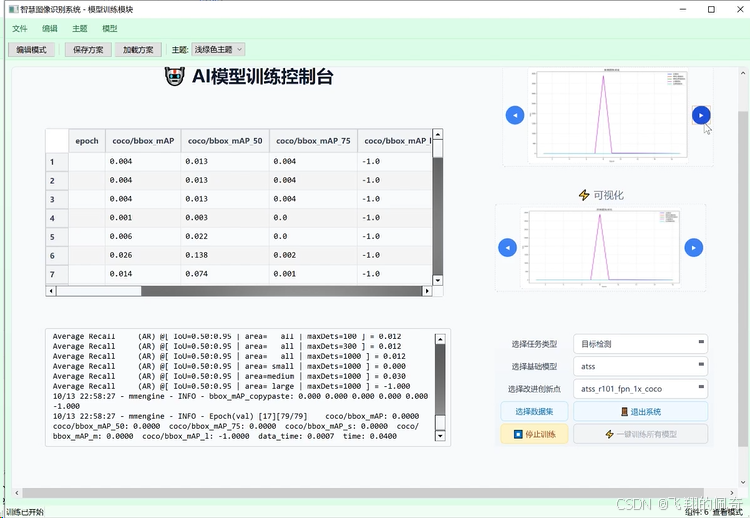
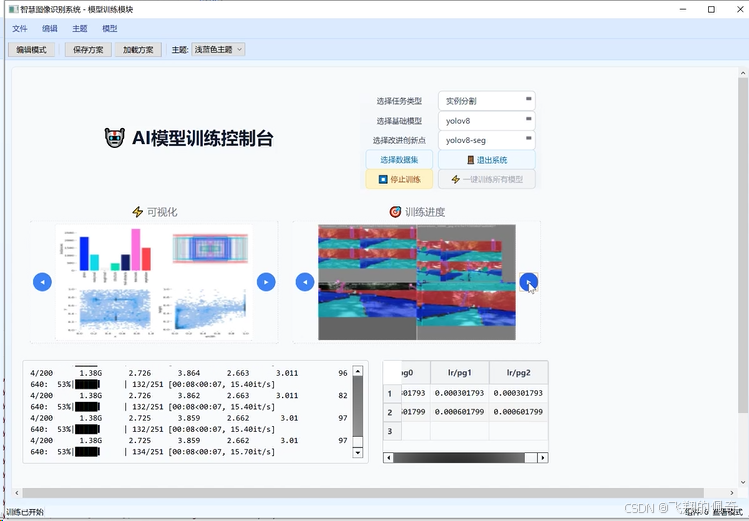 15.模型训练模块详解 15.1 模型训练模块概述 模型训练模块是智慧识别系统的核心功能之一,提供了完整的深度学习模型训练解决方案。该模块支持多种主流深度学习框架和算法,包括YOLOv11、ResNet、EfficientNet等,为用户提供了从数据预处理到模型部署的全流程训练支持。
15.2 训练模块架构设计 15.2.1 整体架构 模型训练模块采用模块化设计,将训练流程分解为多个独立的组件:
class ModelTrainingWindow(QMainWindow):
"""模型训练窗口"""
def __init__(self, parent=None):
super().__init__(parent)
self.parent_window = parent
self.training_thread = None
self.current_model = None
self.training_config = {}
self.init_ui()
self.setup_training_components()
self.load_available_models()
15.2.2 核心组件 模型选择器: 支持多种预训练模型和自定义模型 数据集管理器: 处理训练数据的加载和预处理 训练配置面板: 设置训练参数和超参数 训练监控器: 实时显示训练进度和指标 结果可视化器: 展示训练结果和性能分析 15.3 支持的模型类型 15.3.1 目标检测模型
def get_detection_models(self):
"""获取目标检测模型列表"""
return {
"YOLOv11n": {
"type": "detection",
"framework": "ultralytics",
"description": "轻量级目标检测模型,适合实时应用",
"input_size": (640, 640),
"classes": 80
},
"YOLOv11s": {
"type": "detection",
"framework": "ultralytics",
"description": "小型目标检测模型,平衡精度和速度",
"input_size": (640, 640),
"classes": 80
},
"YOLOv11m": {
"type": "detection",
"framework": "ultralytics",
"description": "中型目标检测模型,较高精度",
"input_size": (640, 640),
"classes": 80
},
"YOLOv11l": {
"type": "detection",
"framework": "ultralytics",
"description": "大型目标检测模型,高精度",
"input_size": (640, 640),
"classes": 80
},
"YOLOv11x": {
"type": "detection",
"framework": "ultralytics",
"description": "超大型目标检测模型,最高精度",
"input_size": (640, 640),
"classes": 80
}
}
15.3.2 图像分类模型
def get_classification_models(self):
"""获取图像分类模型列表"""
return {
"ResNet50": {
"type": "classification",
"framework": "torchvision",
"description": "经典残差网络,适合图像分类",
"input_size": (224, 224),
"classes": 1000
},
"EfficientNet-B0": {
"type": "classification",
"framework": "timm",
"description": "高效网络,参数少精度高",
"input_size": (224, 224),
"classes": 1000
},
"Vision Transformer": {
"type": "classification",
"framework": "timm",
"description": "视觉Transformer,注意力机制",
"input_size": (224, 224),
"classes": 1000
}
}
15.3.3 语义分割模型
def get_segmentation_models(self):
"""获取语义分割模型列表"""
return {
"DeepLabV3+": {
"type": "segmentation",
"framework": "torchvision",
"description": "语义分割模型,支持多尺度特征",
"input_size": (512, 512),
"classes": 21
},
"U-Net": {
"type": "segmentation",
"framework": "custom",
"description": "U型网络,适合医学图像分割",
"input_size": (512, 512),
"classes": 2
}
}
15.4 数据集管理 15.4.1 数据集加载
def load_dataset(self, dataset_path, dataset_type):
"""加载数据集"""
try:
if dataset_type == "detection":
return self.load_detection_dataset(dataset_path)
elif dataset_type == "classification":
return self.load_classification_dataset(dataset_path)
elif dataset_type == "segmentation":
return self.load_segmentation_dataset(dataset_path)
else:
raise ValueError(f"不支持的数据集类型: {dataset_type}")
except Exception as e:
QMessageBox.critical(self, "数据集加载错误", f"无法加载数据集: {str(e)}")
return None
def load_detection_dataset(self, dataset_path):
"""加载目标检测数据集"""
# 检查数据集格式
if not os.path.exists(os.path.join(dataset_path, "images")):
raise FileNotFoundError("数据集缺少images文件夹")
if not os.path.exists(os.path.join(dataset_path, "labels")):
raise FileNotFoundError("数据集缺少labels文件夹")
# 加载数据集信息
dataset_info = {
"path": dataset_path,
"type": "detection",
"images": [],
"labels": [],
"classes": []
}
# 扫描图像文件
image_extensions = ['.jpg', '.jpeg', '.png', '.bmp']
for file in os.listdir(os.path.join(dataset_path, "images")):
if any(file.lower().endswith(ext) for ext in image_extensions):
dataset_info["images"].append(file)
# 扫描标签文件
for file in os.listdir(os.path.join(dataset_path, "labels")):
if file.endswith('.txt'):
dataset_info["labels"].append(file)
return dataset_info
15.4.2 数据预处理
def preprocess_dataset(self, dataset_info, preprocessing_config):
"""数据预处理"""
preprocessing_pipeline = []
# 图像增强
if preprocessing_config.get("augmentation", False):
augmentation_transforms = [
"RandomHorizontalFlip",
"RandomVerticalFlip",
"RandomRotation",
"ColorJitter",
"RandomResizedCrop"
]
preprocessing_pipeline.extend(augmentation_transforms)
# 数据标准化
if preprocessing_config.get("normalization", True):
preprocessing_pipeline.append("Normalize")
# 尺寸调整
if preprocessing_config.get("resize", True):
target_size = preprocessing_config.get("target_size", (640, 640))
preprocessing_pipeline.append(f"Resize_{target_size}")
return preprocessing_pipeline
15.5 训练配置系统 15.5.1 训练参数配置
def create_training_config_panel(self, parent_layout):
"""创建训练配置面板"""
config_frame = QGroupBox("训练配置")
config_layout = QFormLayout(config_frame)
# 基础参数
self.epochs_input = QSpinBox()
self.epochs_input.setRange(1, 1000)
self.epochs_input.setValue(100)
config_layout.addRow("训练轮数:", self.epochs_input)
self.batch_size_input = QSpinBox()
self.batch_size_input.setRange(1, 128)
self.batch_size_input.setValue(16)
config_layout.addRow("批次大小:", self.batch_size_input)
self.learning_rate_input = QDoubleSpinBox()
self.learning_rate_input.setRange(0.0001, 1.0)
self.learning_rate_input.setValue(0.001)
self.learning_rate_input.setDecimals(4)
config_layout.addRow("学习率:", self.learning_rate_input)
# 优化器选择
self.optimizer_combo = QComboBox()
self.optimizer_combo.addItems(["Adam", "SGD", "AdamW", "RMSprop"])
config_layout.addRow("优化器:", self.optimizer_combo)
# 损失函数选择
self.loss_function_combo = QComboBox()
self.loss_function_combo.addItems(["CrossEntropyLoss", "MSELoss", "BCELoss"])
config_layout.addRow("损失函数:", self.loss_function_combo)
parent_layout.addWidget(config_frame)
15.5.2 高级配置选项
def create_advanced_config_panel(self, parent_layout):
"""创建高级配置面板"""
advanced_frame = QGroupBox("高级配置")
advanced_layout = QFormLayout(advanced_frame)
# 学习率调度器
self.scheduler_combo = QComboBox()
self.scheduler_combo.addItems(["StepLR", "CosineAnnealingLR", "ReduceLROnPlateau"])
advanced_layout.addRow("学习率调度器:", self.scheduler_combo)
# 早停机制
self.early_stopping_check = QCheckBox("启用早停")
self.early_stopping_check.setChecked(True)
advanced_layout.addRow("早停机制:", self.early_stopping_check)
self.patience_input = QSpinBox()
self.patience_input.setRange(1, 50)
self.patience_input.setValue(10)
advanced_layout.addRow("早停耐心值:", self.patience_input)
# 模型保存策略
self.save_best_check = QCheckBox("保存最佳模型")
self.save_best_check.setChecked(True)
advanced_layout.addRow("模型保存:", self.save_best_check)
# 验证频率
self.val_frequency_input = QSpinBox()
self.val_frequency_input.setRange(1, 10)
self.val_frequency_input.setValue(1)
advanced_layout.addRow("验证频率:", self.val_frequency_input)
parent_layout.addWidget(advanced_frame)
15.6 训练监控系统 15.6.1 实时进度显示 def create_training_monitor(self, parent_layout): “”“创建训练监控面板”“” monitor_frame = QGroupBox(“训练监控”) monitor_layout = QVBoxLayout(monitor_frame)
# 进度条
self.progress_bar = QProgressBar()
self.progress_bar.setRange(0, 100)
monitor_layout.addWidget(self.progress_bar)
# 训练状态
self.status_label = QLabel("准备开始训练…")
self.status_label.setObjectName("statusLabel")
monitor_layout.addWidget(self.status_label)
# 指标显示
metrics_frame = QFrame()
metrics_layout = QGridLayout(metrics_frame)
# 损失值
self.loss_label = QLabel("损失: –")
self.loss_label.setObjectName("metricLabel")
metrics_layout.addWidget(self.loss_label, 0, 0)
# 准确率
self.accuracy_label = QLabel("准确率: –")
self.accuracy_label.setObjectName("metricLabel")
metrics_layout.addWidget(self.accuracy_label, 0, 1)
# 学习率
self.lr_label = QLabel("学习率: –")
self.lr_label.setObjectName("metricLabel")
metrics_layout.addWidget(self.lr_label, 1, 0)
# 训练时间
self.time_label = QLabel("训练时间: –")
self.time_label.setObjectName("metricLabel")
metrics_layout.addWidget(self.time_label, 1, 1)
monitor_layout.addWidget(metrics_frame)
parent_layout.addWidget(monitor_frame)
15.6.2 训练指标可视化 def create_metrics_plot(self, parent_layout): “”“创建训练指标图表”“” plot_frame = QGroupBox(“训练指标”) plot_layout = QVBoxLayout(plot_frame)
# 创建matplotlib图表
self.figure = Figure(figsize=(12, 8))
self.canvas = FigureCanvas(self.figure)
# 创建子图
self.ax1 = self.figure.add_subplot(221) # 损失曲线
self.ax2 = self.figure.add_subplot(222) # 准确率曲线
self.ax3 = self.figure.add_subplot(223) # 学习率曲线
self.ax4 = self.figure.add_subplot(224) # 验证指标
# 初始化图表
self.init_plots()
plot_layout.addWidget(self.canvas)
parent_layout.addWidget(plot_frame)
def init_plots(self): “”“初始化图表”“” # 损失曲线 self.ax1.set_title(“训练损失”) self.ax1.set_xlabel(“Epoch”) self.ax1.set_ylabel(“Loss”) self.ax1.grid(True)
# 准确率曲线
self.ax2.set_title("训练准确率")
self.ax2.set_xlabel("Epoch")
self.ax2.set_ylabel("Accuracy")
self.ax2.grid(True)
# 学习率曲线
self.ax3.set_title("学习率变化")
self.ax3.set_xlabel("Epoch")
self.ax3.set_ylabel("Learning Rate")
self.ax3.grid(True)
# 验证指标
self.ax4.set_title("验证指标")
self.ax4.set_xlabel("Epoch")
self.ax4.set_ylabel("Metrics")
self.ax4.grid(True)
self.figure.tight_layout()
self.canvas.draw()
15.7 训练执行引擎 15.7.1 训练线程 class TrainingThread(QThread): “”“训练线程”“”
progress_updated = Signal(int, dict) # 进度更新信号
training_finished = Signal(dict) # 训练完成信号
training_error = Signal(str) # 训练错误信号
def __init__(self, model_config, dataset_config, training_config):
super().__init__()
self.model_config = model_config
self.dataset_config = dataset_config
self.training_config = training_config
self.is_running = False
def run(self):
"""执行训练"""
try:
self.is_running = True
self.start_training()
except Exception as e:
self.training_error.emit(str(e))
finally:
self.is_running = False
def start_training(self):
"""开始训练"""
# 初始化模型
model = self.initialize_model()
# 加载数据集
train_loader, val_loader = self.load_data()
# 设置优化器和损失函数
optimizer = self.setup_optimizer(model)
criterion = self.setup_criterion()
# 训练循环
for epoch in range(self.training_config['epochs']):
if not self.is_running:
break
# 训练一个epoch
train_metrics = self.train_epoch(model, train_loader, optimizer, criterion)
# 验证
val_metrics = self.validate_epoch(model, val_loader, criterion)
# 更新进度
progress = int((epoch + 1) / self.training_config['epochs'] * 100)
metrics = {**train_metrics, **val_metrics}
self.progress_updated.emit(progress, metrics)
# 训练完成
final_metrics = self.get_final_metrics(model)
self.training_finished.emit(final_metrics)
15.7.2 模型初始化 def initialize_model(self): “”“初始化模型”“” model_type = self.model_config[‘type’] model_name = self.model_config[‘name’]
if model_type == 'detection':
return self.init_detection_model(model_name)
elif model_type == 'classification':
return self.init_classification_model(model_name)
elif model_type == 'segmentation':
return self.init_segmentation_model(model_name)
else:
raise ValueError(f"不支持的模型类型: {model_type}")
def init_detection_model(self, model_name): “”“初始化目标检测模型”“” from ultralytics import YOLO
# 根据模型名称选择预训练权重
model_weights = {
'YOLOv11n': 'yolo11n.pt',
'YOLOv11s': 'yolo11s.pt',
'YOLOv11m': 'yolo11m.pt',
'YOLOv11l': 'yolo11l.pt',
'YOLOv11x': 'yolo11x.pt'
}
if model_name in model_weights:
model = YOLO(model_weights[model_name])
else:
# 使用自定义模型
model = YOLO(model_name)
return model
15.8 结果分析和导出 15.8.1 训练结果分析 def analyze_training_results(self, results): “”“分析训练结果”“” analysis = { “best_epoch”: results.get(“best_epoch”, 0), “best_accuracy”: results.get(“best_accuracy”, 0.0), “best_loss”: results.get(“best_loss”, float(‘inf’)), “training_time”: results.get(“training_time”, 0), “convergence_analysis”: self.analyze_convergence(results), “overfitting_analysis”: self.analyze_overfitting(results) }
return analysis
def analyze_convergence(self, results): “”“分析收敛性”“” train_losses = results.get(“train_losses”, []) val_losses = results.get(“val_losses”, [])
if len(train_losses) < 10:
return "数据不足,无法分析收敛性"
# 计算最后10个epoch的损失变化
recent_train_loss = train_losses[-10:]
recent_val_loss = val_losses[-10:]
train_trend = self.calculate_trend(recent_train_loss)
val_trend = self.calculate_trend(recent_val_loss)
if abs(train_trend) < 0.001 and abs(val_trend) < 0.001:
return "模型已收敛"
elif train_trend > 0.01:
return "训练损失仍在上升,可能需要调整学习率"
else:
return "模型正在收敛中"
15.8.2 模型导出 def export_model(self, model, export_format=“onnx”): “”“导出模型”“” export_path = QFileDialog.getSaveFileName( self, “保存模型”, f"model.{export_format}“, f”{export_format.upper()} files (*.{export_format})" )[0]
if not export_path:
return
try:
if export_format == "onnx":
model.export(format="onnx", dynamic=True, simplify=True)
elif export_format == "torchscript":
model.export(format="torchscript")
elif export_format == "tflite":
model.export(format="tflite")
else:
raise ValueError(f"不支持的导出格式: {export_format}")
QMessageBox.information(self, "导出成功", f"模型已成功导出到: {export_path}")
except Exception as e:
QMessageBox.critical(self, "导出失败", f"模型导出失败: {str(e)}")
15.9 性能优化 15.9.1 内存优化 def optimize_memory_usage(self): “”“优化内存使用”“” # 清理GPU缓存 if torch.cuda.is_available(): torch.cuda.empty_cache()
# 设置内存分配策略
os.environ['PYTORCH_CUDA_ALLOC_CONF'] = 'max_split_size_mb:128'
# 启用混合精度训练
if self.training_config.get("mixed_precision", False):
self.scaler = torch.cuda.amp.GradScaler()
15.9.2 训练加速 def setup_training_acceleration(self): “”“设置训练加速”“” # 数据加载优化 num_workers = min(8, os.cpu_count()) pin_memory = torch.cuda.is_available()
# 编译模型(PyTorch 2.0+)
if hasattr(torch, 'compile'):
self.model = torch.compile(self.model)
# 启用自动混合精度
if self.training_config.get("amp", True):
self.use_amp = True
15.10 错误处理和日志 15.10.1 错误处理 def handle_training_error(self, error_message): “”“处理训练错误”“” self.status_label.setText(f"训练错误: {error_message}") self.progress_bar.setValue(0)
# 记录错误日志
self.log_error(error_message)
# 显示错误对话框
QMessageBox.critical(self, "训练错误", f"训练过程中发生错误:\\n{error_message}")
def log_error(self, error_message): “”“记录错误日志”“” timestamp = datetime.now().strftime(“%Y-%m-%d %H:%M:%S”) log_entry = f"[{timestamp}] ERROR: {error_message}\\n"
with open("training_errors.log", "a", encoding="utf-8") as f:
f.write(log_entry)
15.10.2 训练日志 def setup_training_logger(self): “”“设置训练日志”“” import logging
# 创建日志记录器
logger = logging.getLogger("training")
logger.setLevel(logging.INFO)
# 创建文件处理器
file_handler = logging.FileHandler("training.log", encoding="utf-8")
file_handler.setLevel(logging.INFO)
# 创建格式器
formatter = logging.Formatter(
'%(asctime)s – %(name)s – %(levelname)s – %(message)s'
)
file_handler.setFormatter(formatter)
# 添加处理器
logger.addHandler(file_handler)
return logger
15.11 总结 模型训练模块作为智慧识别系统的核心组件,提供了完整的深度学习模型训练解决方案。通过模块化设计和丰富的功能特性,该模块支持多种模型类型和训练场景,为用户提供了从数据准备到模型部署的全流程支持。通过实时监控、性能优化和错误处理机制,确保了训练过程的稳定性和可靠性,为构建高质量的AI模型奠定了坚实的基础。
模型识别
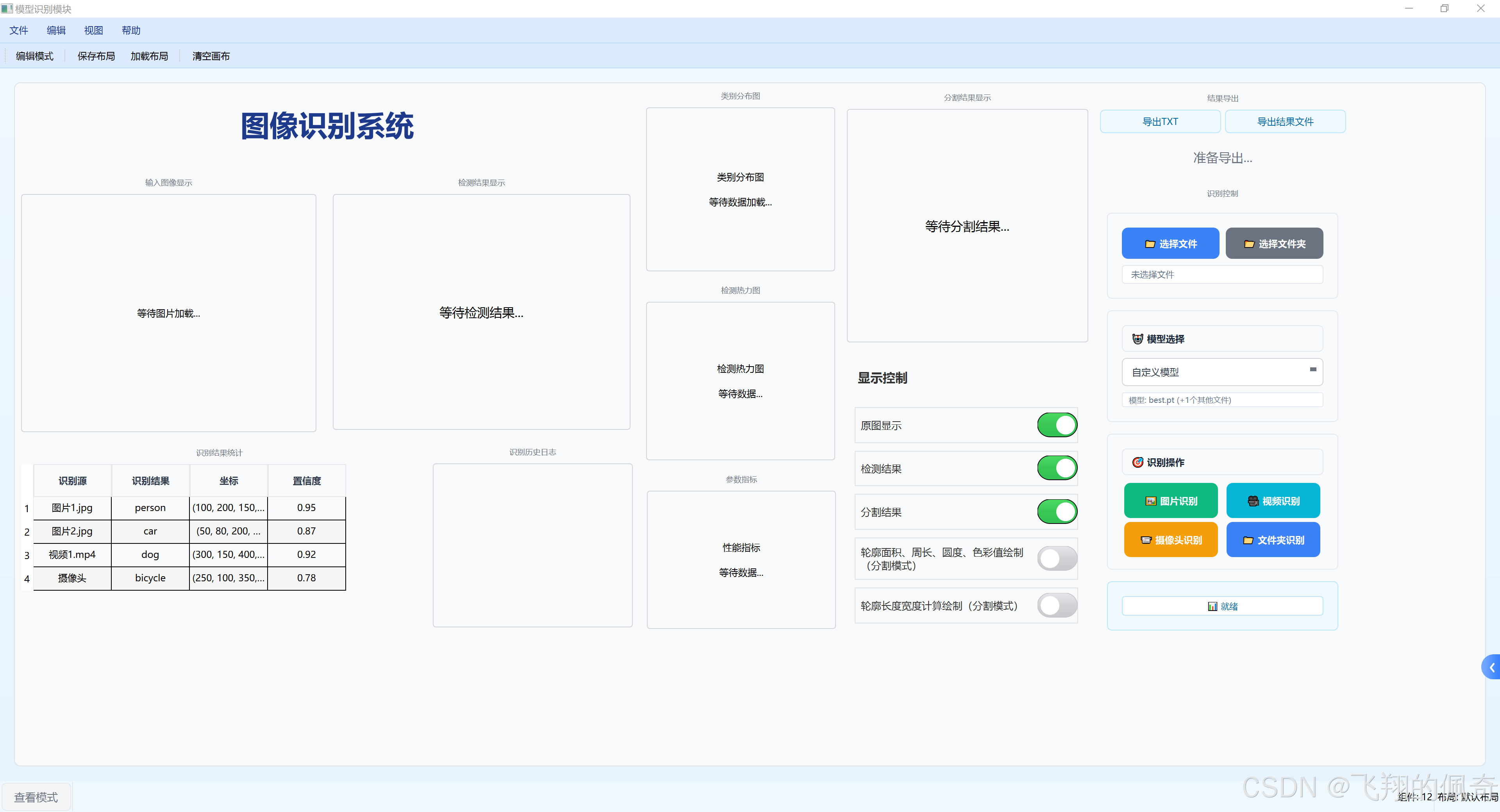
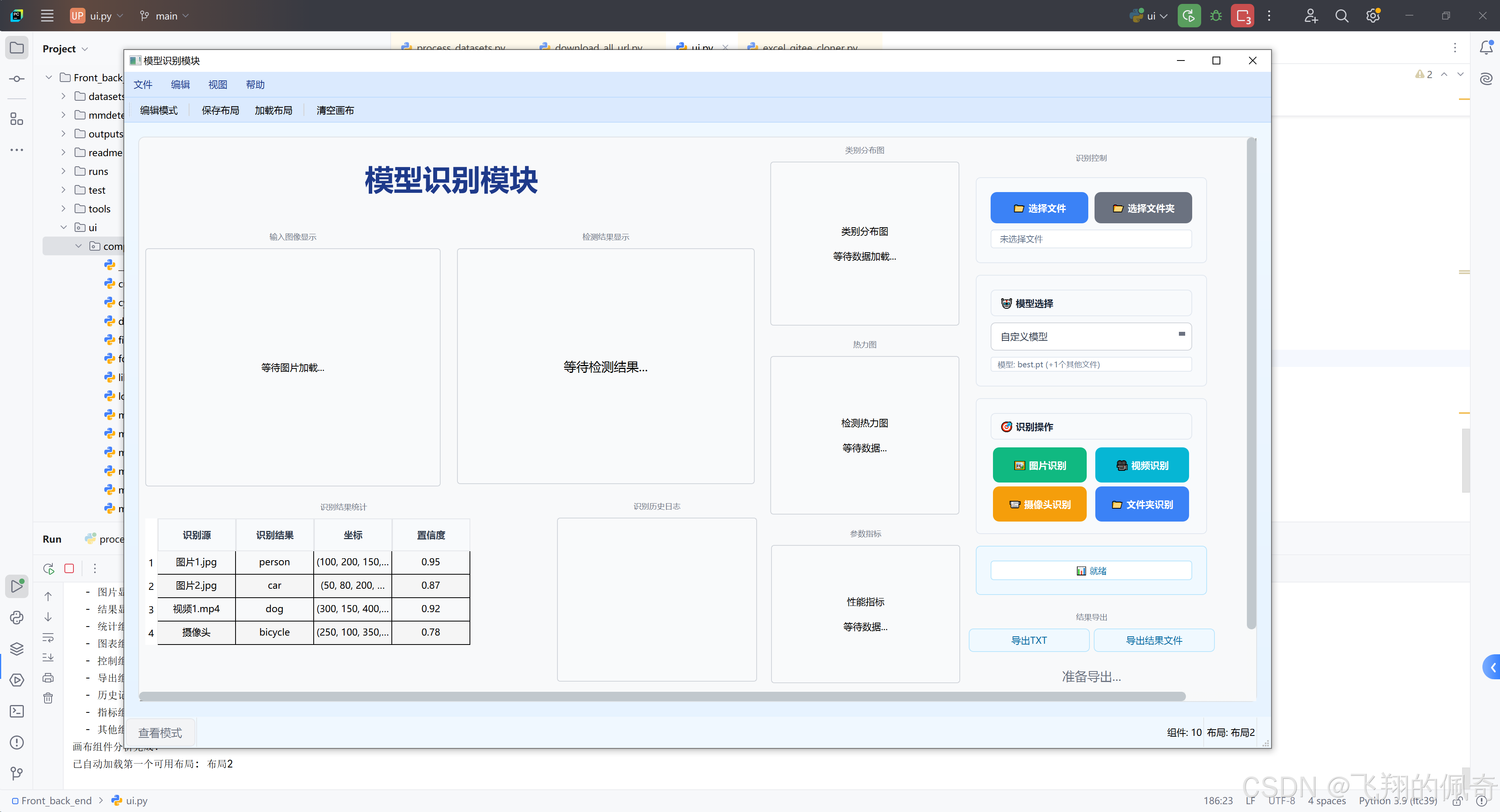
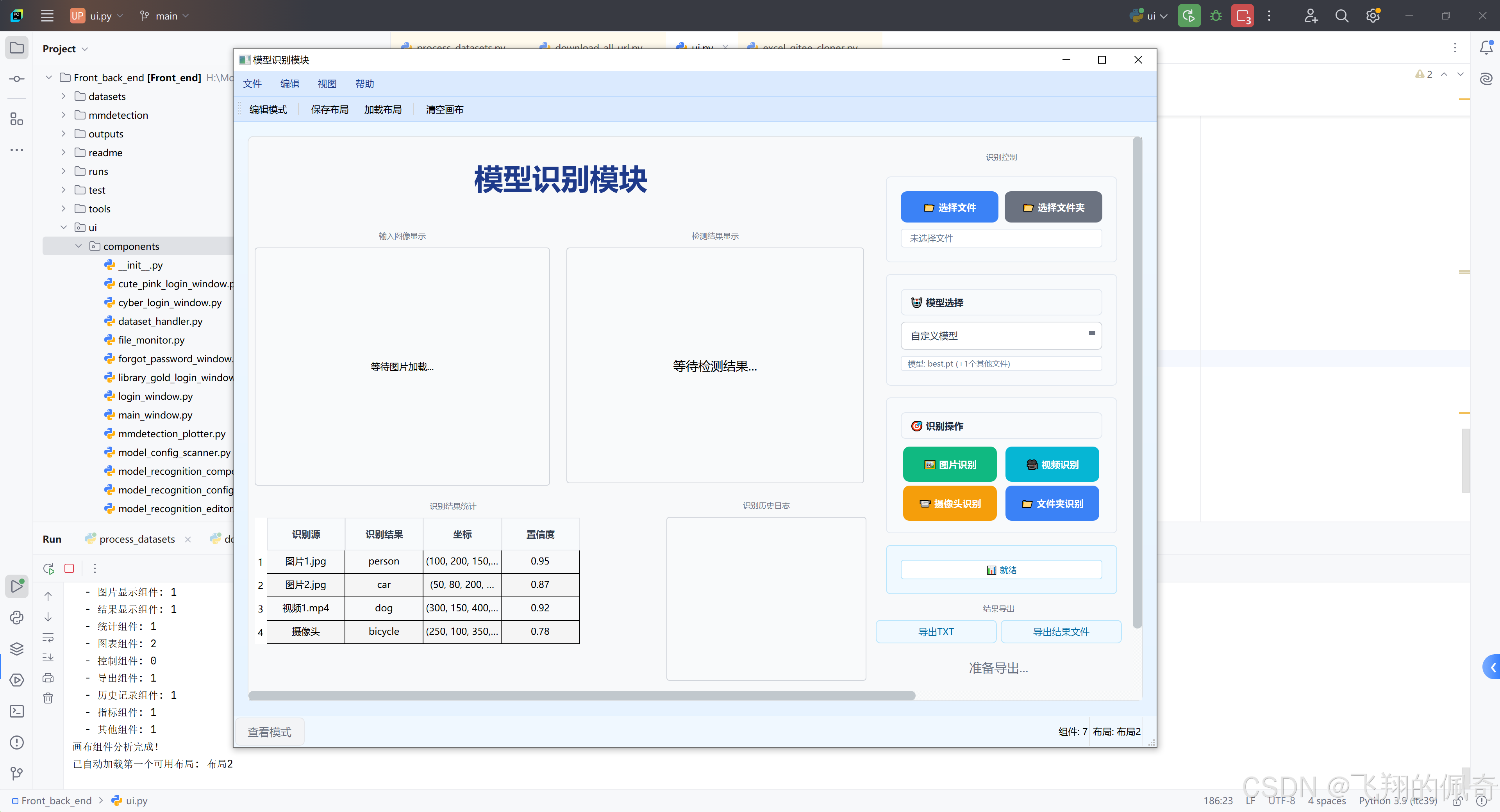
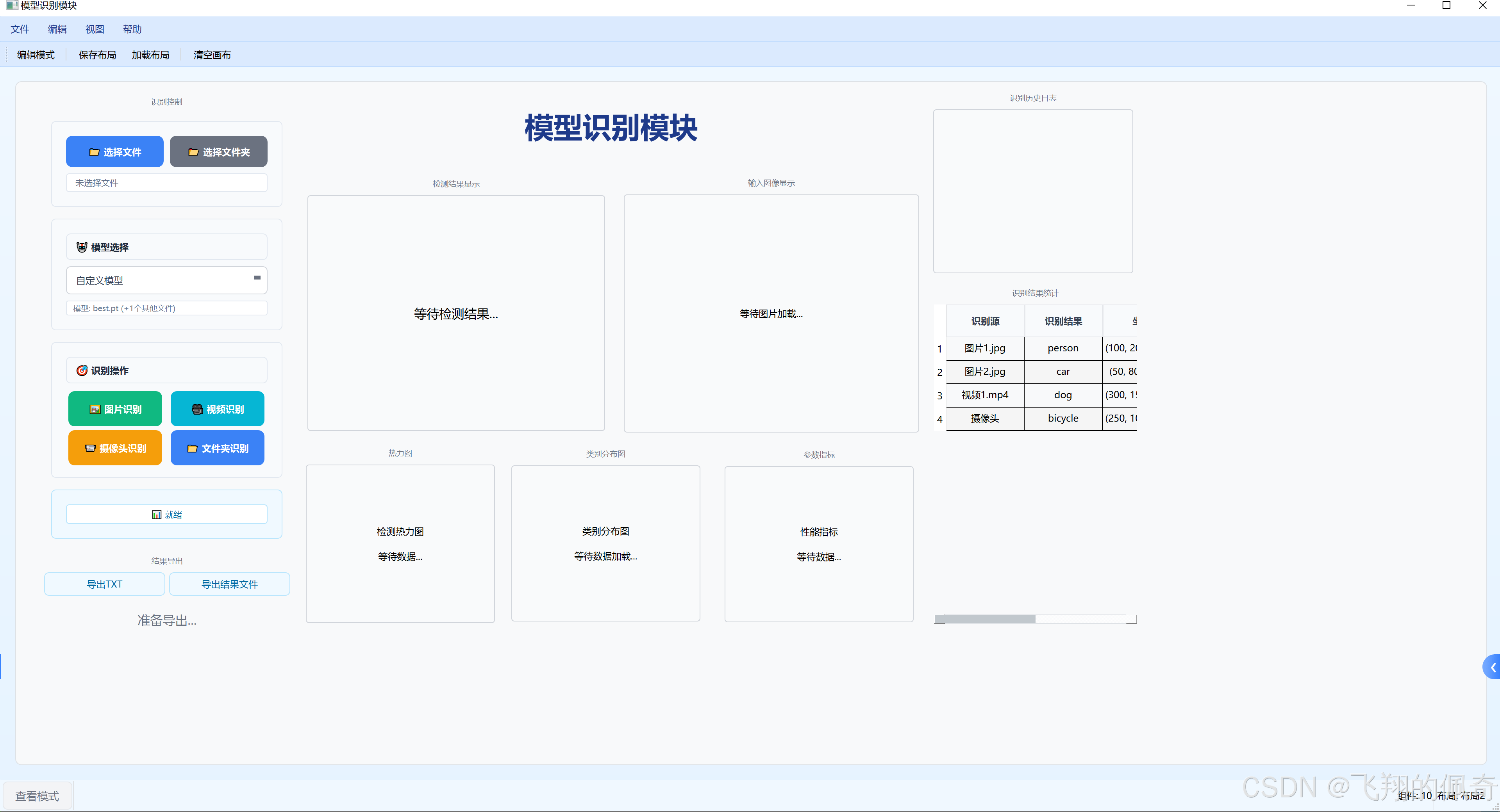
源码获取
可以打开👉https://flypeppa.blog.csdn.net/article/details/159383415,滚动浏览到文章末尾。


评论前必须登录!
注册