 网硕互联帮助中心
文章目录
-
-
- 前言
- 真实页面会关心什么
- 列表、状态和反馈
- 关键片段
-
- 片段 1:`filterLabel(t: string): string {`
- 片段 2:`getTypeUnreadCnt(t: string): number {`
- 使用方式
- 完整代码
- 可扩展点
-
前言
如果刚开始写 HarmonyOS7 页面,我建议多拆这种案例。代码量不夸张,但能把声明式 UI 的味道摸清楚。 它的主线是 消息通知中心,细节落在 通知分类、已读管理、快捷操作。这些细节刚好能把页面状态、用户操作和组件刷新串起来。
真实页面会关心什么
NotificationCenterPage 不是一个只展示静态内容的页面。它会根据用户点击、输入、切换或计时来改变界面,所以阅读代码时可以先抓三条线:
| 观察点 | 在这个案例里的表现 |
| — | — | | 页面主题 | 消息通知中心 | | 主要文案 | 订单已发货, 王小明 评论了你, 系统升级通知, 账户余额变动, 李小华 给你点赞, 李小华赞了你发布的「鸿蒙开发入门」帖子 | | 常用组件 | Column, ForEach, Row, Scroll, Stack, Text | | 适合练习 | 状态驱动 UI、条件样式、列表渲染、事件回调 |
列表、状态和反馈
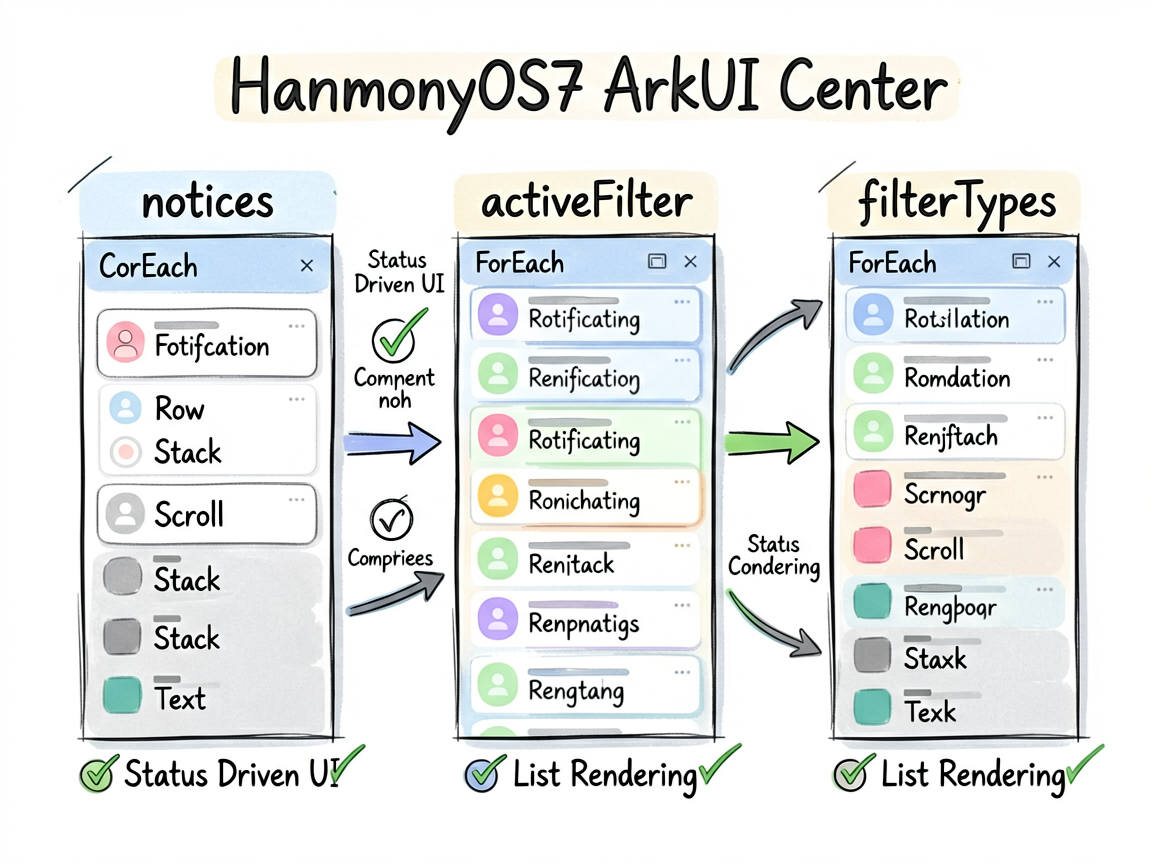
ArkUI 的页面刷新依赖状态变化。下面这些 @State 字段就是页面的“开关”和“数据源”,不用手动找 DOM,也不用自己通知某个控件刷新。
| notices | NoticeItem_zs07[] | 记录页面当前选择、输入或展示状态 |
| activeFilter | string | 当前选中项,决定高亮和内容切换 |
| filterTypes | string[] | 记录页面当前选择、输入或展示状态 |
一个经验:先把 @State 看完,再看 build(),页面逻辑会清楚很多。否则很容易被一长串布局代码带偏。
关键片段
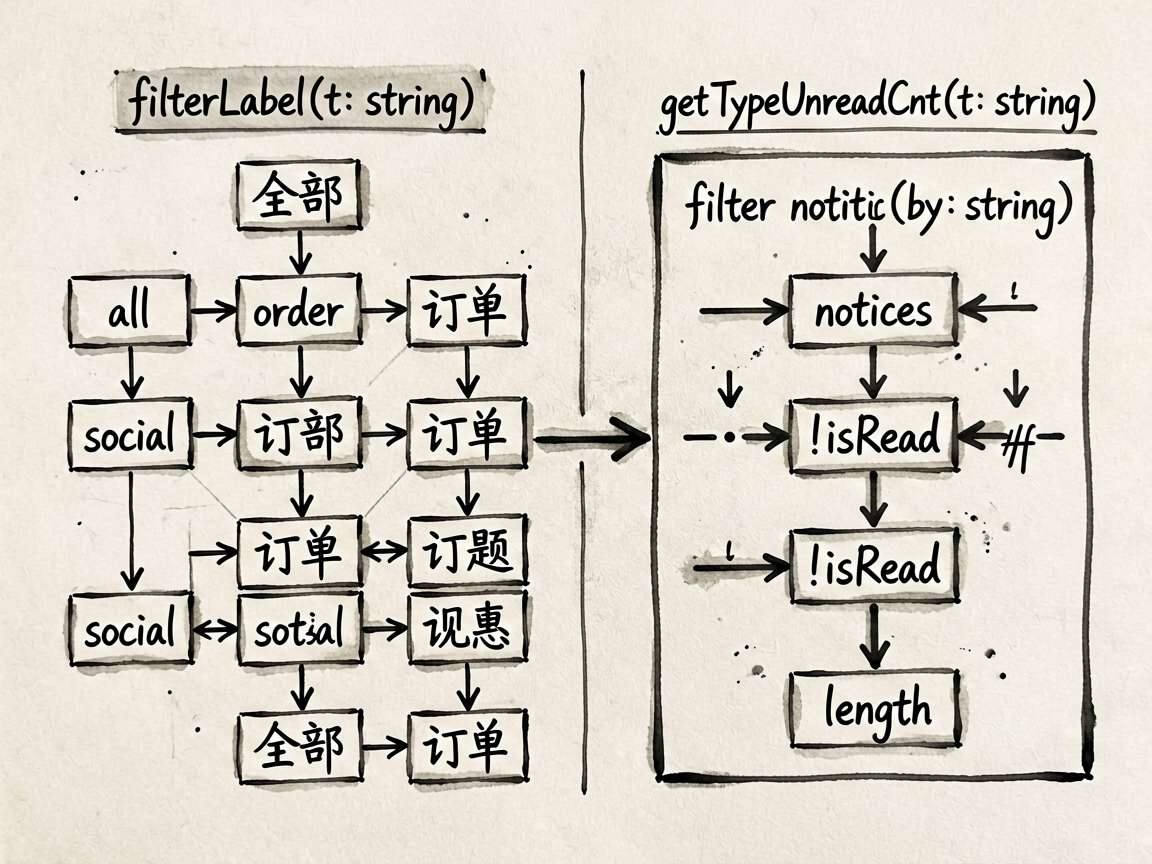
片段 1:filterLabel(t: string): string {
这段代码承担的是页面里的“判断”或“动作”,把它从布局里抽出来后,build() 会清爽很多。后面要加新条件,也不会到处翻 UI 代码。
filterLabel(t: string): string {
if (t === 'all') return '全部'
if (t === 'order') return '订单'
if (t === 'social') return '社交'
if (t === 'finance') return '账单'
if (t === 'system') return '系统'
return t
}
片段 2:getTypeUnreadCnt(t: string): number {
这段代码承担的是页面里的“判断”或“动作”,把它从布局里抽出来后,build() 会清爽很多。后面要加新条件,也不会到处翻 UI 代码。
getTypeUnreadCnt(t: string): number {
return this.notices.filter((n: NoticeItem_zs07) => n.type === t && !n.isRead).length
}
使用方式
把下面代码放进 ArkTS 页面文件中即可运行。用于正式项目时,我会继续把数据模型、卡片 Builder 和页面事件拆出去,页面文件只负责组合。
建议练习顺序:先改状态字段 -> 再改交互事件 -> 最后调整 UI 样式
检查重点:点击是否刷新、列表 key 是否稳定、条件样式是否集中管理
这份代码可以继续扩展的方向
- 把模拟数据替换成接口数据
- 抽出复用卡片组件
- 增加空状态和异常状态
- 补充深色模式或主题色适配
- 对输入类场景增加校验提示
完整代码
// NotificationCenterPage – 消息通知中心(通知分类、已读管理、快捷操作)
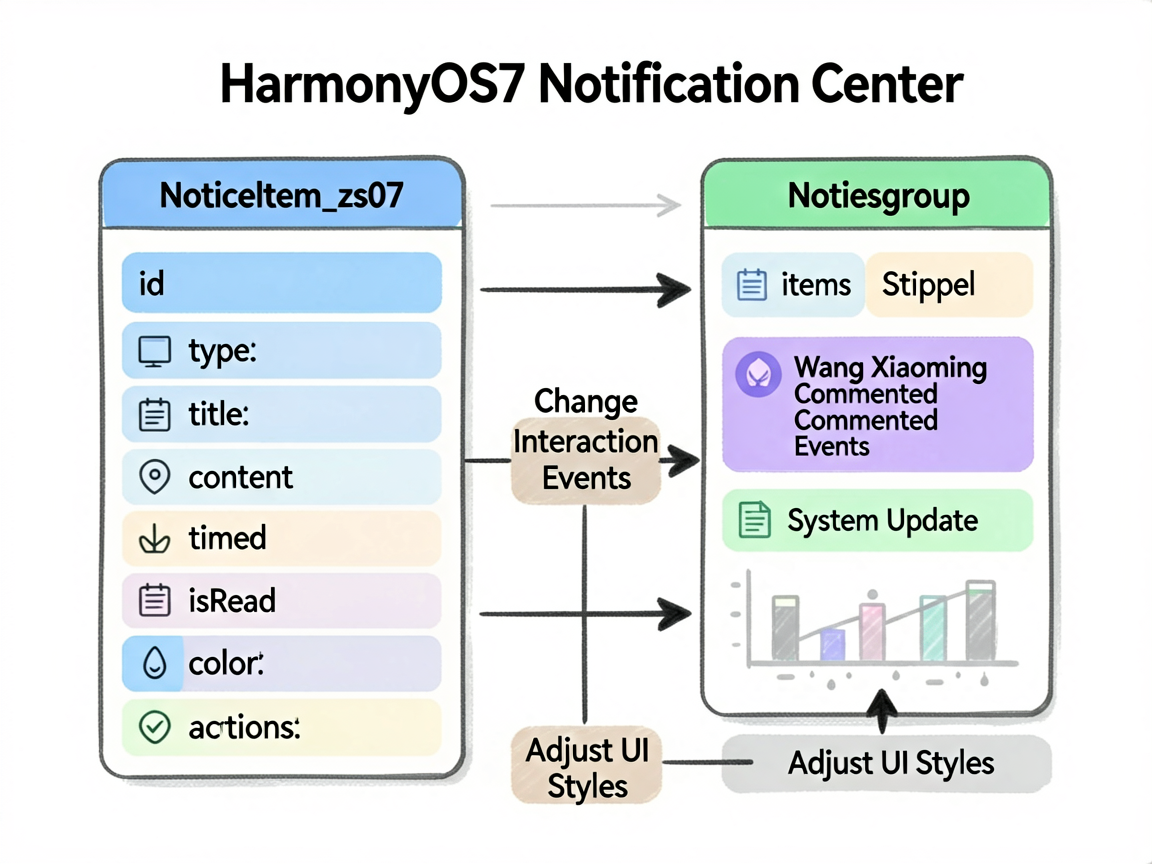
interface NoticeItem_zs07 {
id: number
type: string
title: string
content: string
time: string
isRead: boolean
icon: string
color: ResourceColor
actions: string[]
}
interface NoticeGroup {
label: string
items: NoticeItem_zs07[]
}
@Entry
@Component
struct NotificationCenterPage {
@State notices: NoticeItem_zs07[] = [
{ id: 1, type: 'order', title: '订单已发货', content: '您的订单 #20240606001 已由申通快递承运,预计明天到达', time: '10分钟前', isRead: false, icon: '📦', color: '#3B82F6', actions: ['查看订单', '联系快递'] },
{ id: 2, type: 'social', title: '王小明 评论了你', content: '王小明:这个案例写得很棒!请问代码能分享一下吗?', time: '25分钟前', isRead: false, icon: '💬', color: '#8B5CF6', actions: ['查看', '回复'] },
{ id: 3, type: 'system', title: '系统升级通知', content: 'HarmonyOS 4.2 正式版已发布,建议在 WiFi 环境下升级', time: '1小时前', isRead: false, icon: '🔄', color: '#22C55E', actions: ['立即升级', '稍后提醒'] },
{ id: 4, type: 'finance', title: '账户余额变动', content: '您的账户收到 ¥12,000.00 转账,来自:薪资代发', time: '2小时前', isRead: false, icon: '💰', color: '#F59E0B', actions: ['查看详情'] },
{ id: 5, type: 'social', title: '李小华 给你点赞', content: '李小华赞了你发布的「鸿蒙开发入门」帖子', time: '3小时前', isRead: true, icon: '❤️', color: '#EC4899', actions: ['查看帖子'] },
{ id: 6, type: 'order', title: '订单已完成', content: '您对「星巴克 美式咖啡」的评价已提交,感谢您的反馈', time: '昨天', isRead: true, icon: '✅', color: '#10B981', actions: ['再次购买'] },
{ id: 7, type: 'system', title: '登录提醒', content: '您的账号于 2024-06-05 22:34 在华为 Mate 60 上登录', time: '昨天', isRead: true, icon: '🔐', color: '#6366F1', actions: ['不是本人操作'] },
{ id: 8, type: 'finance', title: '消费提醒', content: '您已完成 ¥68.00 消费,商户:老陈家私房菜', time: '2天前', isRead: true, icon: '💳', color: '#F59E0B', actions: ['查看账单'] }
]
@State activeFilter: string = 'all'
@State filterTypes: string[] = ['all', 'order', 'social', 'finance', 'system']
filterLabel(t: string): string {
if (t === 'all') return '全部'
if (t === 'order') return '订单'
if (t === 'social') return '社交'
if (t === 'finance') return '账单'
if (t === 'system') return '系统'
return t
}
getTypeUnreadCnt(t: string): number {
return this.notices.filter((n: NoticeItem_zs07) => n.type === t && !n.isRead).length
}
get unreadCount(): number {
return this.notices.filter(n => !n.isRead).length
}
get groupedNotices(): NoticeGroup[] {
const filtered = this.activeFilter === 'all'
? this.notices
: this.notices.filter(n => n.type === this.activeFilter)
const today: NoticeItem_zs07[] = []
const yesterday: NoticeItem_zs07[] = []
const older: NoticeItem_zs07[] = []
filtered.forEach(n => {
if (n.time.includes('分钟') || n.time.includes('小时')) {
today.push(n)
} else if (n.time === '昨天') {
yesterday.push(n)
} else {
older.push(n)
}
})
const groups: NoticeGroup[] = []
if (today.length > 0) groups.push({ label: '今天', items: today })
if (yesterday.length > 0) groups.push({ label: '昨天', items: yesterday })
if (older.length > 0) groups.push({ label: '更早', items: older })
return groups
}
markAllRead() {
this.notices = this.notices.map(n => { n.isRead = true; return n })
}
markRead(id: number) {
this.notices = this.notices.map(n => { if (n.id === id) { n.isRead = true } return n })
}
deleteNotice(id: number) {
this.notices = this.notices.filter(n => n.id !== id)
}
build() {
Column() {
// 顶部
Row() {
Column({ space: 2 }) {
Text('通知中心')
.fontSize(22)
.fontWeight(FontWeight.Bold)
.fontColor('#111827')
if (this.unreadCount > 0) {
Text(this.unreadCount + ' 条未读')
.fontSize(13)
.fontColor('#EF4444')
}
}
.alignItems(HorizontalAlign.Start)
Blank()
Text('全部已读')
.fontSize(14)
.fontColor('#3B82F6')
.onClick(() => this.markAllRead())
}
.width('100%')
.padding({ left: 16, right: 16, top: 50, bottom: 14 })
.backgroundColor('#FFFFFF')
// 分类筛选
Scroll() {
Row({ space: 8 }) {
ForEach(this.filterTypes, (t: string) => {
Row({ space: 4 }) {
Text(this.filterLabel(t))
.fontSize(13)
.fontColor(this.activeFilter === t ? '#FFFFFF' : '#374151')
if (t !== 'all') {
if (this.getTypeUnreadCnt(t) > 0) {
Text(this.getTypeUnreadCnt(t).toString())
.fontSize(11)
.fontColor(this.activeFilter === t ? '#3B82F6' : '#FFFFFF')
.width(18)
.height(18)
.textAlign(TextAlign.Center)
.backgroundColor(this.activeFilter === t ? '#FFFFFF' : '#EF4444')
.borderRadius(9)
}
}
}
.padding({ left: 14, right: 14, top: 7, bottom: 7 })
.backgroundColor(this.activeFilter === t ? '#3B82F6' : '#F3F4F6')
.borderRadius(20)
.onClick(() => { this.activeFilter = t })
})
}
.padding({ left: 16, right: 16, bottom: 12, top: 4 })
}
.scrollable(ScrollDirection.Horizontal)
.backgroundColor('#FFFFFF')
.border({ width: { bottom: 0.5 }, color: '#F3F4F6' })
// 通知列表
Scroll() {
Column({ space: 0 }) {
ForEach(this.groupedNotices, (group: NoticeGroup) => {
Column({ space: 0 }) {
// 分组标题
Text(group.label)
.fontSize(13)
.fontColor('#9CA3AF')
.width('100%')
.padding({ left: 16, right: 16, top: 14, bottom: 8 })
.backgroundColor('#F9FAFB')
ForEach(group.items, (notice: NoticeItem_zs07) => {
Column({ space: 10 }) {
Row({ space: 12 }) {
// 未读圆点 + 图标
Stack() {
Stack() {
Circle({ width: 44, height: 44 })
.fill(notice.color + '20')
Text(notice.icon)
.fontSize(22)
}
if (!notice.isRead) {
Circle({ width: 10, height: 10 })
.fill('#EF4444')
.position({ x: 32, y: 0 })
}
}
.width(44)
.height(44)
Column({ space: 4 }) {
Row() {
Text(notice.title)
.fontSize(14)
.fontWeight(notice.isRead ? FontWeight.Normal : FontWeight.Bold)
.fontColor(notice.isRead ? '#6B7280' : '#111827')
.layoutWeight(1)
Text(notice.time)
.fontSize(11)
.fontColor('#D1D5DB')
}
.width('100%')
Text(notice.content)
.fontSize(13)
.fontColor('#6B7280')
.lineHeight(20)
.maxLines(2)
.textOverflow({ overflow: TextOverflow.Ellipsis })
}
.layoutWeight(1)
.alignItems(HorizontalAlign.Start)
}
.width('100%')
.alignItems(VerticalAlign.Top)
// 操作按钮
if (!notice.isRead || notice.actions.length > 0) {
Row({ space: 8 }) {
ForEach(notice.actions, (action: string, idx: number) => {
Text(action)
.fontSize(13)
.fontColor(idx === 0 ? '#3B82F6' : '#6B7280')
.padding({ left: 16, right: 16, top: 6, bottom: 6 })
.backgroundColor(idx === 0 ? '#EFF6FF' : '#F3F4F6')
.borderRadius(16)
.onClick(() => this.markRead(notice.id))
})
Blank()
Text('×')
.fontSize(18)
.fontColor('#D1D5DB')
.onClick(() => this.deleteNotice(notice.id))
}
.width('100%')
}
}
.width('100%')
.padding({ left: 16, right: 16, top: 14, bottom: 14 })
.backgroundColor(notice.isRead ? '#FFFFFF' : '#FAFBFF')
.border({ width: { bottom: 0.5 }, color: '#F3F4F6' })
.onClick(() => this.markRead(notice.id))
})
}
})
}
.margin({ bottom: 30 })
}
.layoutWeight(1)
.backgroundColor('#F9FAFB')
}
.width('100%')
.height('100%')
.backgroundColor('#F9FAFB')
}
}
可扩展点
这个案例可以当成一个小模板:先把页面会变的东西放进状态,再用函数或 Builder 处理重复逻辑,最后让布局只关心展示。写 HarmonyOS7 页面时,这个顺序通常比一上来堆 UI 更稳。




评论前必须登录!
注册