 网硕互联帮助中心
文末获取联系
开发语言:Java
使用框架:spring boot
前端技术:JavaScript、Vue.js 、css
开发工具:IDEA/MyEclipse/Eclipse、Visual Studio Code
数据库:MySQL 5.7/8.0
数据库管理工具:Navicat
JDK版本:jdk1.8
小程序框架:uniapp
目录
项目介绍
系统功能
数据库概念设计
系统实现功能截图
微信小程序端功能实现
后台管理端功能实现
部分核心代码
源码获取
项目介绍
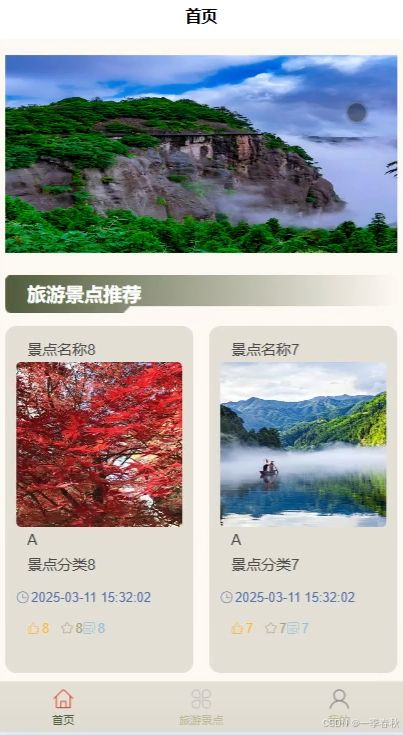
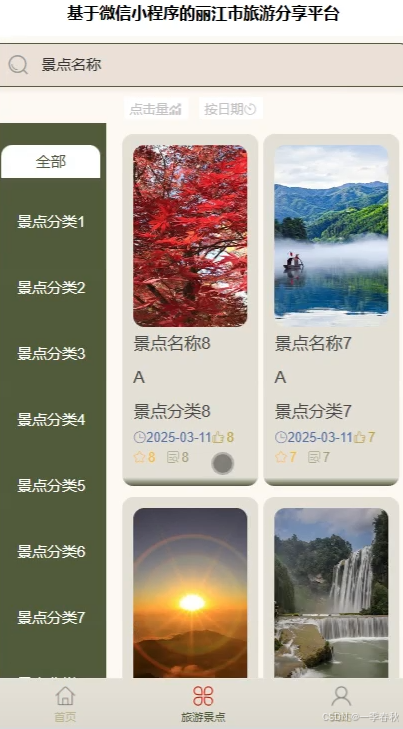
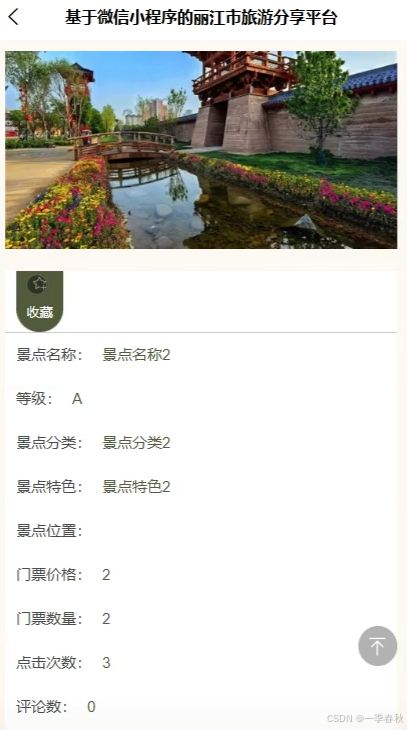
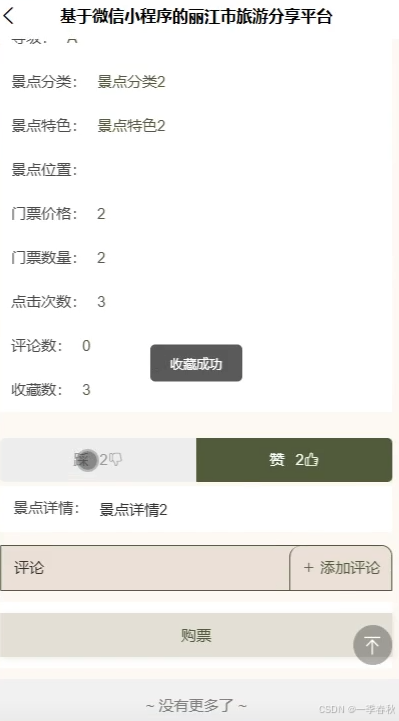
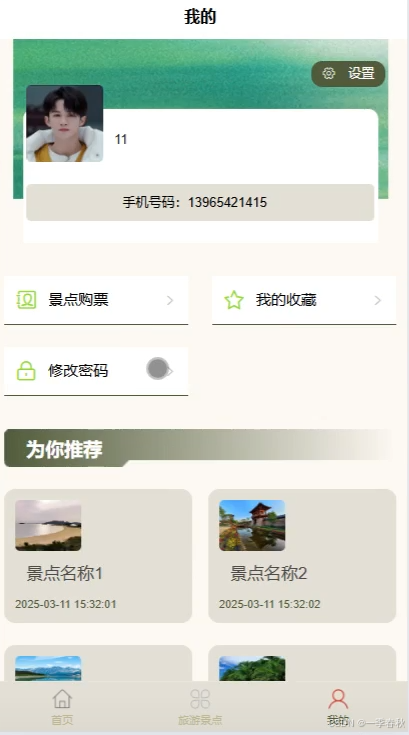
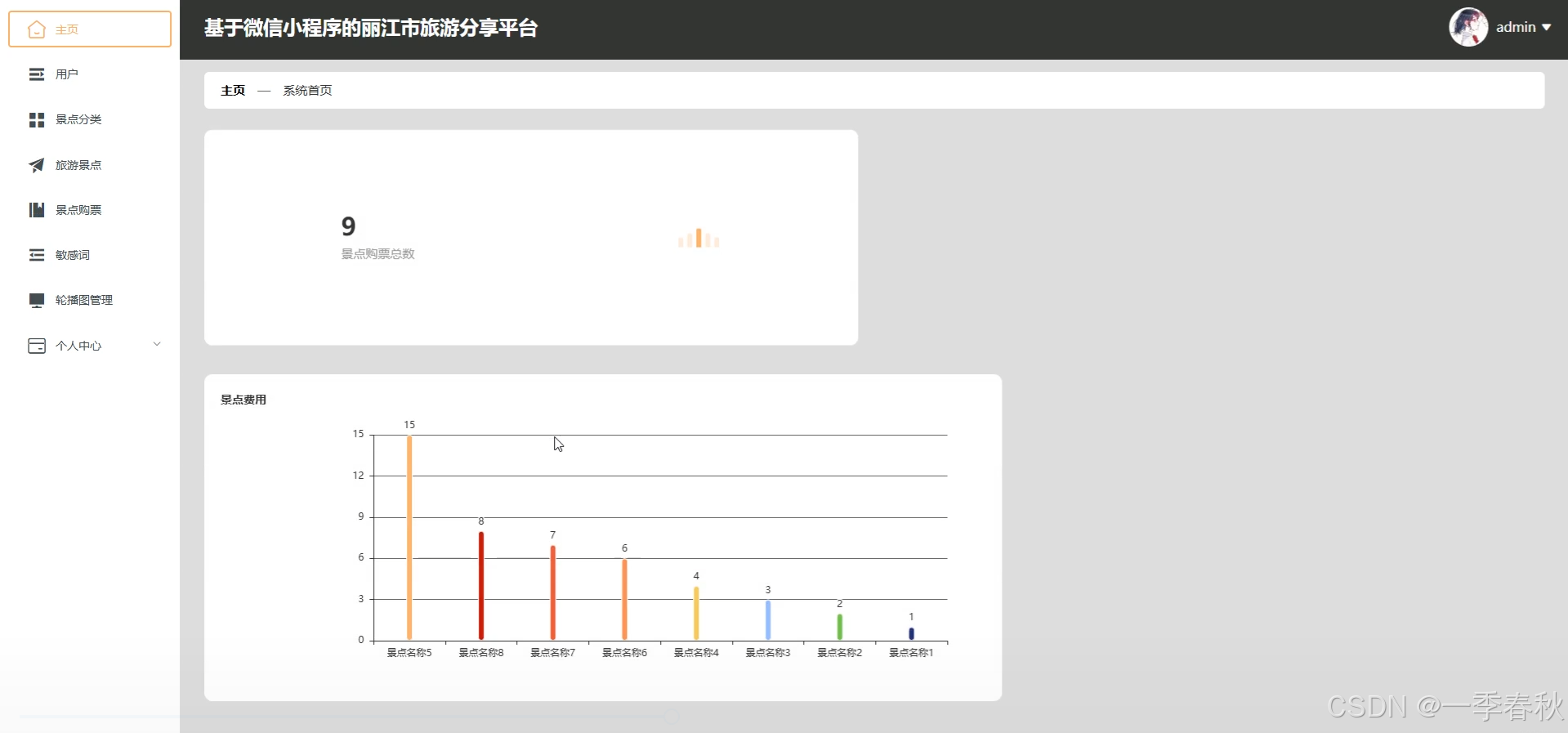
本文聚焦基于微信小程序的丽江市旅游分享平台的功能测试。详细设计了涵盖首页旅游景点推荐、旅游景点详情、景点导航以及个人中心等多模块的测试用例。对于首页推荐,针对新老用户不同场景设置测试;旅游景点功能测试包含景点信息展示、收藏点赞评论及购票等操作;景点导航测试涉及路线规划与实时导航;个人中心则对用户信息查看、收藏与订单管理及消息通知进行测试。经全面测试,平台各项功能均正常运行。首页推荐能精准匹配用户需求,旅游景点相关操作流畅无误,景点导航规划合理,个人中心功能完备。测试结果表明平台满足设计要求,可为用户提供完善服务。但测试中也发现可对大量用户并发操作时的系统响应速度等边缘情况深入研究,以持续优化平台性能。
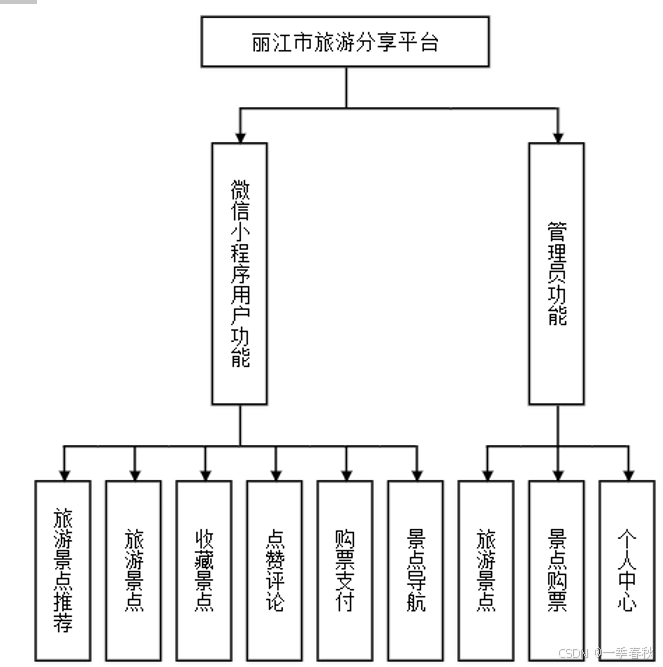
系统功能
数据库概念设计
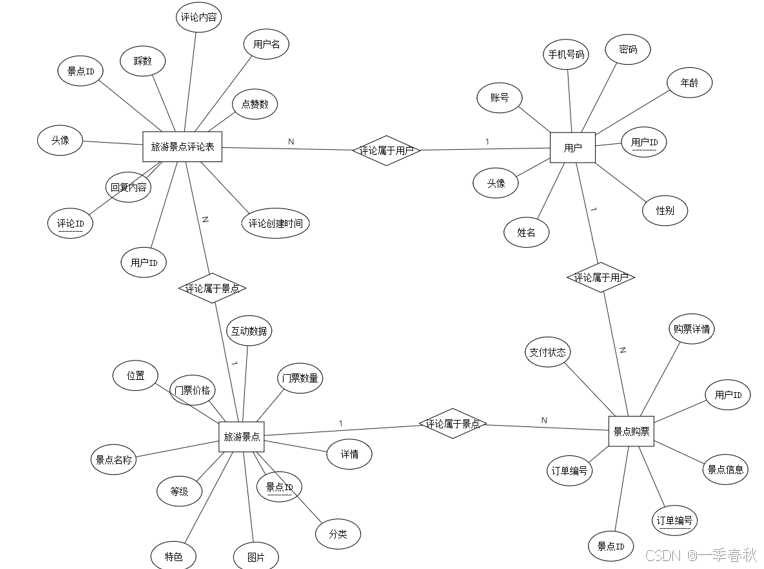
在数据库构建过程中,除了遵循必要的步骤,还可借助Visio等图形化工具,清晰展示复杂的网络结构及各部分之间的联系,以更好地满足系统在功能和性能方面的需求。构建数据库时,应紧密结合系统的架构、功能和性能特点,精心设计出适配系统的网络结构。实体-关系图(E-R图)是一种有效的图形化处理技术。无论是使用亿图软件还是Visio工具,它们都采用相同的符号体系来描述实体间的相互关系。其中,矩形代表实体,菱形表示实体之间的联系,而实体的属性则用椭圆来表示。通过绘制E-R图,将矩形、菱形、椭圆等几何图形有机组合,实现对数据库概念结构的清晰呈现。
系统实现功能截图
微信小程序端功能实现
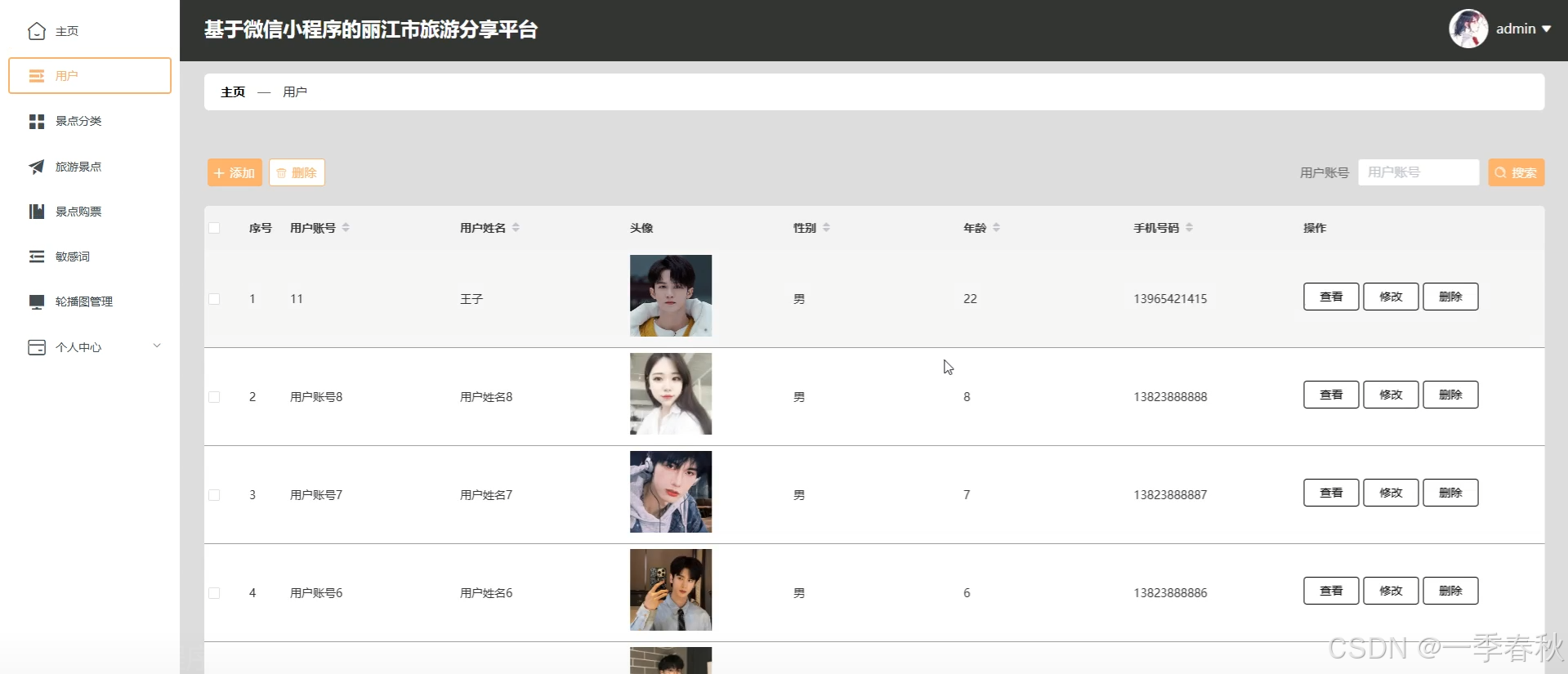
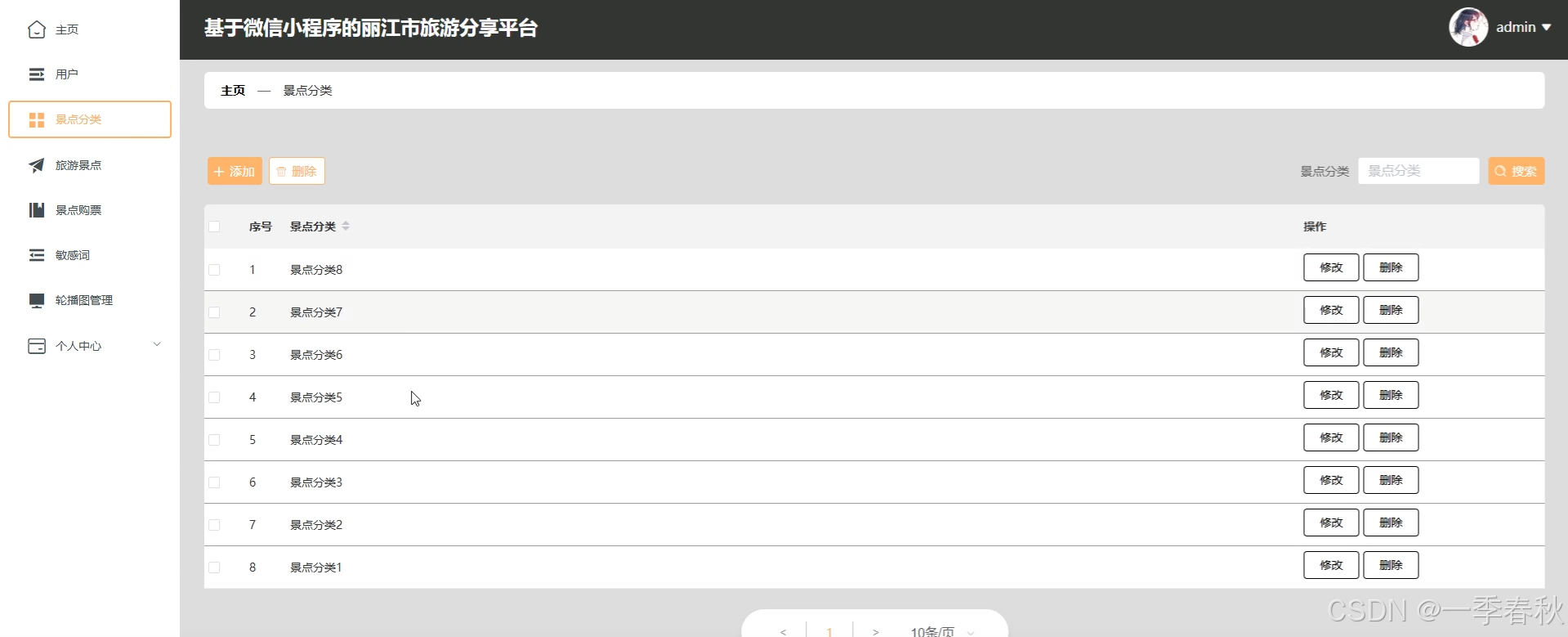
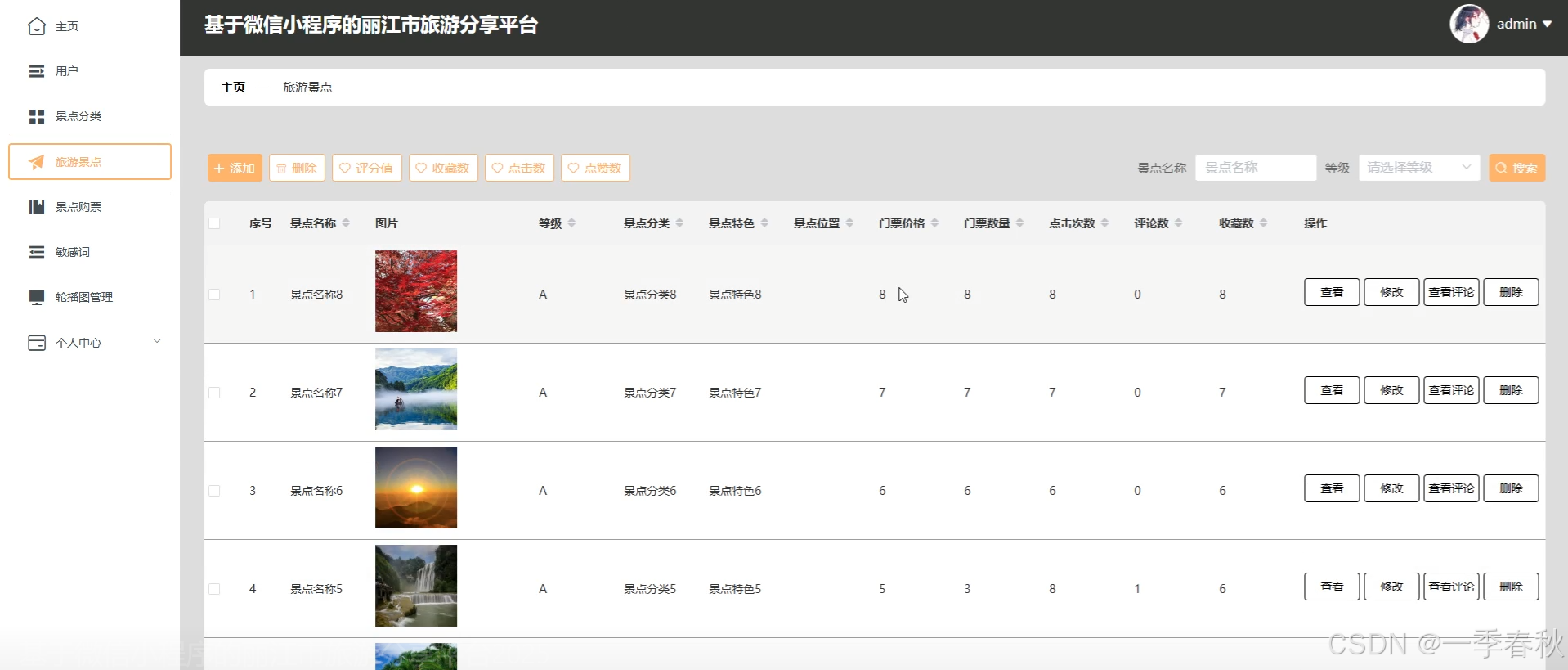
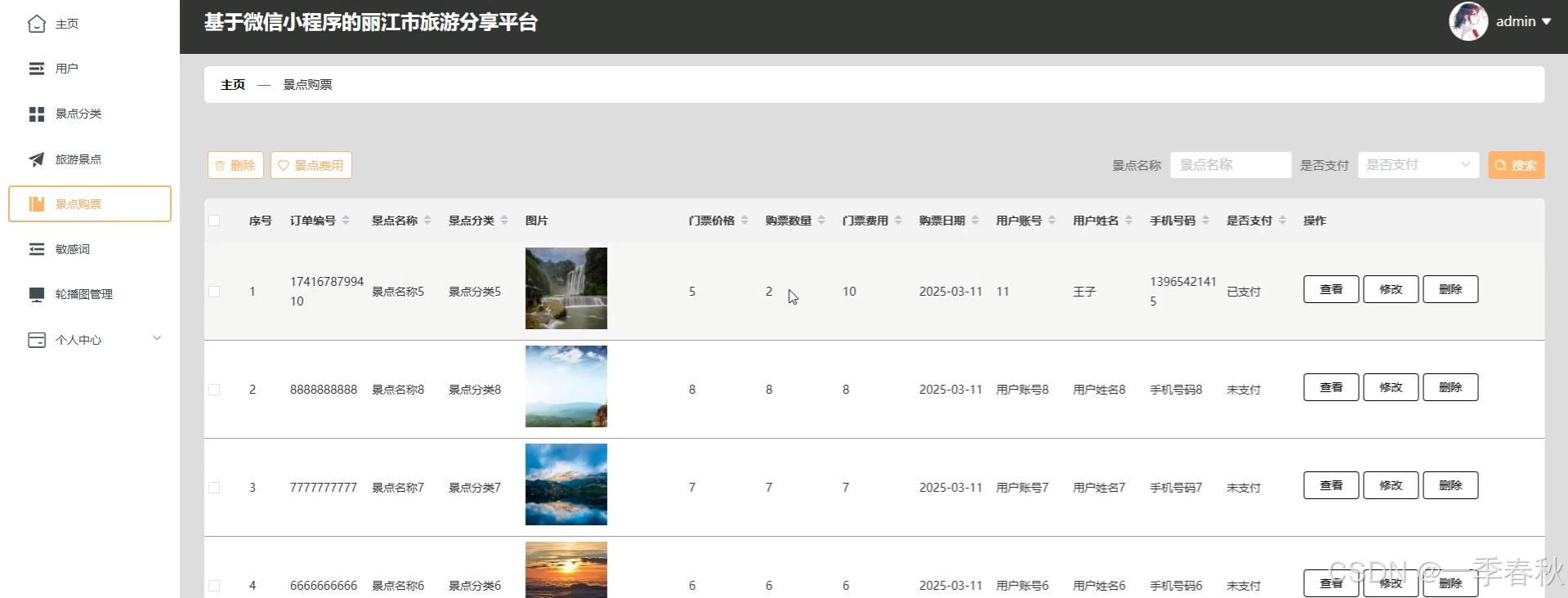
后台管理端功能实现
部分核心代码
/**
* 上传文件映射表
*/
@RestController
@RequestMapping("file")
@SuppressWarnings({"unchecked","rawtypes"})
public class FileController{
@Autowired
private ConfigService configService;
/**
* 上传文件
*/
@RequestMapping("/upload")
public R upload(@RequestParam("file") MultipartFile file,String type) throws Exception {
if (file.isEmpty()) {
throw new EIException("上传文件不能为空");
}
String fileExt = file.getOriginalFilename().substring(file.getOriginalFilename().lastIndexOf(".")+1);
File path = new File(ResourceUtils.getURL("classpath:static").getPath());
if(!path.exists()) {
path = new File("");
}
File upload = new File(path.getAbsolutePath(),"/upload/");
if(!upload.exists()) {
upload.mkdirs();
}
String fileName = new Date().getTime()+"."+fileExt;
File dest = new File(upload.getAbsolutePath()+"/"+fileName);
file.transferTo(dest);
if(StringUtils.isNotBlank(type) && type.equals("1")) {
ConfigEntity configEntity = configService.selectOne(new EntityWrapper<ConfigEntity>().eq("name", "faceFile"));
if(configEntity==null) {
configEntity = new ConfigEntity();
configEntity.setName("faceFile");
configEntity.setValue(fileName);
} else {
configEntity.setValue(fileName);
}
configService.insertOrUpdate(configEntity);
}
return R.ok().put("file", fileName);
}
/**
* 下载文件
*/
@IgnoreAuth
@RequestMapping("/download")
public ResponseEntity<byte[]> download(@RequestParam String fileName) {
try {
File path = new File(ResourceUtils.getURL("classpath:static").getPath());
if(!path.exists()) {
path = new File("");
}
File upload = new File(path.getAbsolutePath(),"/upload/");
if(!upload.exists()) {
upload.mkdirs();
}
File file = new File(upload.getAbsolutePath()+"/"+fileName);
if(file.exists()){
/*if(!fileService.canRead(file, SessionManager.getSessionUser())){
getResponse().sendError(403);
}*/
HttpHeaders headers = new HttpHeaders();
headers.setContentType(MediaType.APPLICATION_OCTET_STREAM);
headers.setContentDispositionFormData("attachment", fileName);
return new ResponseEntity<byte[]>(FileUtils.readFileToByteArray(file),headers, HttpStatus.CREATED);
}
} catch (IOException e) {
e.printStackTrace();
}
return new ResponseEntity<byte[]>(HttpStatus.INTERNAL_SERVER_ERROR);
}
}
源码获取
大家点赞、收藏、关注、评论啦 、查看👇🏻获取联系方式👇🏻







评论前必须登录!
注册