 网硕互联帮助中心
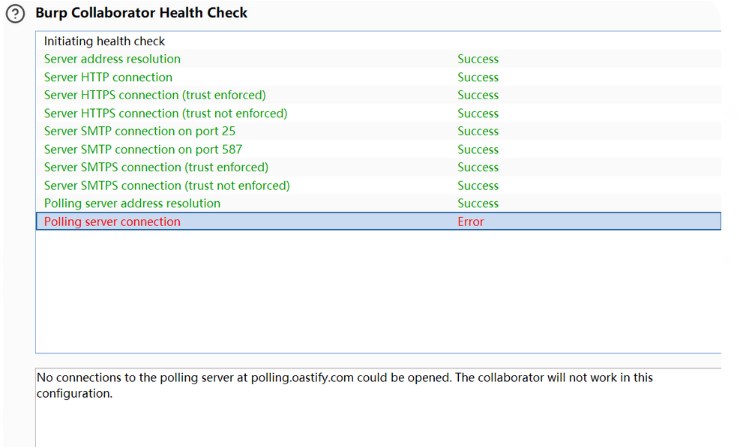
关于Collaborator连接失败的问题:
跟着AI尝试了几个方案,并不清楚是哪一步发挥了主要作用。但是分享出来,希望对没找到解决方案的大家有帮助。
第一:
# 以管理员身份运行CMD,然后:
netsh interface ip set dns name="以太网" source="static" address="8.8.8.8"
netsh interface ip add dns name="以太网" address="1.1.1.1" index=2
#之后刷新
ipconfig /flushdns
第二:
以管理员身份打开hosts文件(C:\\Windows\\System32\\drivers\\etc\\hosts),在末尾添加:
# Burp Collaborator Polling Server
63.33.151.92 polling.oastify.com
54.220.122.8 polling.oastify.com
可能就是这两步,都试试





评论前必须登录!
注册