 网硕互联帮助中心
1. 创建maven项目
在idea中创建一个maven项目,正常填写项目的坐标信息。如下图所示:
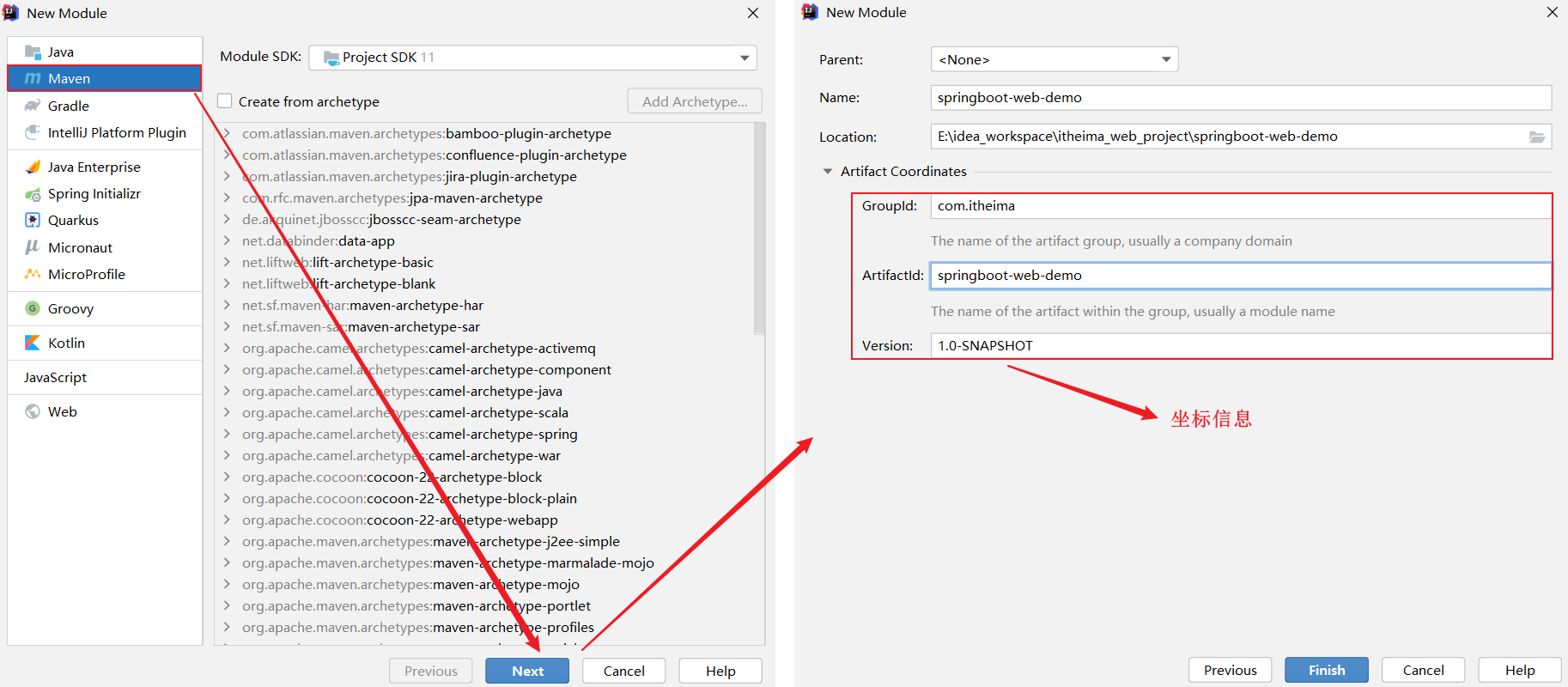
输入项目的基本信息之后,点击finish,就可以创建一个maven项目。
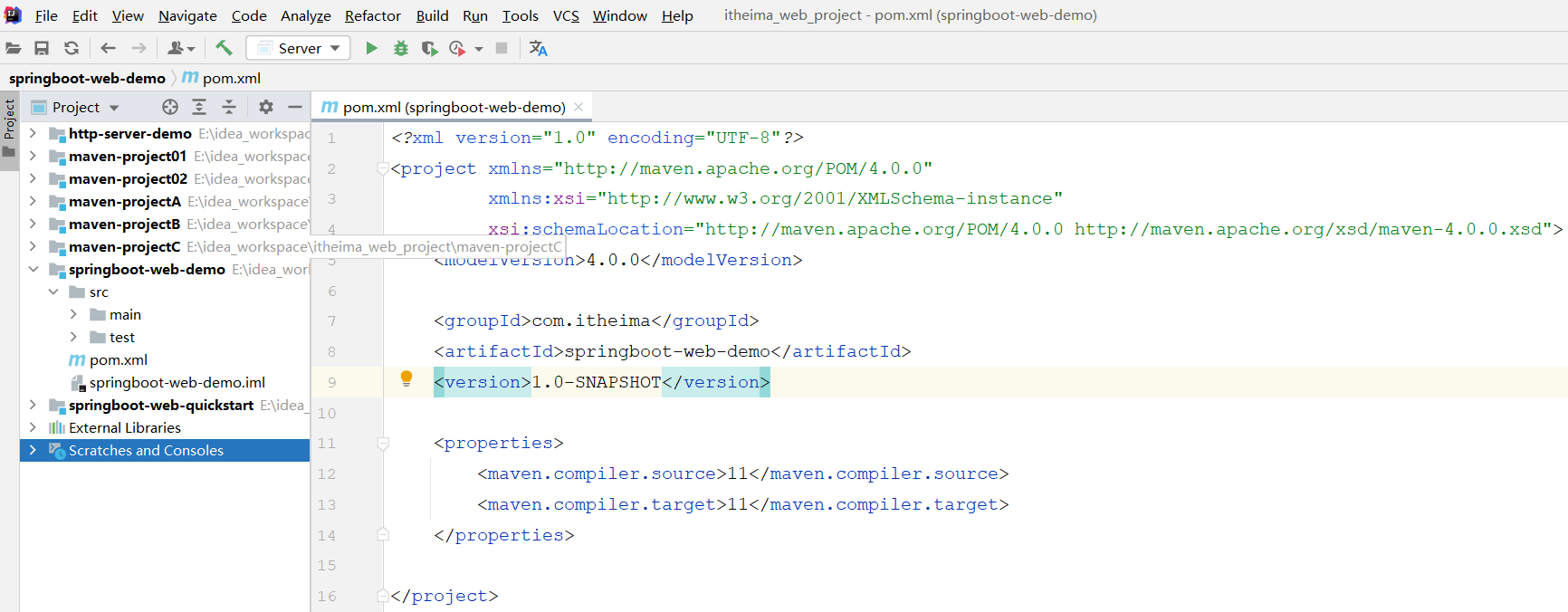
但是这个maven项目目前并不是springboot项目,我们还需要做如下两步操作。
2. pom.xml配置
1). 在pom.xml中指定springboot的父工程
<!– springboot父工程–>
<parent>
<groupId>org.springframework.boot</groupId>
<artifactId>spring-boot-starter-parent</artifactId>
<version>2.7.4</version>
<relativePath/> <!– lookup parent from repository –>
</parent>
2). 添加springboot项目的起步依赖以及maven插件
<dependencies>
<dependency>
<groupId>org.springframework.boot</groupId>
<artifactId>spring-boot-starter-web</artifactId>
</dependency>
<dependency>
<groupId>org.springframework.boot</groupId>
<artifactId>spring-boot-starter-test</artifactId>
<scope>test</scope>
</dependency>
</dependencies>
<build>
<plugins>
<plugin>
<groupId>org.springframework.boot</groupId>
<artifactId>spring-boot-maven-plugin</artifactId>
</plugin>
</plugins>
</build>
3. 基本结构
1). 创建基本的包结构 com.itheima,并创建启动类 SpringBootDemoApplication
2). 并在resources目录下准备一份配置文件,application.properties (创建一个新的file文件,命名为application.properties)
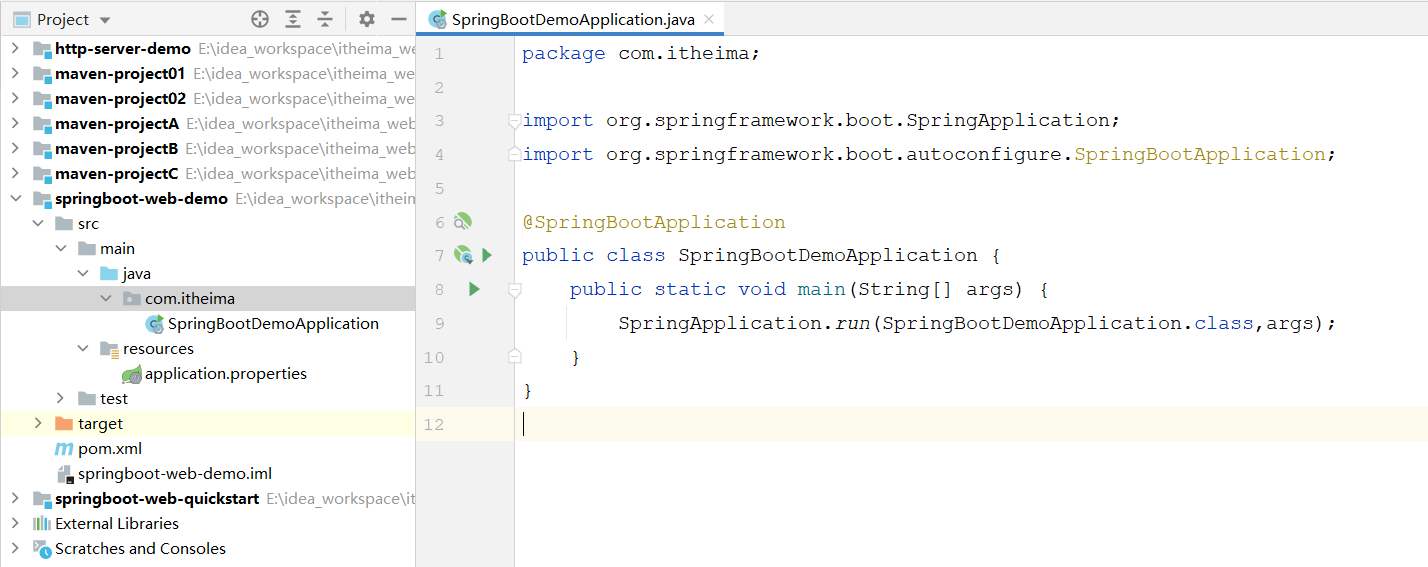
到此呢,我们就手动创建好了这样一个springboot项目~



评论前必须登录!
注册