 网硕互联帮助中心
定点算术
通过整数运算指令来实现实数的逻辑, 而无需在硬件上引入FPU。
fixedpt的类型本质是int32_t(量化误差 ≤ 1/256)
A = a * 2^8
神奇的fixedpt_rconst
#define fixedpt_rconst(R) ((fixedpt)((R) * FIXEDPT_ONE + ((R) >= 0 ? 0.5 : –0.5)))
利用编译期常量,编译器会在编译期把 ®*256 ± 0.5 算成一个整数常量,最后生成的目标代码里就是“加载立即数”,运行时不会出现任何浮点指令
实现更多的fixedptc API
/* Multiplies a fixedpt number with an integer, returns the result. */
static inline fixedpt fixedpt_muli(fixedpt A, int B) {
return (fixedpt)((int64_t)A * (int64_t)B);
}
/* Divides a fixedpt number with an integer, returns the result. */
static inline fixedpt fixedpt_divi(fixedpt A, int B) {
// 这里不做 B==0 的 UB 防护
return (fixedpt)((int64_t)A / (int64_t)B);
}
/* Multiplies two fixedpt numbers, returns the result. */
static inline fixedpt fixedpt_mul(fixedpt A, fixedpt B) {
return (fixedpt)(((int64_t)A * (int64_t)B) >> FIXEDPT_FBITS);
}
/* Divides two fixedpt numbers, returns the result. */
static inline fixedpt fixedpt_div(fixedpt A, fixedpt B) {
return (fixedpt)(((int64_t)A << FIXEDPT_FBITS) / (int64_t)B);
}
static inline fixedpt fixedpt_abs(fixedpt A) {
if (A == INT32_MIN)
return INT32_MAX;
return (A < 0) ? –A : A;
}
// greatest integral value <= x
static inline fixedpt fixedpt_floor(fixedpt A) {
const int32_t one = (int32_t)FIXEDPT_ONE;
int32_t ip = (int32_t)(A / one); // toward zero
int32_t r = (int32_t)(A % one); // same sign as A
if (r == 0)
return (fixedpt)(ip * one);
if (A < 0)
return (fixedpt)((ip – 1) * one); // 负数且有小数:floor 要更负
return (fixedpt)(ip * one); // 正数:直接截断就是 floor
}
// least integral value >= x
static inline fixedpt fixedpt_ceil(fixedpt A) {
const int32_t one = (int32_t)FIXEDPT_ONE;
int32_t ip = (int32_t)(A / one); // toward zero
int32_t r = (int32_t)(A % one);
if (r == 0)
return (fixedpt)(ip * one);
if (A > 0)
return (fixedpt)((ip + 1) * one); // 正数且有小数:ceil 要更大
return (fixedpt)(ip * one); // 负数:toward zero 就是 ceil
}
Navy作为基础设施
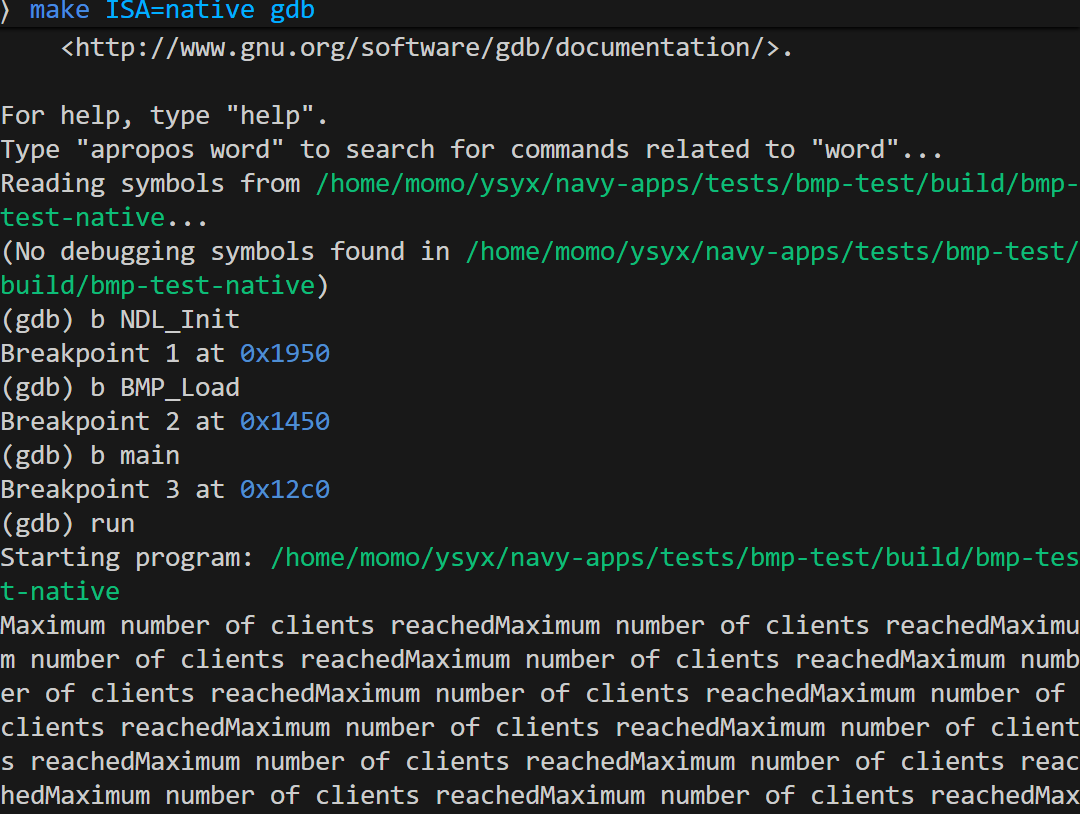
未解决bug:在main打断点,结果还是不断输出Maximum number of clients reached,然后就是WSL直接卡死。
Navy中的应用程序
NSlider (NJU Slider)
转换报错
⟩ bash convert.sh
convert-im6.q16: attempt to perform an operation not allowed by the security policy `PDF' @ error/constitute.c/IsCoderAuthorized/426.
convert-im6.q16: no images defined `slides.bmp' @ error/convert.c/ConvertImageCommand/3229.
mv: cannot stat '*.bmp': No such file or directory
在ai帮助下修改了navy-apps/apps/nslider/slides/convert.sh
#!/bin/bash
# convert slides.pdf \\
# -sharpen "0x1.0" \\
# -type truecolor -resize 400×300\\! slides.bmp
# mkdir -p $NAVY_HOME/fsimg/share/slides/
# rm $NAVY_HOME/fsimg/share/slides/*
# mv *.bmp $NAVY_HOME/fsimg/share/slides/
pdftoppm -png -r 150 slides.pdf slides
i=0
for f in slides-*.png; do
convert "$f" -resize 400×300\\! "slides-$i.bmp"
i=$((i+1))
done
rm -f slides-*.png
mkdir -p "$NAVY_HOME/fsimg/share/slides/"
rm -f "$NAVY_HOME/fsimg/share/slides/"*
mv slides-*.bmp "$NAVY_HOME/fsimg/share/slides/"
SDL_BlitSurface():把 src 这张“图”(surface)里的像素拷贝一块,到 dst 这张“图”里的某个位置去。
SDL_UpdateRect:刷新
void SDL_BlitSurface(SDL_Surface *src, SDL_Rect *srcrect, SDL_Surface *dst, SDL_Rect *dstrect) {
assert(dst && src);
assert(dst->format->BitsPerPixel == src->format->BitsPerPixel);
assert(dst->format->BitsPerPixel == 32); // 先只支持 32bpp
int sx = 0, sy = 0, w = src->w, h = src->h;
if (srcrect) {
sx = srcrect->x;
sy = srcrect->y;
w = srcrect->w;
h = srcrect->h;
}
int dx = 0, dy = 0;
if (dstrect) {
dx = dstrect->x;
dy = dstrect->y;
}
if (sx < 0) {
w += sx;
dx -= sx;
sx = 0;
}
if (sy < 0) {
h += sy;
dy -= sy;
sy = 0;
}
if (dx < 0) {
w += dx;
sx -= dx;
dx = 0;
}
if (dy < 0) {
h += dy;
sy -= dy;
dy = 0;
}
if (sx + w > src->w)
w = src->w – sx;
if (sy + h > src->h)
h = src->h – sy;
if (dx + w > dst->w)
w = dst->w – dx;
if (dy + h > dst->h)
h = dst->h – dy;
if (w <= 0 || h <= 0)
return;
int bpp = src->format->BytesPerPixel; // 32bpp -> 4
for (int row = 0; row < h; row++) {
uint8_t *sp = (uint8_t *)src->pixels + (sy + row) * src->pitch + sx * bpp;
uint8_t *dp = (uint8_t *)dst->pixels + (dy + row) * dst->pitch + dx * bpp;
memcpy(dp, sp, (size_t)w * bpp);
}
if (dstrect) {
dstrect->x = dx;
dstrect->y = dy;
dstrect->w = w;
dstrect->h = h;
}
}
void SDL_UpdateRect(SDL_Surface *s, int x, int y, int w, int h) {
assert(s && s->format->BitsPerPixel == 32);
if (w == 0 && h == 0) {
x = 0;
y = 0;
w = s->w;
h = s->h;
}
if (x < 0) {
w += x;
x = 0;
}
if (y < 0) {
h += y;
y = 0;
}
if (x + w > s->w)
w = s->w – x;
if (y + h > s->h)
h = s->h – y;
if (w <= 0 || h <= 0)
return;
const int bpp = s->format->BytesPerPixel; // 4 bytes per pixel
uint32_t *p = (uint32_t *)((uint8_t *)s->pixels + y * s->pitch + x * bpp);
NDL_DrawRect(p, x, y, w, h);
}
// navy-apps/libs/libminiSDL/src/event.c
static uint8_t lookup_key(const char *name) {
for (int i = 0; i < (int)(sizeof(keyname) / sizeof(keyname[0])); i++) {
if (strcmp(keyname[i], name) == 0)
return (uint8_t)i; // i == SDLK_*
}
return (uint8_t)SDLK_NONE;
}
int SDL_WaitEvent(SDL_Event *event) {
assert(event);
char buf[64];
while (1) {
if (!NDL_PollEvent(buf, sizeof(buf))) {
continue;
}
// "kd XXX\\n" or "ku XXX\\n"
if (buf[0] == 'k' && (buf[1] == 'd' || buf[1] == 'u') && buf[2] == ' ') {
int is_down = (buf[1] == 'd');
char name[32];
int n = 0;
for (int i = 3; buf[i] && buf[i] != '\\n' && n < (int)sizeof(name) – 1;
i++) {
name[n++] = buf[i];
}
name[n] = '\\0';
event->key.type = is_down ? SDL_KEYDOWN : SDL_KEYUP;
event->key.keysym.sym = lookup_key(name);
return 1;
}
}
}
效果:
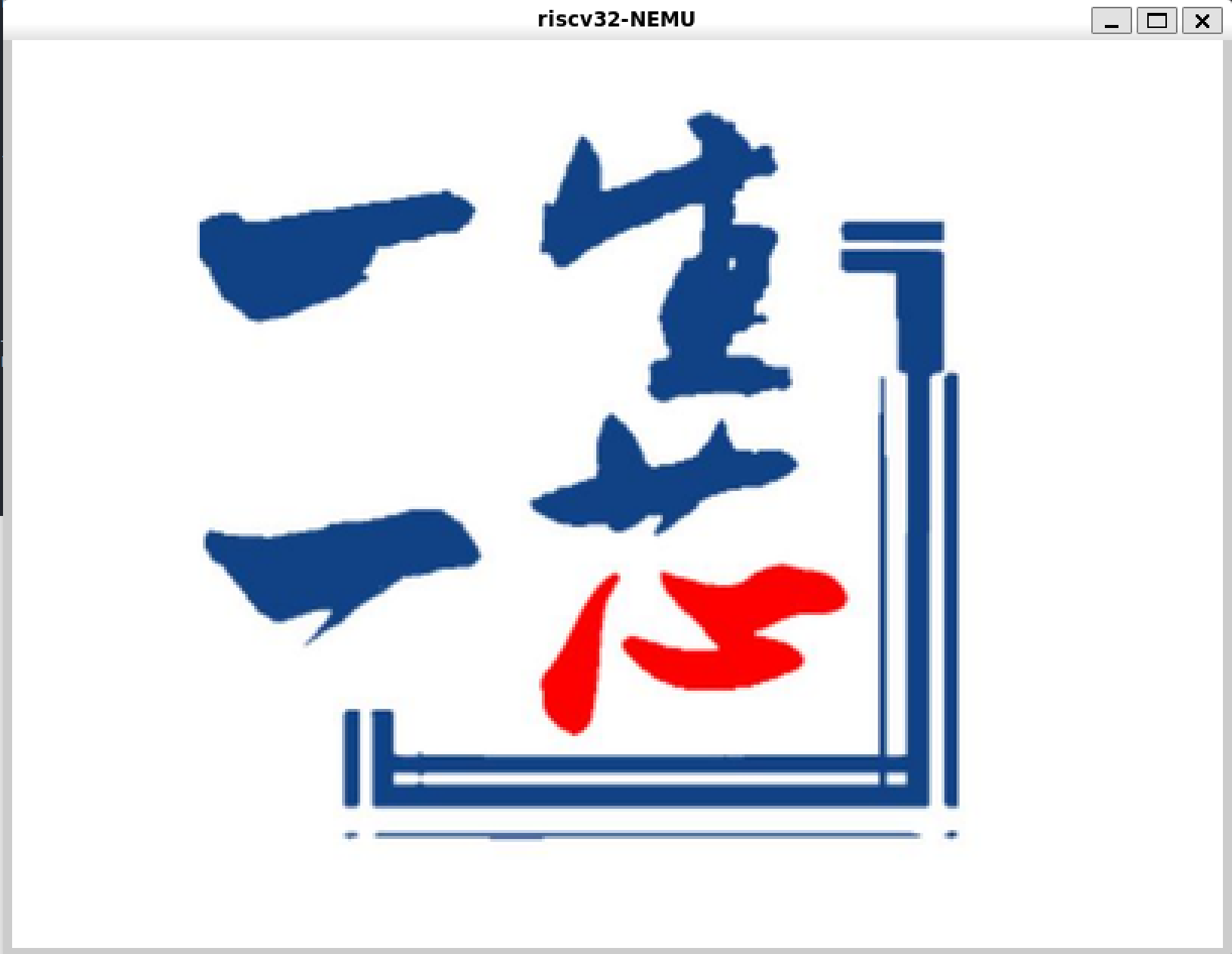
j下一页,k上一页,数字+翻页(翻多页),gg回到第一页。均正常。
注意:navy-apps/apps/nslider/src/main.cpp的const int N要等于pdf的页数,笔者一开始设置为1然后换多页pdf后忘记改了,怎么都实现不了翻页(下/上一页是自己)
MENU (开机菜单)
void SDL_FillRect(SDL_Surface *dst, SDL_Rect *dstrect, uint32_t color) {
assert(dst);
assert(dst->format);
assert(dst->format->BitsPerPixel == 32);
assert(dst->format->BytesPerPixel == 4);
int x = 0, y = 0, w = dst->w, h = dst->h;
if (dstrect) {
x = dstrect->x;
y = dstrect->y;
w = dstrect->w;
h = dstrect->h;
}
// 裁剪到 dst 范围内
if (x < 0) {
w += x;
x = 0;
}
if (y < 0) {
h += y;
y = 0;
}
if (x + w > dst->w)
w = dst->w – x;
if (y + h > dst->h)
h = dst->h – y;
if (w <= 0 || h <= 0)
return;
// 按行填充
uint8_t *rowp = (uint8_t *)dst->pixels + y * dst->pitch + x * 4;
for (int row = 0; row < h; row++) {
uint32_t *p = (uint32_t *)rowp;
for (int col = 0; col < w; col++) {
p[col] = color;
}
rowp += dst->pitch;
}
if (dstrect) {
dstrect->x = x;
dstrect->y = y;
dstrect->w = w;
dstrect->h = h;
}
}
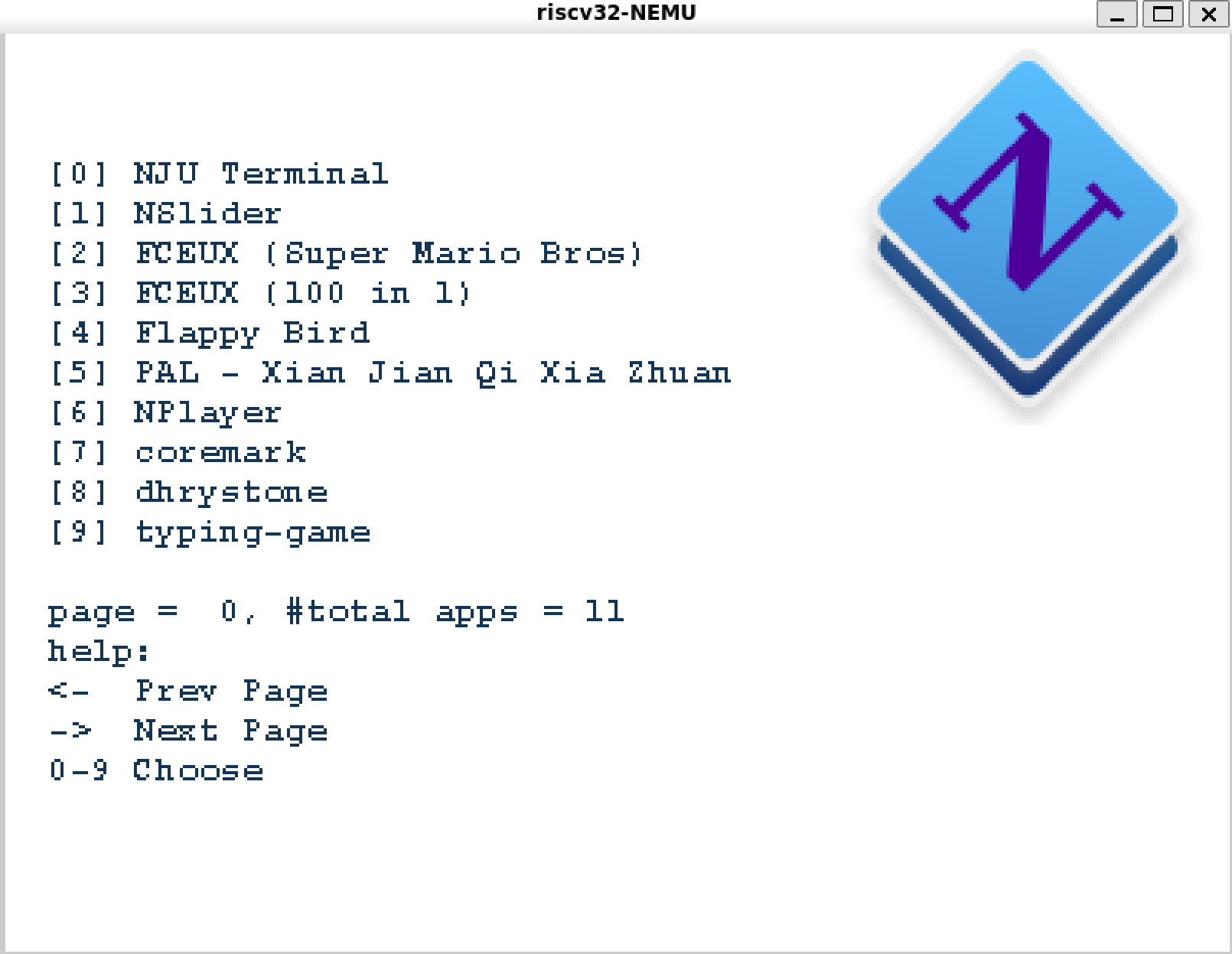
NTerm (NJU Terminal)
SDL_GetTicks = 从 SDL_Init 开始算的相对时间(ms)
// navy-apps/libs/libminiSDL/src/general.c
uint32_t sdl_start_ticks;
int SDL_Init(uint32_t flags) {
int ret = NDL_Init(flags);
sdl_start_ticks = NDL_GetTicks();
return ret;
}
// navy-apps/libs/libminiSDL/src/timer.c
extern uint32_t sdl_start_ticks;
uint32_t SDL_GetTicks() {
return NDL_GetTicks() – sdl_start_ticks;
}
// 类似 SDL_WaitEvent,但非阻塞
int SDL_PollEvent(SDL_Event *ev) {
if (ev == NULL)
return 0;
char buf[64];
if (!NDL_PollEvent(buf, sizeof(buf))) {
return 0; // 没事件:立即返回
}
// "kd XXX\\n" or "ku XXX\\n"
if (buf[0] == 'k' && (buf[1] == 'd' || buf[1] == 'u') && buf[2] == ' ') {
int is_down = (buf[1] == 'd');
char name[32];
int n = 0;
for (int i = 3; buf[i] && buf[i] != '\\n' && n < (int)sizeof(name) – 1;
i++) {
name[n++] = buf[i];
}
name[n] = '\\0';
ev->key.type = is_down ? SDL_KEYDOWN : SDL_KEYUP;
ev->key.keysym.sym = lookup_key(name);
return 1;
}
return 0;
}
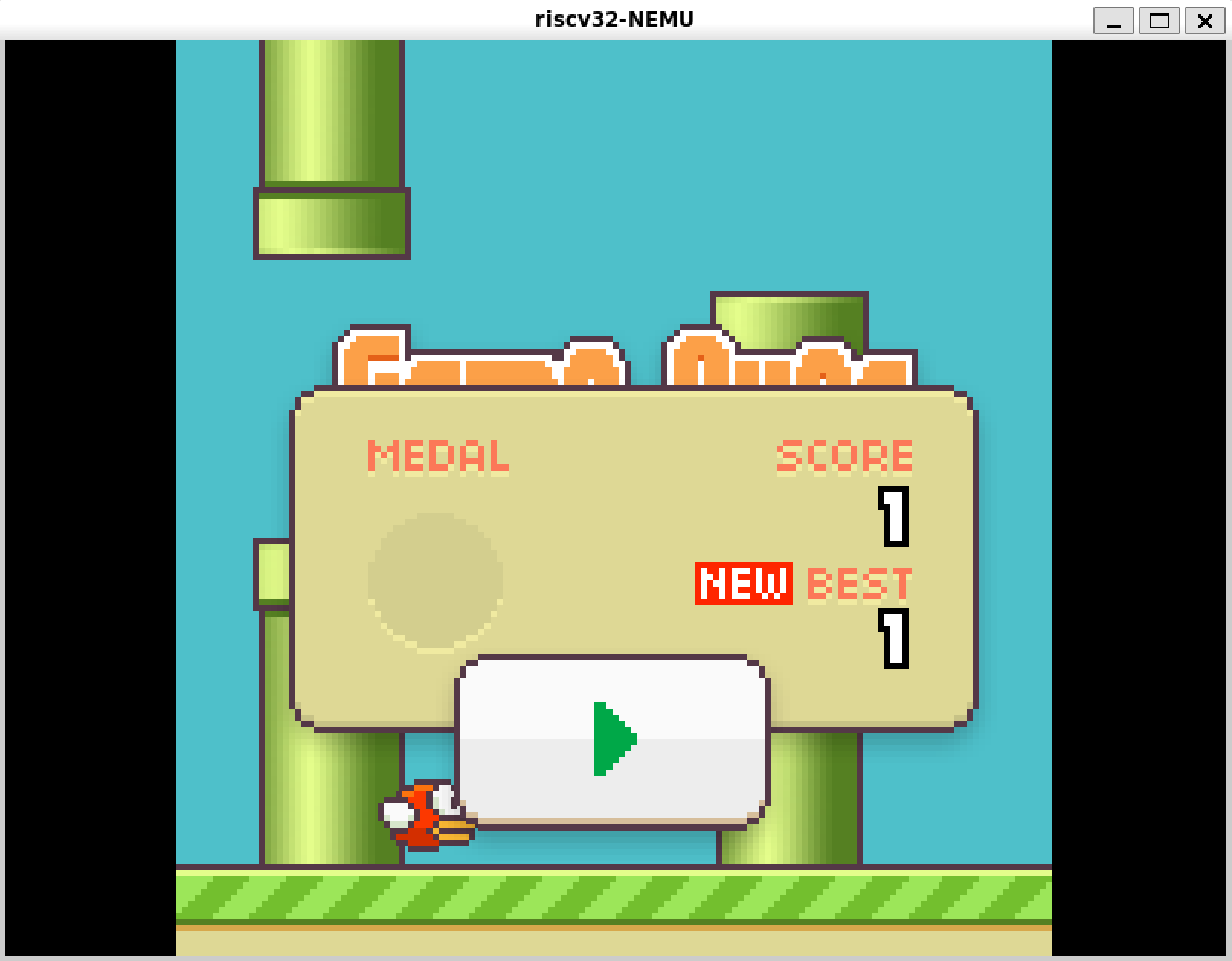
Flappy Bird
SDL_Surface* IMG_Load(const char *filename) {
if (filename == NULL)
return NULL;
int fd = open(filename, O_RDONLY);
if (fd < 0)
return NULL;
off_t size = lseek(fd, 0, SEEK_END);
if (size <= 0) {
close(fd);
return NULL;
}
lseek(fd, 0, SEEK_SET);
uint8_t *buf = (uint8_t *)SDL_malloc((size_t)size);
if (buf == NULL) {
close(fd);
return NULL;
}
size_t off = 0;
while (off < (size_t)size) {
ssize_t n = read(fd, buf + off, (size_t)size – off);
if (n <= 0) { // 读失败或 EOF
SDL_free(buf);
close(fd);
return NULL;
}
off += (size_t)n;
}
close(fd);
SDL_Surface *surf = STBIMG_LoadFromMemory(buf, (int)size);
SDL_free(buf);
return surf;
}
PAL (仙剑奇侠传)
data下载(网上找到的链接):https://box.nju.edu.cn/f/73c08ca0a5164a94aaba/?login=from_csdn
好难,跳过。
am-kernels
通过Navy的运行时环境实现AM的API
实际上就是外面是AM ioe的壳,里面模仿之前SDL调NDL的做法。
一点思考
Q:nanos-lite就是运行在AM上的,比如sys_exit就是用的halt,serial_write里面用的是putch。现在实现libam那函数名岂不是重复了?
A:AM 应用(coremark/typing-game)是一个“用户态程序”,链接的是 Navy 的用户态库(libc、libndl、libminiSDL、libam…),它不会把 nanos-lite 或内核侧的 TRM/IOE 实现一起链接进来。
两者的一些区别:内核那边(nanos-lite)使用的AM的 trm(putch/halt)还有ioe是与硬件强挂钩的,是store、ebreak、MMIO;而libam作为一个用户态库,libam与NDL的关系可以类似SDL与NDL,作用是为应用程序统一接口。
#include <NDL.h>
#include <am.h>
#include <klib-macros.h>
void __am_timer_init();
void __am_gpu_init();
void __am_audio_init();
void __am_input_keybrd(AM_INPUT_KEYBRD_T *);
void __am_timer_rtc(AM_TIMER_RTC_T *);
void __am_timer_uptime(AM_TIMER_UPTIME_T *);
void __am_gpu_config(AM_GPU_CONFIG_T *);
void __am_gpu_status(AM_GPU_STATUS_T *);
void __am_gpu_fbdraw(AM_GPU_FBDRAW_T *);
static void __am_timer_config(AM_TIMER_CONFIG_T *cfg) {
cfg->present = true;
cfg->has_rtc = true;
}
static void __am_input_config(AM_INPUT_CONFIG_T *cfg) { cfg->present = true; }
static void __am_uart_config(AM_UART_CONFIG_T *cfg) { cfg->present = false; }
static void __am_net_config(AM_NET_CONFIG_T *cfg) { cfg->present = false; }
typedef void (*handler_t)(void *buf);
static void *lut[128] = {
[AM_TIMER_CONFIG] = __am_timer_config,
[AM_TIMER_RTC] = __am_timer_rtc,
[AM_TIMER_UPTIME] = __am_timer_uptime,
[AM_INPUT_CONFIG] = __am_input_config,
[AM_INPUT_KEYBRD] = __am_input_keybrd,
[AM_GPU_CONFIG] = __am_gpu_config,
[AM_GPU_FBDRAW] = __am_gpu_fbdraw,
[AM_GPU_STATUS] = __am_gpu_status,
[AM_UART_CONFIG] = __am_uart_config,
[AM_NET_CONFIG] = __am_net_config,
};
static void fail(void *buf) { panic("labam access nonexist register"); }
bool ioe_init() {
for (int i = 0; i < LENGTH(lut); i++)
if (!lut[i])
lut[i] = fail;
NDL_Init(0);
__am_gpu_init();
__am_timer_init();
return true;
}
void ioe_read(int reg, void *buf) { ((handler_t)lut[reg])(buf); }
void ioe_write(int reg, void *buf) { ((handler_t)lut[reg])(buf); }
#include <am.h>
#include "NDL.h"
void __am_timer_init() {}
void __am_timer_uptime(AM_TIMER_UPTIME_T *uptime) {
// AM_TIMER_UPTIME_T: uint64_t us;
uint32_t ms = NDL_GetTicks();
uptime->us = (uint64_t)ms * 1000;
return;
}
void __am_timer_rtc(AM_TIMER_RTC_T *rtc) {
rtc->second = 0;
rtc->minute = 0;
rtc->hour = 0;
rtc->day = 0;
rtc->month = 0;
rtc->year = 1900;
}
#include "amdev.h"
#include <NDL.h>
#include <am.h>
#include <string.h>
#define KEYNAME(k) #k,
static const char *am_keyname[] = {
"NONE",
AM_KEYS(KEYNAME) // 依赖 am.h 里的 _KEYS
};
static uint32_t lookup_am_key(const char *name) {
for (int i = 0; i < (int)(sizeof(am_keyname) / sizeof(am_keyname[0])); i++) {
if (strcmp(am_keyname[i], name) == 0)
return (uint32_t)i; // i == AM_KEY_*
}
return AM_KEY_NONE;
}
void __am_input_keybrd(AM_INPUT_KEYBRD_T *kbd) {
char buf[64];
if (!NDL_PollEvent(buf, sizeof(buf))) {
return; // 没事件:立即返回
}
// "kd XXX\\n" or "ku XXX\\n"
if (buf[0] == 'k' && (buf[1] == 'd' || buf[1] == 'u') && buf[2] == ' ') {
int is_down = (buf[1] == 'd');
char name[32];
int n = 0;
for (int i = 3; buf[i] && buf[i] != '\\n' && n < (int)sizeof(name) – 1;
i++) {
name[n++] = buf[i];
}
name[n] = '\\0';
kbd->keydown = is_down;
kbd->keycode = lookup_am_key(name);
}
return;
}
#include <NDL.h>
#include <am.h>
#include <stddef.h>
#include <stdint.h>
static int g_w = 0;
static int g_h = 0;
static int inited = 0;
void __am_gpu_init() {
if (inited)
return;
inited = 1;
NDL_Init(0);
// 传 0,0 表示全屏,让 NDL 用 /proc/dispinfo 的 screen_w/screen_h
int w = 0, h = 0;
NDL_OpenCanvas(&w, &h);
g_w = w;
g_h = h;
}
void __am_gpu_config(AM_GPU_CONFIG_T *cfg) {
if (!inited)
__am_gpu_init();
*cfg = (AM_GPU_CONFIG_T){
.present = true,
.has_accel = false,
.width = (uint32_t)g_w,
.height = (uint32_t)g_h,
.vmemsz = (uint32_t)g_w * (uint32_t)g_h * sizeof(uint32_t),
};
}
void __am_gpu_fbdraw(AM_GPU_FBDRAW_T *ctl) {
if (!inited)
__am_gpu_init();
if (ctl == NULL)
return;
if (ctl->pixels == NULL || ctl->w <= 0 || ctl->h <= 0)
return;
NDL_DrawRect((uint32_t *)ctl->pixels, ctl->x, ctl->y, ctl->w, ctl->h);
}
void __am_gpu_status(AM_GPU_STATUS_T *status) { status->ready = true; }
#include <am.h>
#include <unistd.h>
Area heap;
void putch(char ch) { write(1, &ch, 1); }
void halt(int code) { _exit(code); }
am-coremark
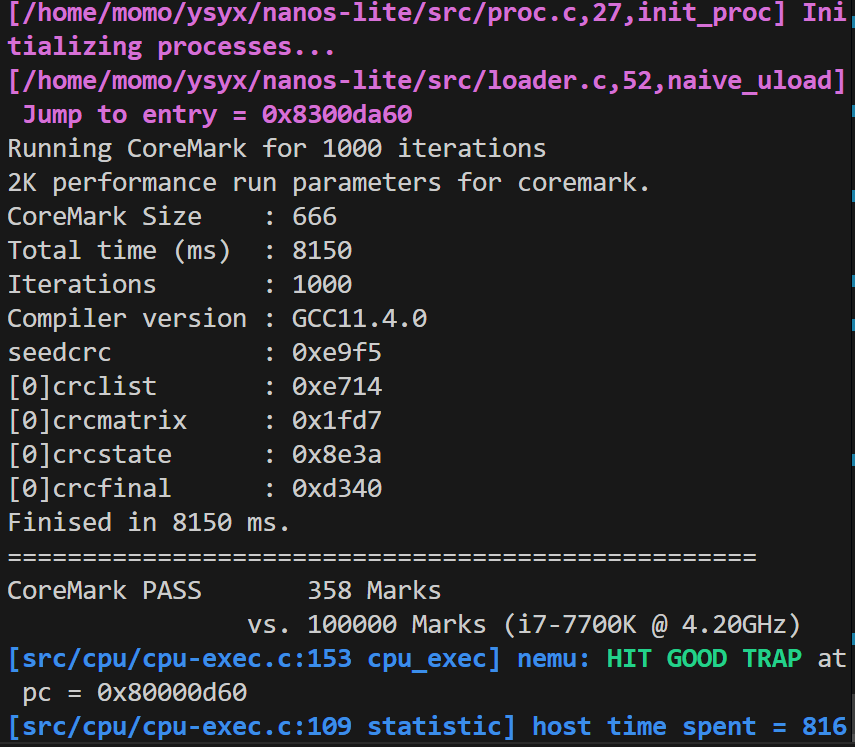
typing-game有bug:按键盘卡住,但Esc能正常退出,不管了
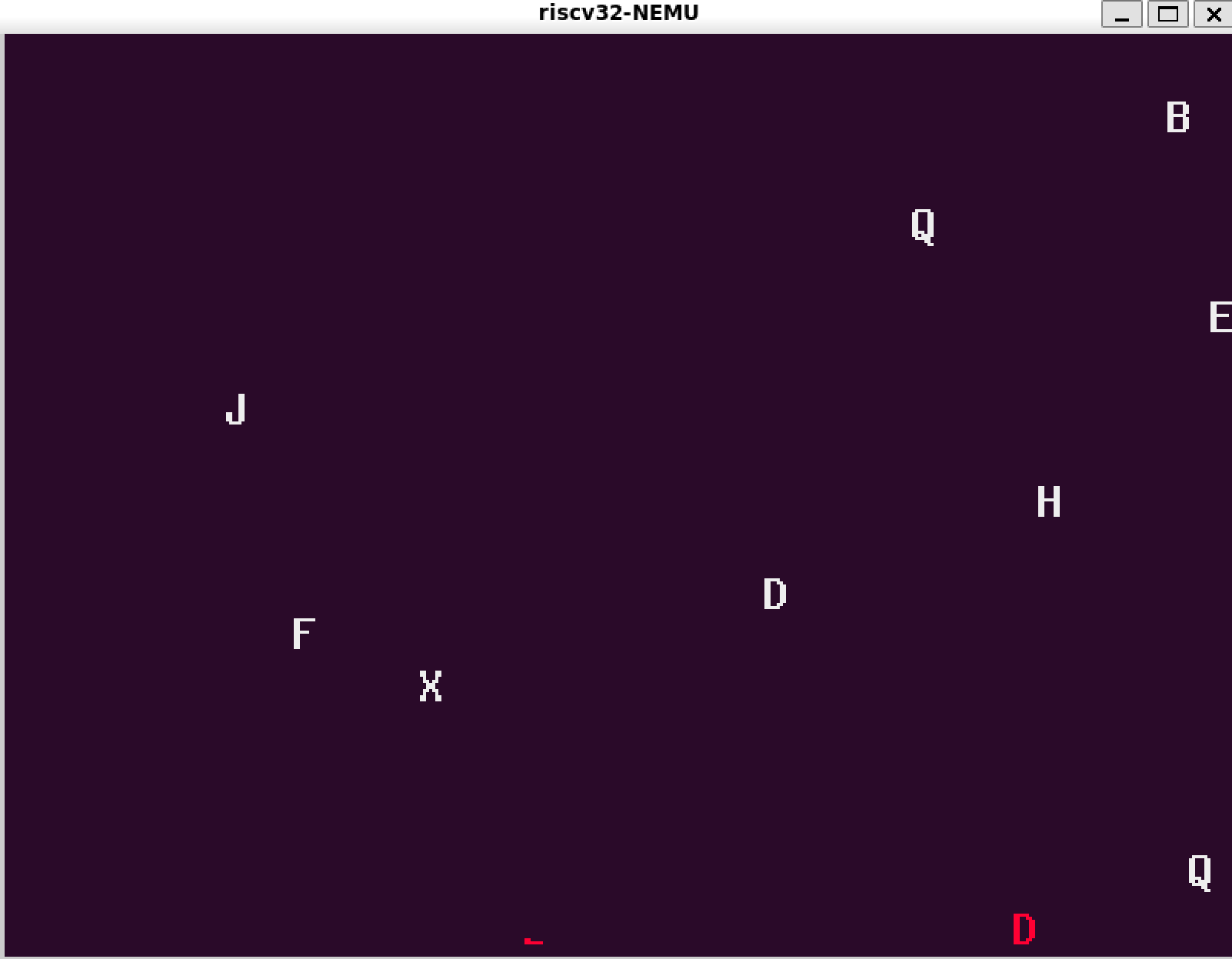
此处跳过亿部分
展示你的批处理系统
通过开机菜单
int _execve(const char *fname, char *const argv[], char *const envp[]) {
return _syscall_(SYS_execve, (intptr_t)fname, (intptr_t)argv, (intptr_t)envp);
}
// void do_syscall(Context *c)
case SYS_exit:
naive_uload(NULL, "/bin/menu");
panic("Should not reach here");
case SYS_execve: {
const char *fname = (const char *)(uintptr_t)a[1];
// argv = (char * const *)a[2]; envp = (char * const *)a[3]; 先不管
if (fname == NULL) {
ret = –1;
break;
}
naive_uload(NULL, fname);
panic("Should not reach here");
}
通过NTerm
在NTerm的內建Shell中实现命令解析:
static void sh_handle_cmd(const char *cmd) {
if (cmd == NULL)
return;
while (*cmd == ' ' || *cmd == '\\t')
cmd++;
if (*cmd == '\\0')
return;
char name[64];
int n = 0;
while (cmd[n] && cmd[n] != ' ' && cmd[n] != '\\t' && cmd[n] != '\\n' &&
cmd[n] != '\\r' && n < (int)sizeof(name) – 1) {
name[n] = cmd[n];
n++;
}
name[n] = '\\0';
if (name[0] == '\\0')
return;
// 内建命令 help
if (strcmp(name, "help") == 0) {
sh_printf("Commands:\\n");
sh_printf(" <prog> run /bin/<prog> (args ignored)\\n");
sh_printf(" help show this help\\n");
sh_printf(" clear clear screen\\n");
return;
}
// 内建命令 clear
if (strcmp(name, "clear") == 0) {
term->clear();
return;
}
execve(name, NULL, NULL);
}
为NTerm中的內建Shell添加环境变量的支持:
setenv("PATH", "/bin", 0);
execvp(name, argv);
为bird添加了键入Esc退出游戏的判断:
navy–apps/apps/bird/repo/src/BirdGame.cpp/UpdateEvents()
case SDL_KEYDOWN:
if (evt.key.keysym.sym == SDLK_ESCAPE)
{
exit(0);
}
g_bMouseDown = true;
break;
效果:
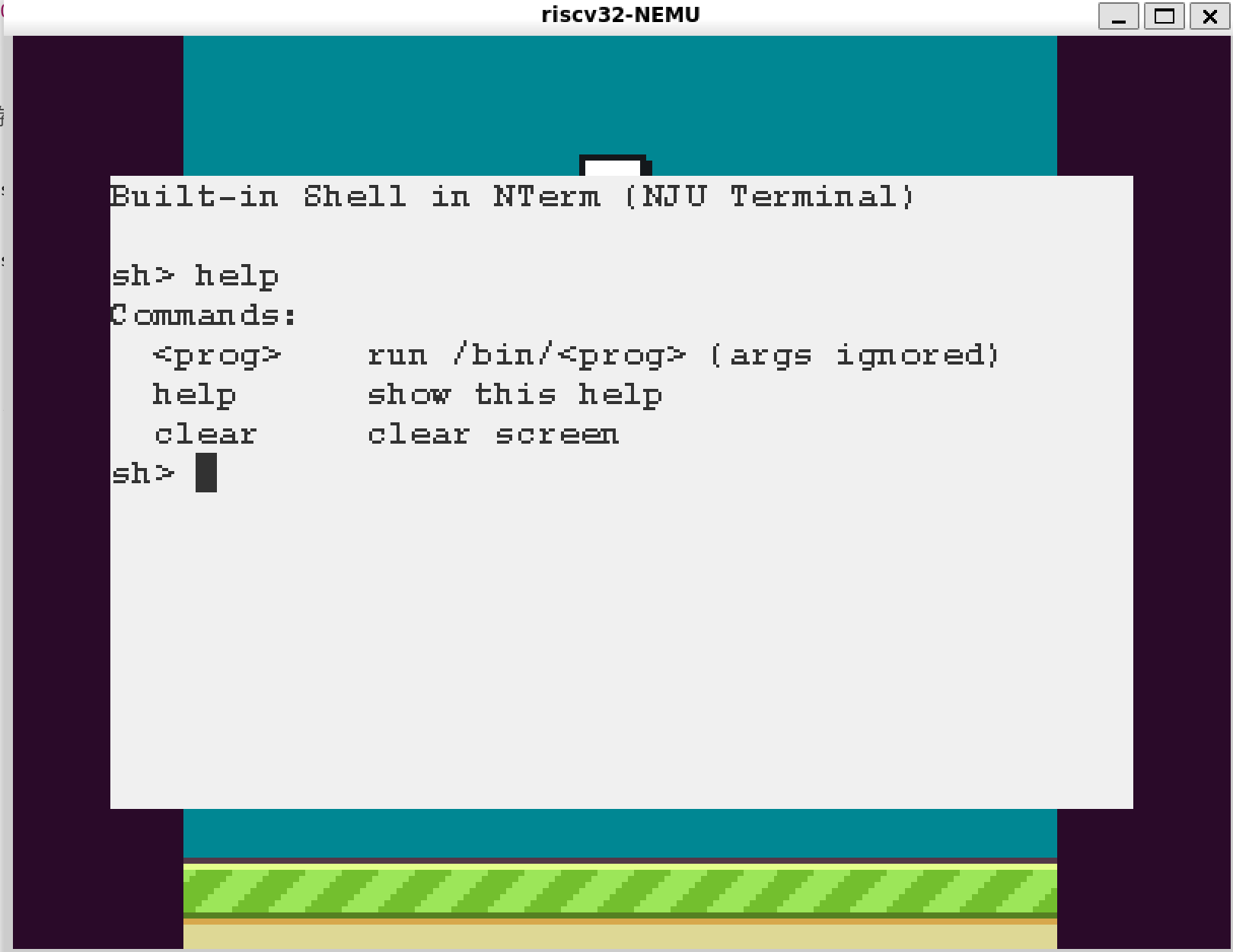
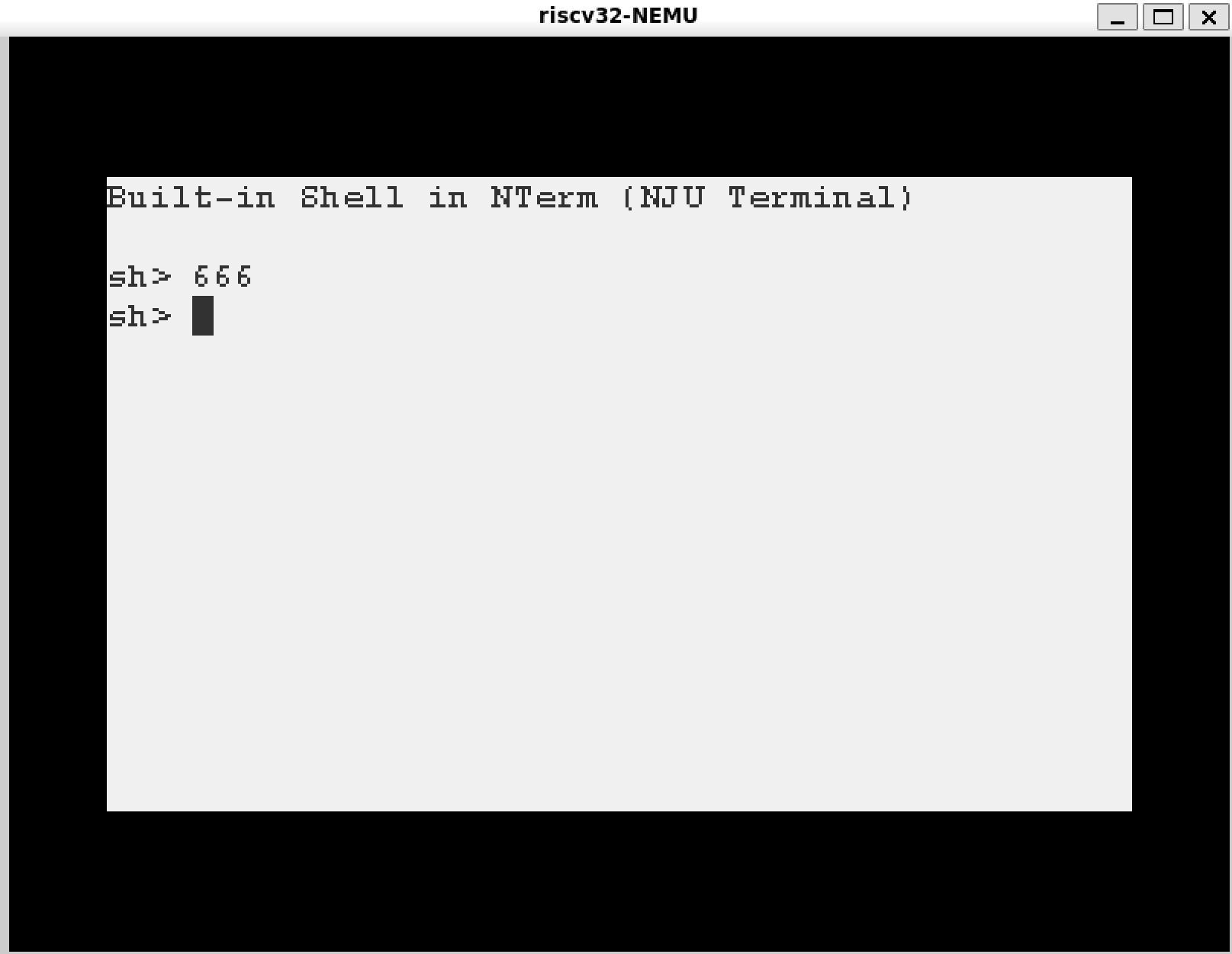
背景是因为运行过Flappy Bird和typing-game。bird没问题,但是跑typing-game还有bug(只有退出正常)
写在最后:感觉燃尽了(T_T),下一站PA4



评论前必须登录!
注册