 网硕互联帮助中心
Lesson 8: HTML / Javascript Fund Me (Full Stack / Front End)
这一章的作者的学习链接:PatrickAlphaC/html-fund-me-fcc
我们的任务是使用区块链和 web3来创建首个前端页面。(我之前学过前端所以这里简单的部分都会跳过,重点是学习交互,学习以专业水平构建应用)
新建文件夹,直接用以下命令。
mkdir html-fund-me-fcc
cd html-fund-me-fcc
code .
cd ../hardhat-fund-me-fcc
打开了新窗口,但是原窗口要记得退回去然后打开 hardhat-fund-me-fcc 文件夹,因为仍然需要这个文件夹来部署智能合约,与前端进行测试和交互。
在构建 DAPP(去中心化应用)或是能连接到区块链的网站时,通常会有两个代码库,一个用于智能合约(hardhat-fund-me-fcc 文件夹里存放了所有与智能合约相关代码的仓库),另一个就是前端网站(也就是我们项目中的 html-fund-me-fcc),这两个代码库结合就构成了“全栈”。
所以在区块链领域的 Full Stack ,指的就是智能合约(也就是后端)和前端(HTML/JavaScript/Website等),现在后端已经创建好了,开始构建前端。
1-Introduction
1.1-How Websites work with Web3 Wallets
在内部构造中,钱包有对接不同链上节点的能力,钱包本身也是一个地址。
我们需要与区块链之间有一个连接,浏览器钱包就是一种简单的实现方式。
1.2-HTML Setup
新建文件 index.html,这个文件是网站的基本骨架。
按下感叹号,就可以自动生成代码框架,在此基础上改动来创建网站的基本骨架。
<!DOCTYPE html>
<html lang=\”en\”>
<head>
<title>Fund Me App</title>
</head>
<body>
hello!
</body>
</html>
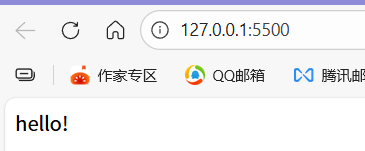
博主推荐下载扩展 live server,能够更简单的打开网站页面,安装后最底部会显示 Go Live 的小图标,点击小图标就可以直接打开网页了。
1.3-Connecting HTML to Metamask
完善 HTML 文件,让其可以连接和使用区块链。
在网页右键“检查”打开控制台,在控制台中,我们可以使用命令进行检查。
window
window.ethereum
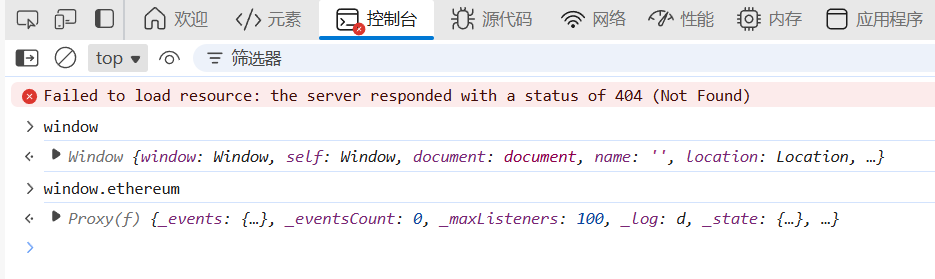
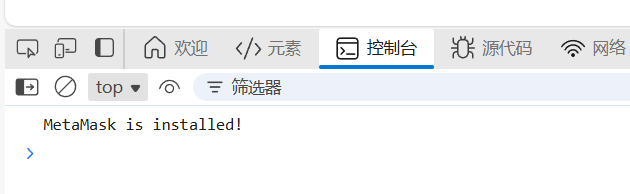
使用 window.ethereum 就是连接区块链的方式之一,所以代码要做的第一件事就是检查它是否存在。如果他不存在,那就意味着无法连接到区块链上。
<!DOCTYPE html>
<html lang=\”en\”>
<head>
<title>Fund Me App</title>
</head>
<body>
<script>
if (typeof window.ethereum !== \”undefined\”) {
console.log(\”MetaMask is installed!\”);
} else {
console.log(\”MetaMask is not installed. Please install it to use this app.\”);
}
</script>
</body>
</html>
然后尝试自动连接到 MetaMask。
<script>
if (typeof window.ethereum !== \”undefined\”) {
window.ethereum.request({ method: \”eth_requestAccounts\” })
} else {
console.log(\”MetaMask is not installed. Please install it to use this app.\”);
}
</script>
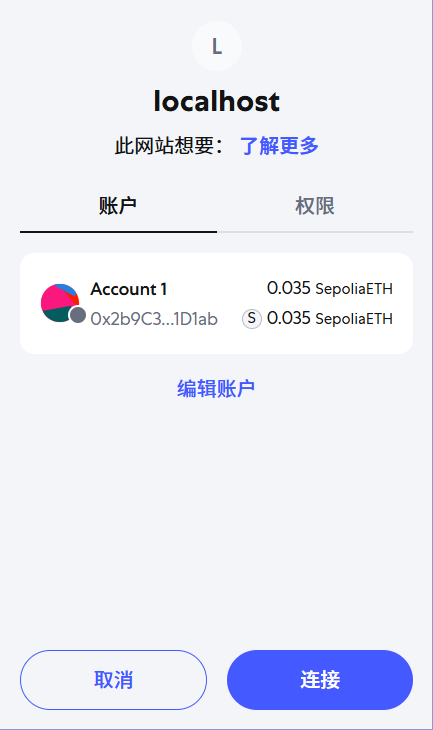
然后浏览器就会自动弹出,选择一个账户,连接钱包。再打开钱包插件,会显示已连接,这意味着网站可以对 MetaMask 进行 API 调用了。
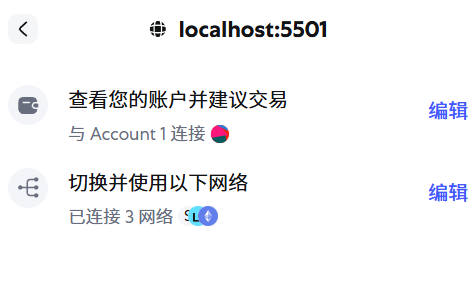
现在每次刷新代码都会弹出连接对话框,需要对代码进行优化,封装成异步函数。
<body>
<script>
async function connect() {
if (typeof window.ethereum !== \”undefined\”) {
await window.ethereum.request({ method: \”eth_requestAccounts\” });
console.log(\”MetaMask is connected\”);
} else {
console.log(
\”MetaMask is not installed. Please install it to use this app.\”,
);
}
}
</script>
<button id=\”connectButton\” onclick=\”connect()\”>Connect</button>
</body>
现在只有在按下按钮 connect 的时候,连接页面才会弹出来。
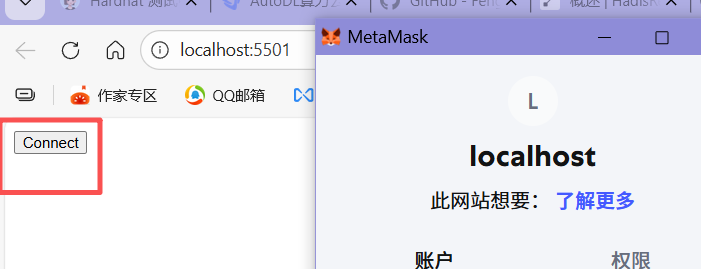
再次优化代码,点击按钮的时候,如果已经连接过了,就会显示 connected,如果还没连接过,就会弹出提示页面。
<body>
<script>
async function connect() {
if (typeof window.ethereum !== \”undefined\”) {
await window.ethereum.request({ method: \”eth_requestAccounts\” });
document.getElementById(\”connectButton\”).innerText = \”Connected!\”;
} else {
document.getElementById(\”connectButton\”).innerText =
\”Please install MetaMask!\”;
}
}
</script>
<button id=\”connectButton\” onclick=\”connect()\”>Connect</button>
</body>


评论前必须登录!
注册