 网硕互联帮助中心
一:依赖安装
<dependencyManagement>
<dependencies>
<dependency>
<groupId>org.springframework.ai</groupId>
<artifactId>spring-ai-bom</artifactId>
<version>2.0.1</version>
<type>pom</type>
<scope>import</scope>
</dependency>
</dependencies>
</dependencyManagement>
<dependencies>
<dependency>
<groupId>org.springframework.boot</groupId>
<artifactId>spring-boot-starter-web</artifactId>
</dependency>
<!– Security 用于Bearer鉴权 –>
<dependency>
<groupId>org.springframework.boot</groupId>
<artifactId>spring-boot-starter-security</artifactId>
</dependency>
<!– MCP Server WebMvc Streamable HTTP –>
<dependency>
<groupId>org.springframework.ai</groupId>
<artifactId>spring-ai-starter-mcp-server-webmvc</artifactId>
</dependency>
<!– Spring AI 2.x 中 spring-ai-core 已更名为 spring-ai-model,提供 @Tool –>
<dependency>
<groupId>org.springframework.ai</groupId>
<artifactId>spring-ai-model</artifactId>
</dependency>
</dependencies>
二:mcp服务配置
配置文件在application.yml
spring:
ai:
mcp:
server:
name: zkbmpt #MCP服务名称
version: 0.0.1 #MCP 服务版本号
type: SYNC #工具执行模型,选值:`SYNC`(同步执行) / `ASYNC`(异步流式执行)
protocol: STREAMABLE #MCP 底层传输协议,可选值:`SSE` / `STREAMABLE`(Streamable HTTP Transport)
#MCP 服务指令、系统提示文本
instructions: |
这是报名系统管理MCP服务,提供报名单查询、新增、审核工具。
调用工具前确认参数,审核类操作谨慎执行。
annotation-scanner:
enabled: true #注解自动扫描开关
# 自定义MCP Bearer密钥
mcp:
auth-token: sk-xxxx
# 调试日志,查看MCP报文、工具注册
logging:
level:
org.springframework.ai.mcp: DEBUG
org.springframework.security: WARN
三:Security 鉴权配置类
package com.example.demo.mcp.config;
import jakarta.servlet.FilterChain;
import jakarta.servlet.ServletException;
import jakarta.servlet.http.HttpServletRequest;
import jakarta.servlet.http.HttpServletResponse;
import org.springframework.beans.factory.annotation.Value;
import org.springframework.context.annotation.Bean;
import org.springframework.context.annotation.Configuration;
import org.springframework.http.HttpMethod;
import org.springframework.security.authentication.UsernamePasswordAuthenticationToken;
import org.springframework.security.config.annotation.web.builders.HttpSecurity;
import org.springframework.security.config.annotation.web.configuration.EnableWebSecurity;
import org.springframework.security.config.http.SessionCreationPolicy;
import org.springframework.security.core.authority.AuthorityUtils;
import org.springframework.security.core.context.SecurityContextHolder;
import org.springframework.security.web.SecurityFilterChain;
import org.springframework.security.web.authentication.www.BasicAuthenticationFilter;
import org.springframework.web.filter.OncePerRequestFilter;
import java.io.IOException;
@Configuration
@EnableWebSecurity
public class McpSecurityConfig {
@Value("${mcp.auth-token}")
private String validToken;
@Bean
public SecurityFilterChain filterChain(HttpSecurity http) throws Exception {
http
.csrf(csrf -> csrf.disable())
.sessionManagement(s -> s.sessionCreationPolicy(SessionCreationPolicy.STATELESS))
.authorizeHttpRequests(auth -> auth
.requestMatchers(HttpMethod.OPTIONS, "/mcp", "/mcp/**").permitAll()
.requestMatchers("/mcp", "/mcp/**").authenticated()
.anyRequest().permitAll())
.addFilterBefore(new BearerTokenFilter(validToken), BasicAuthenticationFilter.class);
return http.build();
}
static class BearerTokenFilter extends OncePerRequestFilter {
private final String expectToken;
public BearerTokenFilter(String expectToken) {
this.expectToken = expectToken;
}
@Override
protected boolean shouldNotFilter(HttpServletRequest request) {
if (HttpMethod.OPTIONS.matches(request.getMethod())) {
return true;
}
String uri = request.getRequestURI();
return !"/mcp".equals(uri) && !uri.startsWith("/mcp/");
}
@Override
protected void doFilterInternal(HttpServletRequest request,
HttpServletResponse response,
FilterChain filterChain) throws ServletException, IOException {
String authHeader = request.getHeader("Authorization");
if (authHeader == null || !authHeader.startsWith("Bearer ")) {
response.setStatus(HttpServletResponse.SC_UNAUTHORIZED);
response.setContentType("application/json;charset=utf-8");
response.getWriter().write("{\\"code\\":401,\\"msg\\":\\"缺少Authorization Bearer请求头\\"}");
return;
}
String token = authHeader.substring(7);
if (!expectToken.equals(token)) {
response.setStatus(HttpServletResponse.SC_UNAUTHORIZED);
response.setContentType("application/json;charset=utf-8");
response.getWriter().write("{\\"code\\":401,\\"msg\\":\\"Token无效\\"}");
return;
}
var authentication = new UsernamePasswordAuthenticationToken(
"mcp-client", null, AuthorityUtils.createAuthorityList("ROLE_MCP"));
SecurityContextHolder.getContext().setAuthentication(authentication);
filterChain.doFilter(request, response);
}
}
}
四:CORS 跨域配置类
package com.example.demo.mcp.config;
import org.springframework.context.annotation.Configuration;
import org.springframework.web.servlet.config.annotation.CorsRegistry;
import org.springframework.web.servlet.config.annotation.WebMvcConfigurer;
@Configuration
public class McpCorsConfig implements WebMvcConfigurer {
@Override
public void addCorsMappings(CorsRegistry registry) {
registry.addMapping("/mcp")
.allowedOriginPatterns("*")
.allowedMethods("GET", "POST", "OPTIONS")
.allowedHeaders("*")
.allowCredentials(false)
.maxAge(3600);
}
}
五:Transport 上下文提取配置类
package com.example.demo.mcp.config;
import io.modelcontextprotocol.common.McpTransportContext;
import org.springframework.ai.mcp.server.webmvc.transport.WebMvcStreamableServerTransportProvider;
import org.springframework.context.annotation.Bean;
import org.springframework.context.annotation.Configuration;
import java.util.HashMap;
import java.util.Map;
@Configuration
public class McpTransportConfig {
@Bean
public WebMvcStreamableServerTransportProvider transportProvider() {
return WebMvcStreamableServerTransportProvider.builder()
.contextExtractor(serverRequest -> {
Map<String, Object> ctxMap = new HashMap<>();
String authHeader = serverRequest.headers().firstHeader("Authorization");
ctxMap.put("Authorization", authHeader);
return McpTransportContext.create(ctxMap);
})
.build();
}
}
六:MCP 工具服务类
package com.example.demo.mcp.service;
import org.springframework.ai.mcp.annotation.McpTool;
import org.springframework.ai.mcp.annotation.McpToolParam;
import org.springframework.stereotype.Service;
import java.time.LocalDateTime;
import java.time.ZoneId;
@Service
public class McpToolService {
@McpTool(name = "serverTime", description = "返回服务当前时间(Asia/Shanghai)")
public String serverTime() {
return LocalDateTime.now(ZoneId.of("Asia/Shanghai")).toString();
}
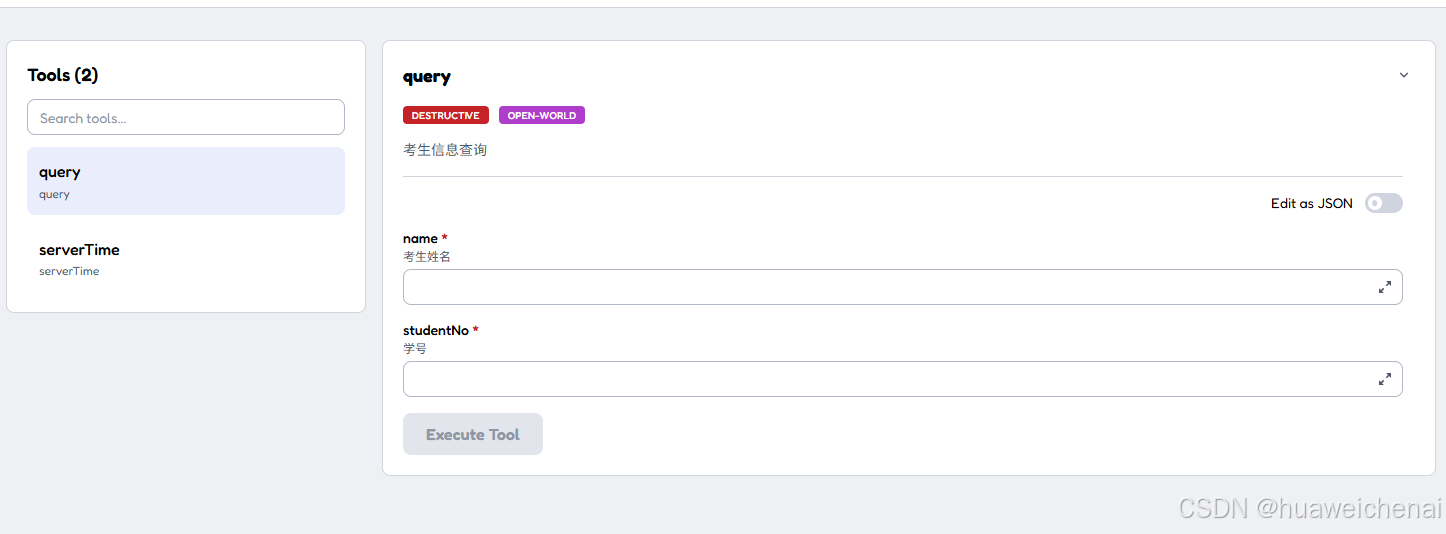
@McpTool(name = "query", description = "考生信息查询")
public String query(
@McpToolParam(description = "考生姓名", required = true) String name,
@McpToolParam(description = "学号", required = true) String studentNo) {
//具体的业务逻辑
return "考生:" + name + ",学号:" + studentNo;
}
}
七:测试调试
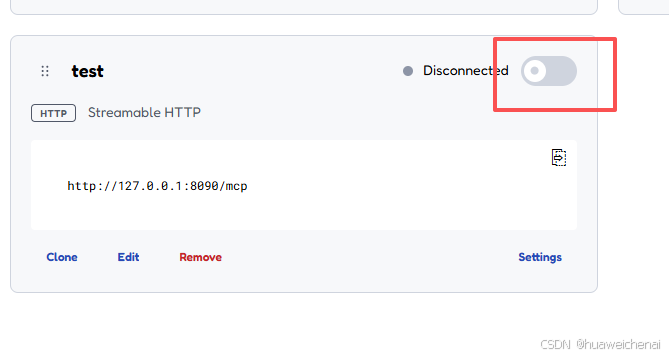
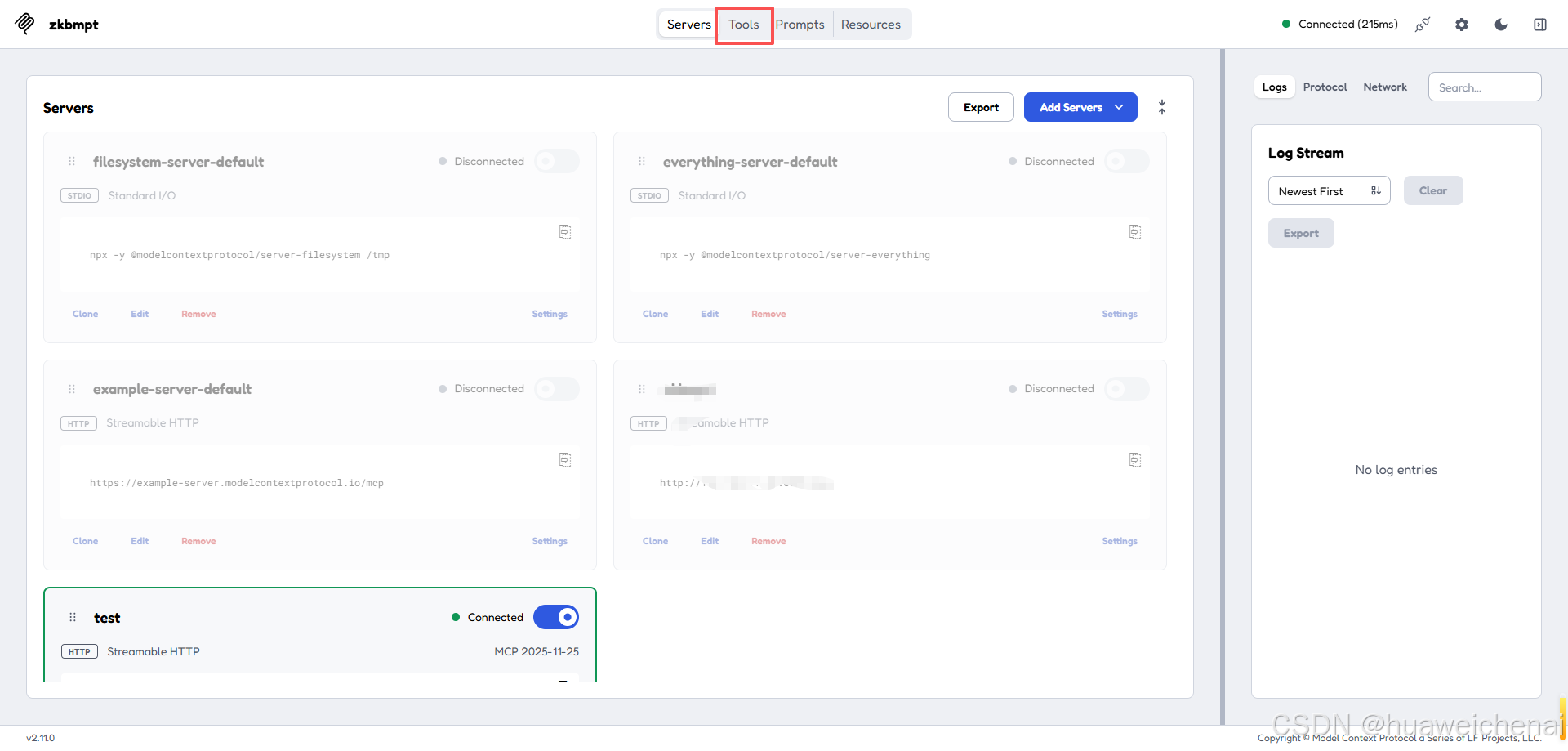
使用 MCP Inspector 工具进行mcp服务调试
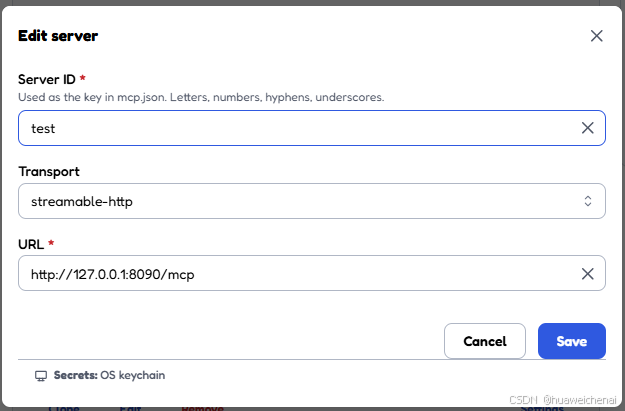
1:添加服务器
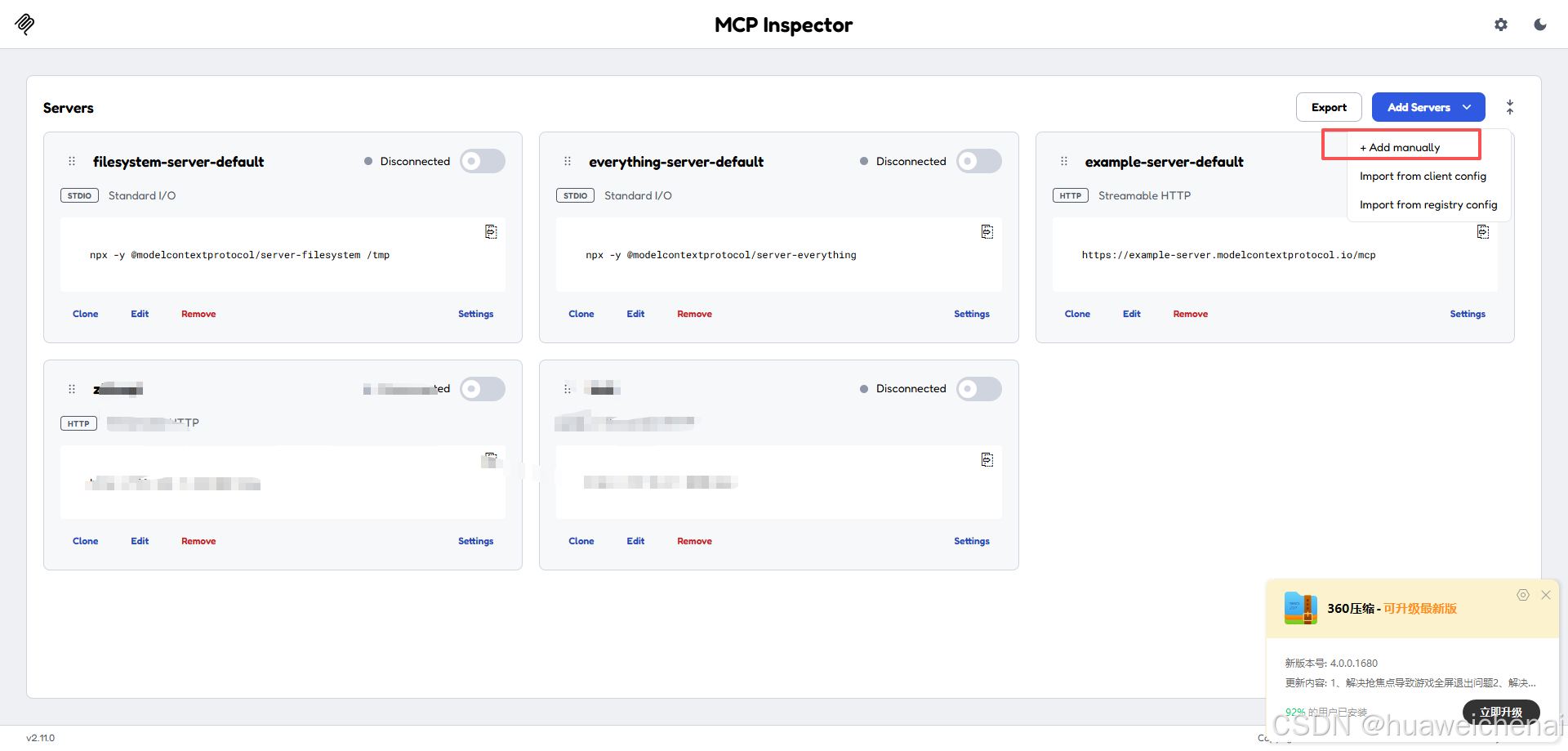
选择stramable-http
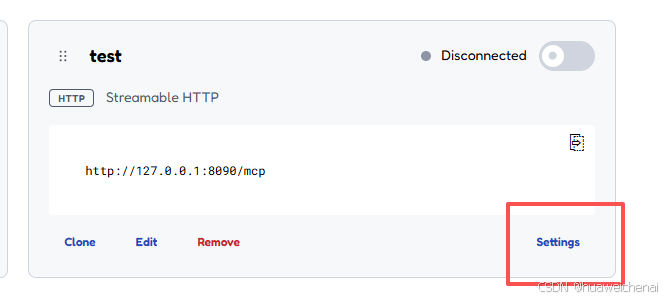
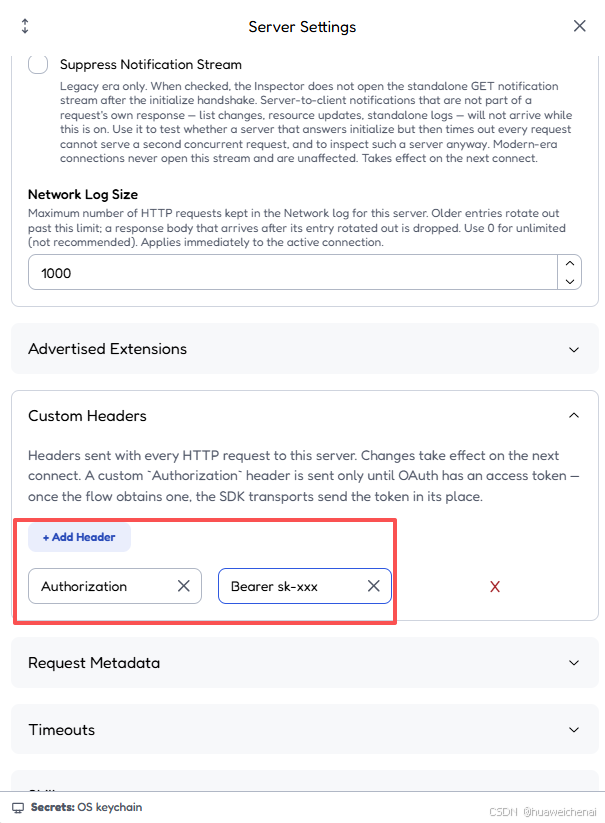
2:配置header
3:调试




评论前必须登录!
注册