 网硕互联帮助中心
新机房上线,两台接入交换机要各出两根千兆口上联核心,带宽不够、还怕单根线断了整台交换机掉网。这种活儿闭眼都知道该用链路聚合——把多条物理链路捆成一条逻辑链路,带宽叠加、还能冗余。但真上手配,五家命令没有一个字一样:华为叫 Eth-Trunk,华三叫 Bridge-Aggregation,锐捷叫 AggregatePort,迈普和思科又各是另一套。下面把每家怎么配一次说清。
先定两件事:聚合组号和模式
不管哪家,配之前先想清楚两个参数:
- 聚合组编号:就是逻辑口编号,华为/华三/思科是 1 起,迈普也是 1,两边对接的设备编号要对上。
- 模式:LACP 动态(mode lacp / dynamic / active)还是静态聚合。生产环境一律建议 LACP 动态——能协商、能检测对端状态,比静态稳。下面示例都用 LACP。
成员口我用 G0/0/1、G0/0/2 两根,聚合组 1。
华为交换机 链路聚合配置命令
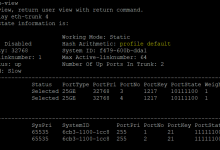
华为逻辑口叫 Eth-Trunk,模式 lacp-static 就是 LACP 动态聚合:
system-view
interface Eth-Trunk 1
mode lacp-static
quit
interface G0/0/1
eth-trunk 1
quit
interface G0/0/2
eth-trunk 1
quit
华三交换机 链路聚合配置命令
华三逻辑口叫 Bridge-Aggregation,成员口用 port link-aggregation group 加组:
system-view
interface Bridge-Aggregation 1
link-aggregation mode dynamic
quit
interface G0/0/1
port link-aggregation group 1
quit
interface G0/0/2
port link-aggregation group 1
quit
锐捷交换机 链路聚合配置命令
锐捷逻辑口叫 AggregatePort,成员口用 port-group 1 mode active(active 即 LACP):
configure terminal
interface AggregatePort 1
exit
interface G 0/0/1
port-group 1 mode active
exit
interface G 0/0/2
port-group 1 mode active
exit
迈普交换机 链路聚合配置命令
迈普是全局建聚合组、再在接口下挂,写法和前面四家都不一样:
configure terminal
link-aggregation 1 mode lacp
interface g 0/0/1
link-aggregation 1 mode lacp
exit
interface g 0/0/2
link-aggregation 1 mode lacp
exit
思科交换机 链路聚合配置命令
思科逻辑口叫 port-channel,成员口 channel-group 1 mode active:
configure terminal
interface port-channel 1
exit
interface G0/0/1
channel-group 1 mode active
exit
interface G0/0/2
channel-group 1 mode active
exit
三个最容易翻车的坑
说明
本文命令基于各厂商官方配置手册生成,覆盖华为 VRP、华三 Comware、锐捷 IOS、迈普 ROS、思科 IOS 的常见版本;个别老型号或特殊系列(如迈普 S6600 聚合细节、思科 VSS 下的 Port-Channel)命令略有差异,上机前请用 display interface Eth-Trunk / show etherchannel summary 确认状态为 UP。工具仅生成配置,不替你敲设备。
工具获取
评论区回复"路由交换命令生成器"免费下载
下期写 VRRP——核心交换机半夜挂了、网关 IP 消失全网断的那种事故,怎么用冗余网关兜住。
系列相关:13 端口安全 · 18 二层安全加固 · 23 MLAG 跨设备


![【LMP】规范精讲[6]: 从陌生到互信——安全简单配对(SSP)的四步握手-网硕互联帮助中心](https://www.wsisp.com/helps/wp-content/uploads/2026/10/20261024191700-6add042c4303e-220x150.png)

评论前必须登录!
注册