 网硕互联帮助中心
一个苦逼信息安全专业学生的毕业设计求助
大家好,我是广西某高校信息安全专业的大三狗,眼瞅着就要毕业了,现在正被一个文件管理系统的毕业设计折磨得死去活来…
我的困境
最近遇到了一个"大"问题 – 不是大姨妈,是大文件上传!要求支持10G左右的文件传输,还要加密传输和存储,带断点续传,断点续传还得支持离线保存进度(关机重启都不丢那种)。文件夹上传还得保持层级结构,最好还能加密。
最可怕的是,要求支持IE8和国产浏览器!学校的老古董电脑还在用Windows 7+IE9…这年头还有人用IE8吗?我连IE11都想卸载!
技术栈
后端:PHP (Zend Studio) 前端:Vue3 CLI (原生JS实现) 数据库:MySQL 服务器:阿里云ECS (目前在本地CentOS虚拟机测试) 存储:阿里云OSS (私有云/公有云/混合云)
网上找代码的血泪史
网上的代码要么只有上传功能,要么文件夹上传残缺不全,都是片段代码根本不能用!最气人的是出了问题找不到人 – 这些开发者连个群都不建,更别提留联系方式了。我真的是服了!
求助各位大佬
有没有好心的大佬能免费指导我一下?最好能帮我把代码写好调试好,这样毕业答辩时我就能直接演示了!感恩戴德!
欢迎加入QQ群交流:374992201
最近群里做活动:
- 新人加群送1~99元红包 (真的假的?)
- 推荐项目有提成 (一个项目2万提1万,10个项目10万?这比打工强多了!)
PS:有没有师兄师姐能介绍工作啊?马上要毕业了,求推荐好工作!
代码实现方案
前端实现 (Vue3 + 原生JS)
// 文件切片上传核心逻辑
class BigFileUploader {
constructor(options) {
this.file = options.file;
this.chunkSize = options.chunkSize || 5 * 1024 * 1024; // 默认5MB
this.totalChunks = Math.ceil(this.file.size / this.chunkSize);
this.currentChunk = 0;
this.uploadedChunks = this.loadProgress() || [];
this.encryptKey = options.encryptKey;
}
// 从本地存储加载上传进度
loadProgress() {
const progress = localStorage.getItem(`upload_${this.file.name}_progress`);
return progress ? JSON.parse(progress) : [];
}
// 保存上传进度到本地存储
saveProgress() {
localStorage.setItem(
`upload_${this.file.name}_progress`,
JSON.stringify(this.uploadedChunks)
);
}
// 加密切片
async encryptChunk(chunk) {
if (!this.encryptKey) return chunk;
// 这里使用Web Crypto API进行加密
// 实际项目中应该使用更安全的加密方案
const encoder = new TextEncoder();
const keyMaterial = await window.crypto.subtle.importKey(
'raw',
encoder.encode(this.encryptKey),
{ name: 'AES-GCM' },
false,
['encrypt']
);
const iv = window.crypto.getRandomValues(new Uint8Array(12));
const encrypted = await window.crypto.subtle.encrypt(
{
name: 'AES-GCM',
iv: iv
},
keyMaterial,
chunk
);
return { iv, encrypted };
}
// 上传单个切片
async uploadChunk(chunkIndex) {
const start = chunkIndex * this.chunkSize;
const end = Math.min(start + this.chunkSize, this.file.size);
const chunk = this.file.slice(start, end);
// 加密切片
const encrypted = await this.encryptChunk(chunk);
const formData = new FormData();
formData.append('file', new Blob([encrypted.encrypted]));
formData.append('chunkIndex', chunkIndex);
formData.append('totalChunks', this.totalChunks);
formData.append('fileName', this.file.name);
formData.append('fileSize', this.file.size);
formData.append('iv', encrypted.iv);
try {
const response = await fetch('/upload.php', {
method: 'POST',
body: formData
});
if (response.ok) {
this.uploadedChunks.push(chunkIndex);
this.saveProgress();
return true;
}
return false;
} catch (error) {
console.error('上传失败:', error);
return false;
}
}
// 开始上传
async startUpload() {
// 先检查哪些切片已经上传过
const chunksToUpload = [];
for (let i = 0; i < this.totalChunks; i++) {
if (!this.uploadedChunks.includes(i)) {
chunksToUpload.push(i);
}
}
// 依次上传未完成的切片
for (const chunkIndex of chunksToUpload) {
const success = await this.uploadChunk(chunkIndex);
if (!success) {
console.error(`切片 ${chunkIndex} 上传失败`);
return false;
}
this.currentChunk = chunkIndex;
}
// 所有切片上传完成,通知后端合并文件
if (this.uploadedChunks.length === this.totalChunks) {
await this.mergeFiles();
localStorage.removeItem(`upload_${this.file.name}_progress`);
return true;
}
return false;
}
// 通知后端合并文件
async mergeFiles() {
try {
const response = await fetch('/merge.php', {
method: 'POST',
headers: {
'Content-Type': 'application/json'
},
body: JSON.stringify({
fileName: this.file.name,
totalChunks: this.totalChunks,
encryptKey: this.encryptKey
})
});
return response.ok;
} catch (error) {
console.error('合并文件失败:', error);
return false;
}
}
}
// 文件夹上传处理
class FolderUploader {
constructor() {
this.folderStructure = {};
}
// 处理文件夹上传
async uploadFolder(files, basePath = '') {
const uploaders = [];
for (const file of files) {
const relativePath = file.webkitRelativePath || file.relativePath;
const filePath = basePath ? `${basePath}/${relativePath}` : relativePath;
// 保存文件路径结构
this.folderStructure[filePath] = file;
// 创建大文件上传实例
const uploader = new BigFileUploader({
file: file,
encryptKey: 'your-secret-key' // 实际项目应该更安全地处理密钥
});
uploaders.push(uploader.startUpload());
}
// 等待所有文件上传完成
const results = await Promise.all(uploaders);
return results.every(success => success);
}
}
后端实现 (PHP)
'缺少必要参数']));
}
// 创建上传目录
$uploadDir = 'uploads/' . md5($fileName);
if (!is_dir($uploadDir)) {
mkdir($uploadDir, 0777, true);
}
// 保存切片文件
$chunkFile = $uploadDir . '/' . $fileName . '.part' . $chunkIndex;
move_uploaded_file($_FILES['file']['tmp_name'], $chunkFile);
// 保存切片元数据
$metaFile = $uploadDir . '/meta.json';
$metaData = file_exists($metaFile) ? json_decode(file_get_contents($metaFile), true) : [];
$metaData['chunks'][] = $chunkIndex;
$metaData['fileName'] = $fileName;
$metaData['fileSize'] = $fileSize;
$metaData['totalChunks'] = $totalChunks;
$metaData['iv'] = $iv; // 保存初始化向量用于解密
file_put_contents($metaFile, json_encode($metaData));
echo json_encode(['success' => true]);
?>
'缺少必要参数']));
}
$uploadDir = 'uploads/' . md5($fileName);
$metaFile = $uploadDir . '/meta.json';
if (!file_exists($metaFile)) {
http_response_code(404);
die(json_encode(['error' => '找不到上传记录']));
}
$metaData = json_decode(file_get_contents($metaFile), true);
// 检查是否所有切片都已上传
if (count($metaData['chunks']) !== $totalChunks) {
http_response_code(400);
die(json_encode(['error' => '切片不完整']));
}
// 创建最终文件
$finalPath = 'uploads/' . basename($fileName);
$finalFile = fopen($finalPath, 'wb');
// 按顺序合并所有切片
for ($i = 0; $i < $totalChunks; $i++) {
$chunkFile = $uploadDir . '/' . $fileName . '.part' . $i;
$chunkData = file_get_contents($chunkFile);
// 如果有加密密钥,则解密数据
if ($encryptKey && isset($metaData['iv'])) {
// 这里应该实现解密逻辑
// 实际项目中应该使用更安全的解密方案
$chunkData = $this->decryptChunk($chunkData, $encryptKey, $metaData['iv']);
}
fwrite($finalFile, $chunkData);
unlink($chunkFile); // 删除切片文件
}
fclose($finalFile);
unlink($metaFile); // 删除元数据文件
// 如果需要存储到阿里云OSS
$this->uploadToOSS($finalPath);
echo json_encode(['success' => true, 'path' => $finalPath]);
function decryptChunk($encryptedData, $key, $iv) {
// 这里实现解密逻辑
// 实际项目中应该使用更安全的实现
return $encryptedData; // 简化示例
}
function uploadToOSS($filePath) {
// 实现阿里云OSS上传逻辑
}
?>
支持IE8的兼容方案
// IE8兼容性处理
if (!window.localStorage) {
window.localStorage = {
_data: {},
setItem: function(id, val) {
this._data[id] = String(val);
// 使用cookie作为fallback
document.cookie = id + "=" + encodeURIComponent(val) + "; path=/";
},
getItem: function(id) {
return this._data.hasOwnProperty(id) ? this._data[id] : undefined;
},
removeItem: function(id) {
delete this._data[id];
document.cookie = id + "=; expires=Thu, 01 Jan 1970 00:00:00 UTC; path=/;";
},
clear: function() {
this._data = {};
// 清除所有cookie可能不实际,这里只是示例
}
};
// 初始化时从cookie加载
var cookies = document.cookie.split(';');
for (var i = 0; i < cookies.length; i++) {
var cookie = cookies[i].trim();
var eqPos = cookie.indexOf('=');
var name = eqPos > –1 ? cookie.substr(0, eqPos) : cookie;
localStorage._data[name] = decodeURIComponent(cookie.substr(eqPos + 1));
}
}
// File API 兼容性处理
if (!window.File || !window.FileReader || !window.FileList || !window.Blob) {
alert('您的浏览器不支持HTML5 File API,请使用现代浏览器');
}
// FormData 兼容性处理
if (!window.FormData) {
document.write('<\\/script>');
}
总结
这个方案实现了:
当然,实际项目中还需要考虑更多安全性和性能优化问题。希望这个方案能帮助你完成毕业设计!
PS:关于工作推荐…要不你先把这项目做出来,这就是你最好的简历了!😂
安装环境
PHP:7.2.14 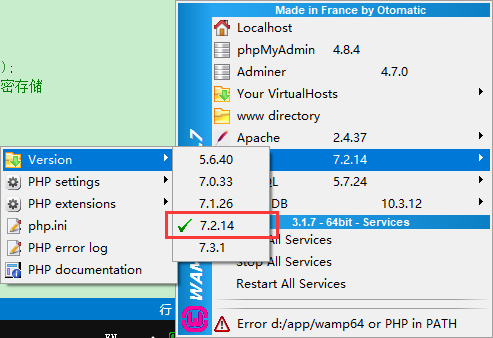
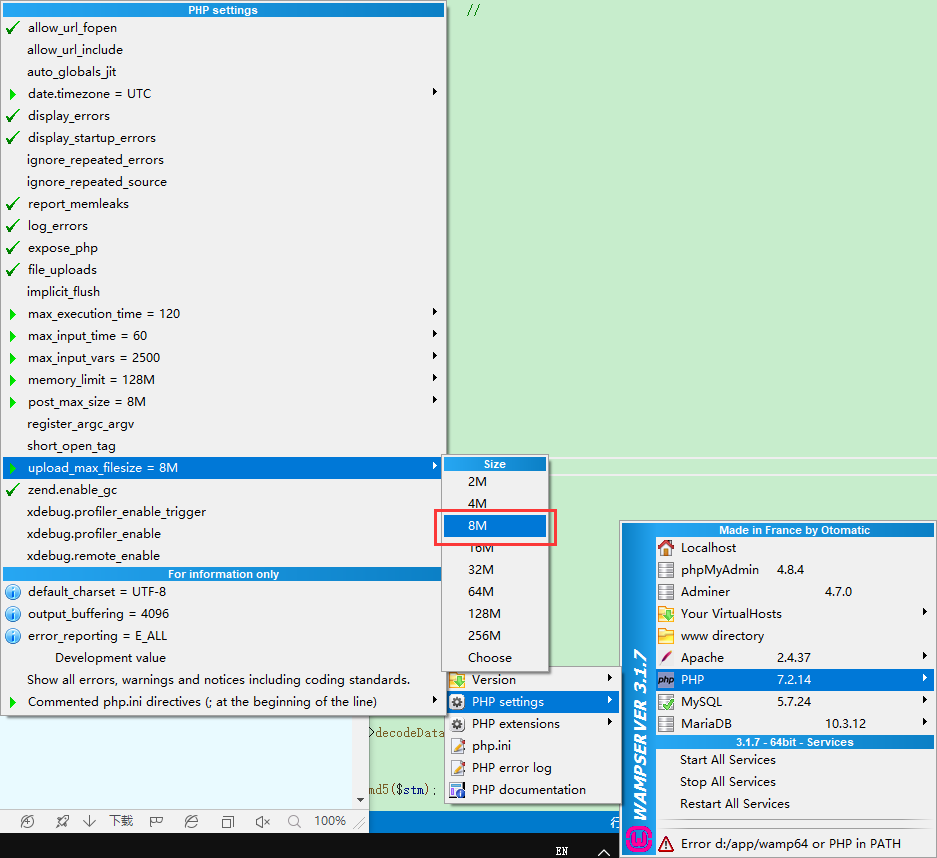
调整块大小
NOSQL
NOSQL不需要任何配置,可以直接访问测试 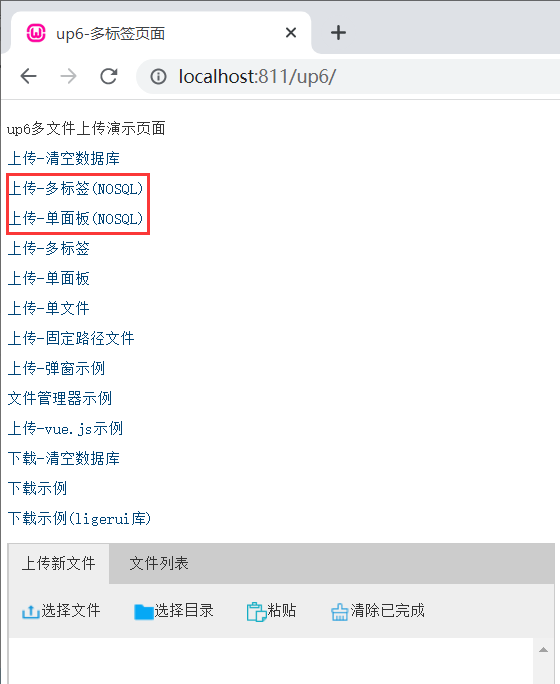
SQL
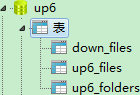
创建数据库
您可以直接复制脚本进行创建 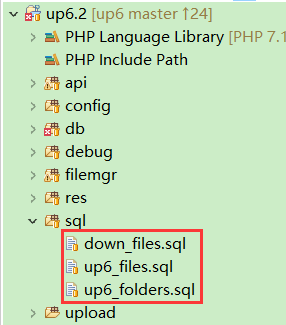
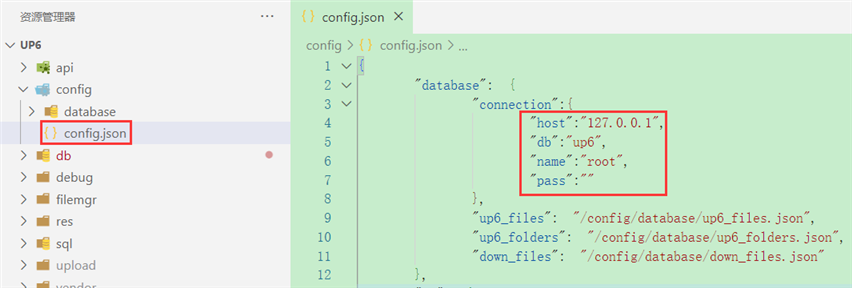
配置数据库连接
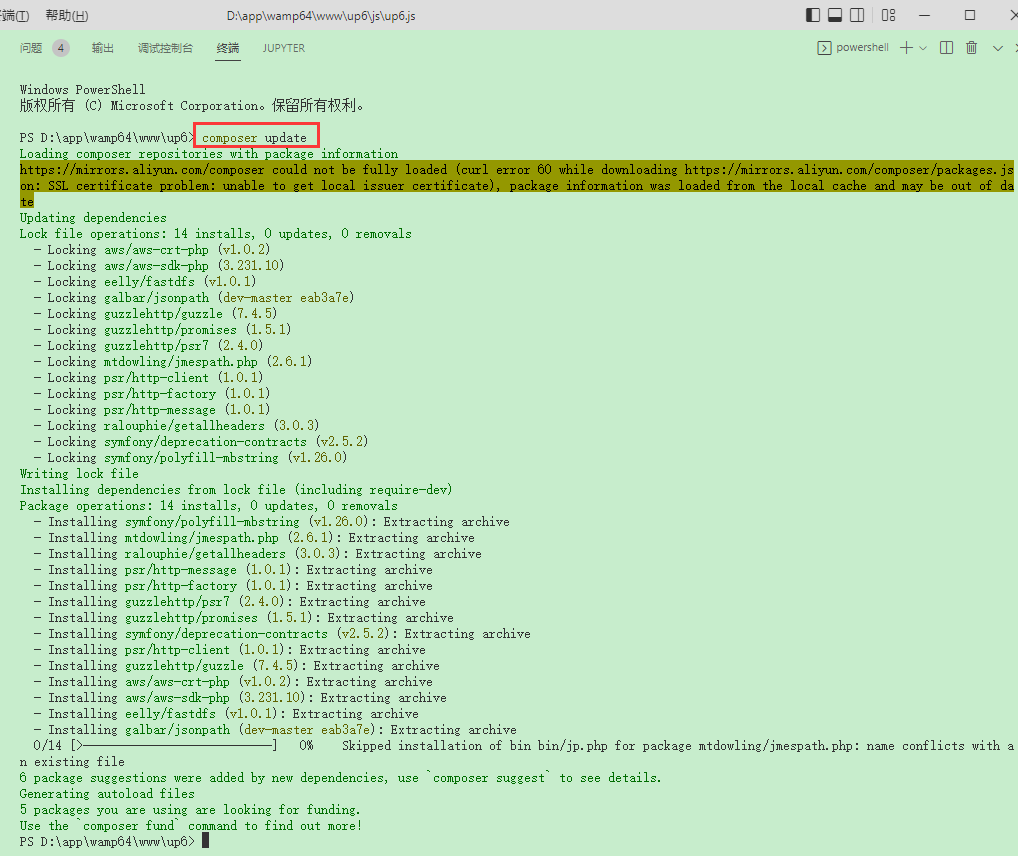
安装依赖
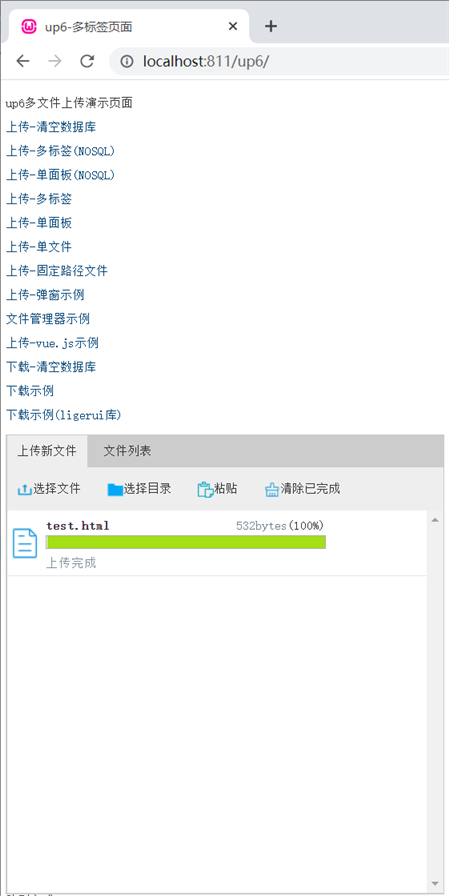
访问页面进行测试
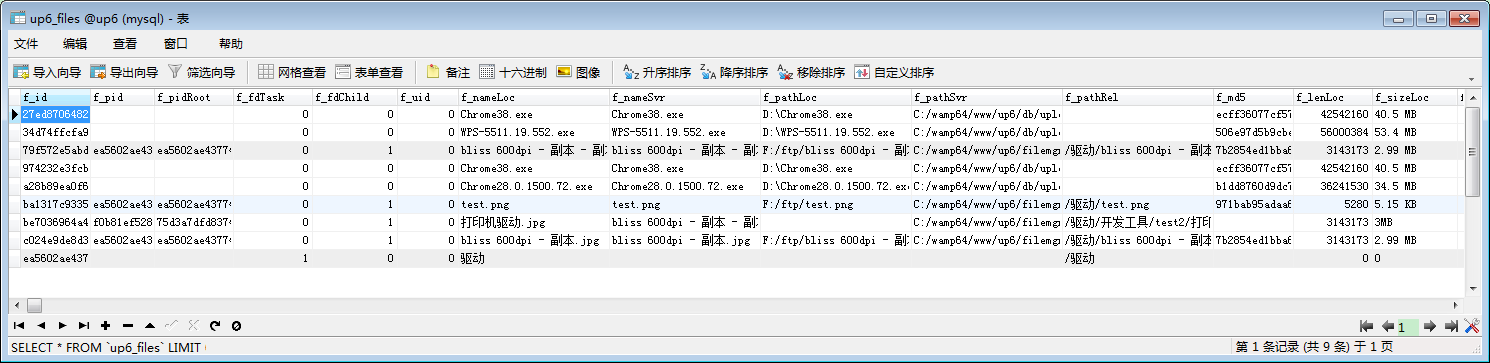
数据表中的数据
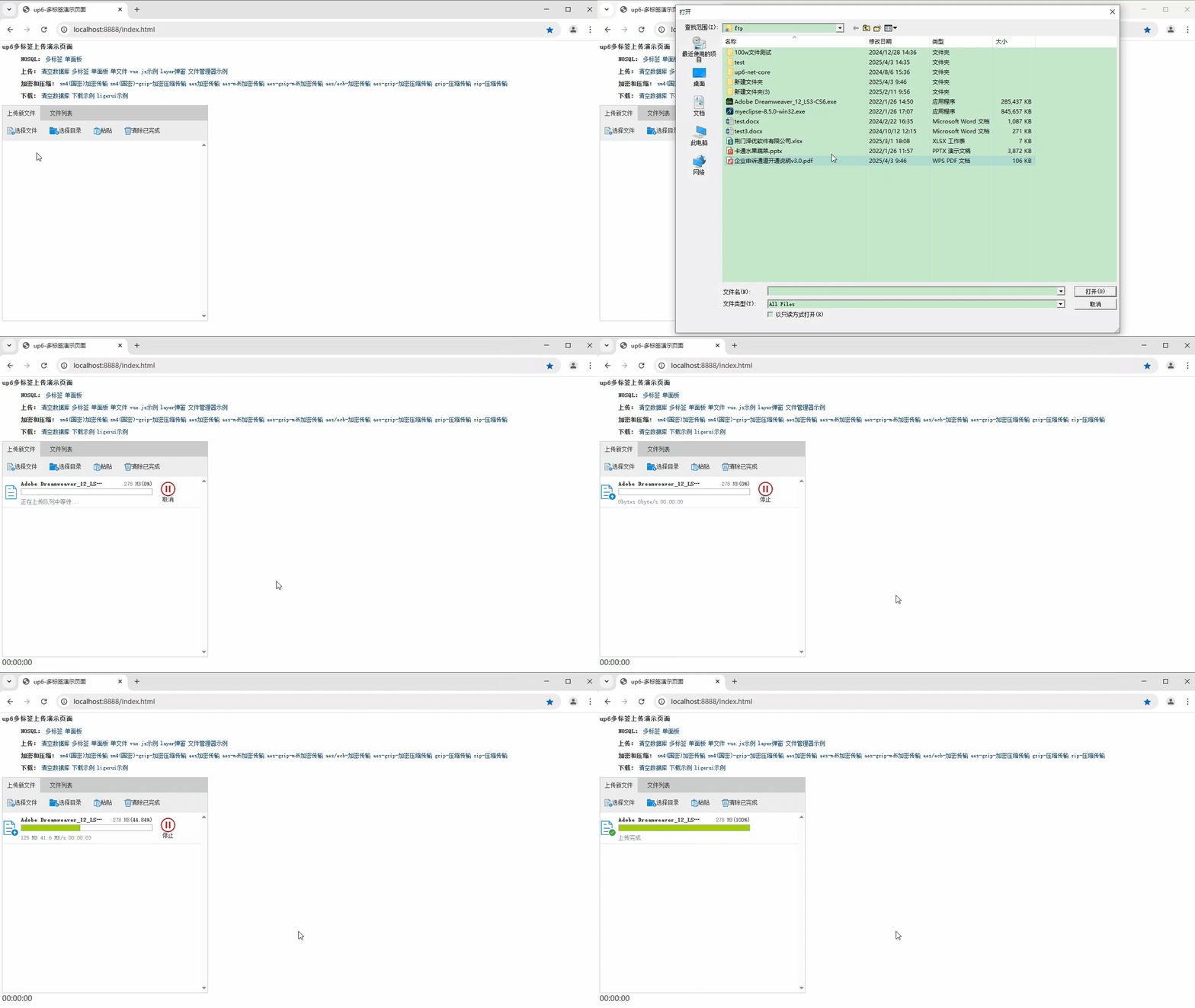
效果预览
文件上传
文件刷新续传
支持离线保存文件进度,在关闭浏览器,刷新浏览器后进行不丢失,仍然能够继续上传 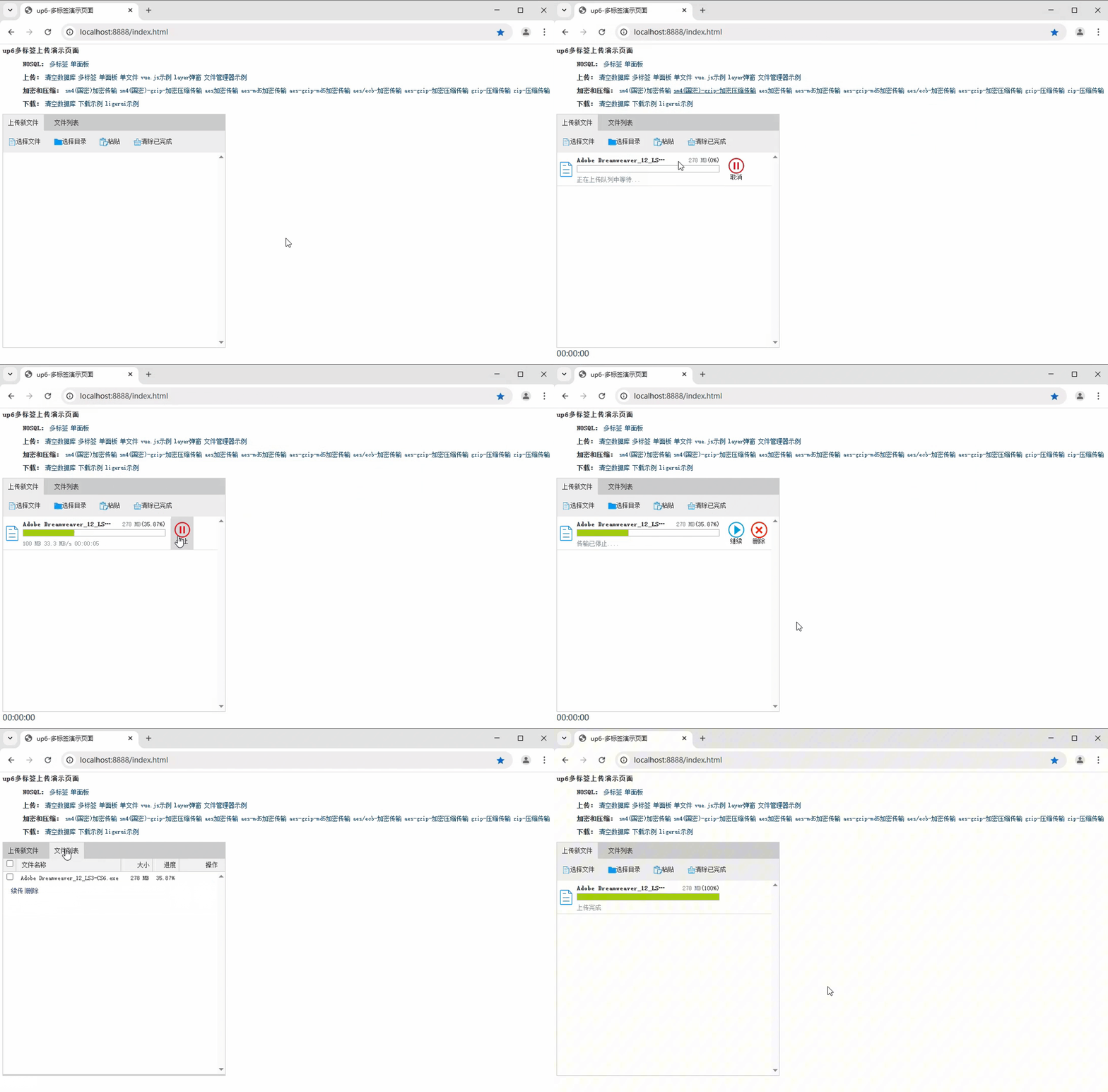
文件夹上传
支持上传文件夹并保留层级结构,同样支持进度信息离线保存,刷新页面,关闭页面,重启系统不丢失上传进度。 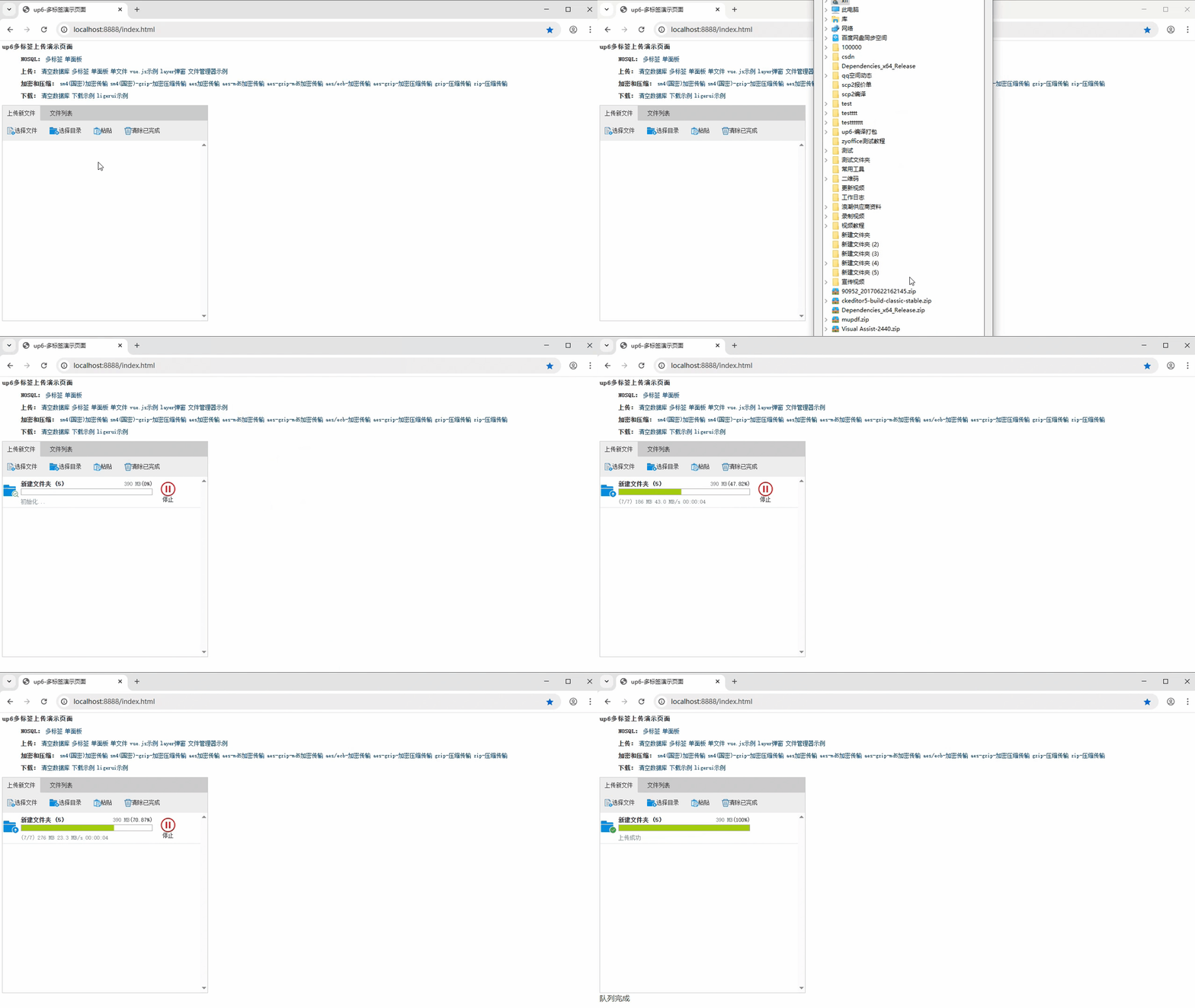
免费下载示例
点击下载完整示例





评论前必须登录!
注册