 网硕互联帮助中心
1.grep简介
grep是Linux中最常用的文本搜索工具。它使用正则表达式搜索文本,并把匹配的行打印出来。
2.grep基本语法
grep [选项] 模式 [文件…]
3.常用选项
grep "pattern" file.txt
在file.txt中查找包含"pattern"的行

grep -i "pattern" file.txt
查找包含"pattern"的行(忽略大小写)

grep -n "pattern" file.txt
显示匹配行的行号

grep -c "pattern" file.txt
统计匹配行的数量

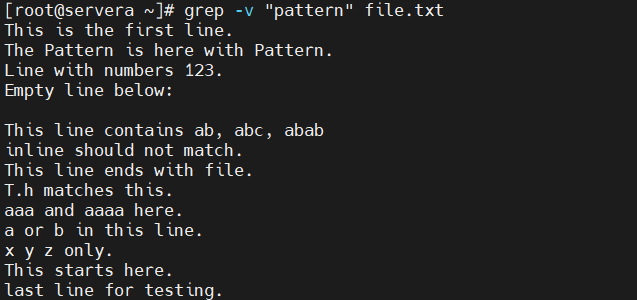
grep -v "pattern" file.txt
显示不包含"pattern"的行
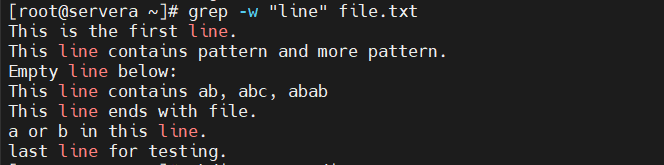
grep -w "line" file.txt
只匹配完整的单词"line"
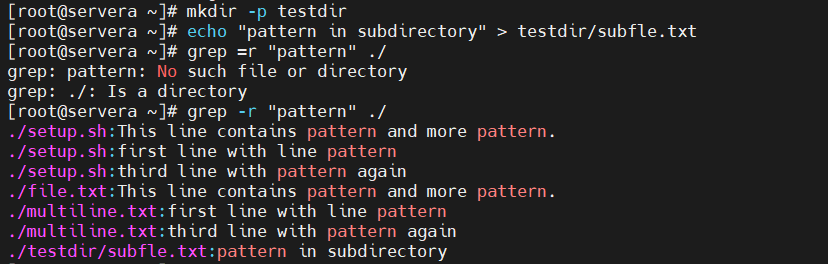
 echo -e "\\n=== 递归搜索目录 ==="
mkdir -p testdir
echo "pattern in subdirectory" > testdir/subfile.txt
grep -r "pattern" ./
递归搜索目录
grep -l "pattern" *.txt
显示包含匹配内容的文件名

grep -C 3 "pattern" file.txt
显示匹配行前后3行

grep -q "pattern" file.txt && echo "pattern found" || echo "pattern not found"
静默模式 – 只返回退出状态,不显示输出

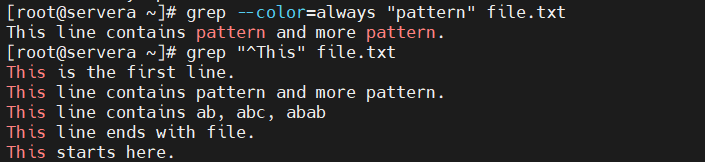
grep –color=always "pattern" file.txt
显示匹配部分并高亮
正则表达式
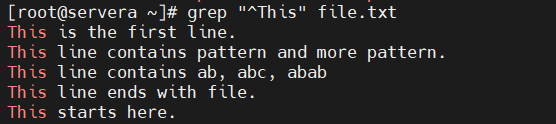
grep "^This" file.txt
查找以"This"开头的行
grep "file\\.$" file.txt
查找以"file."结尾的行

grep "T.h" file.txt
查找以"T"开头,第二个字符任意,第三个字符是"h"的模式

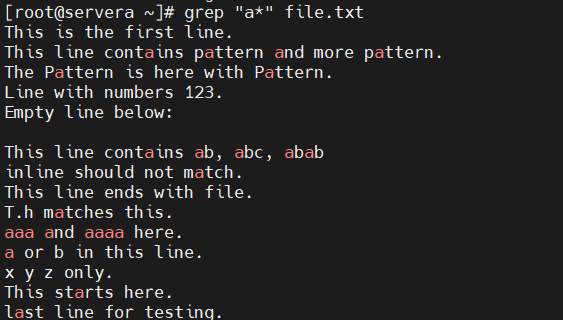
grep "a*" file.txt
查找包含0个或多个"a"的行
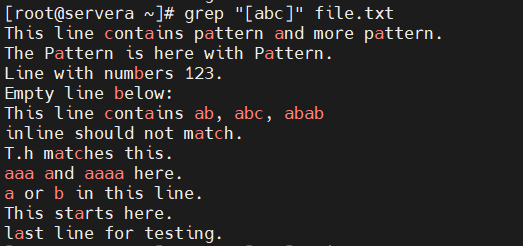
grep "[abc]" file.txt
查找包含a、b或c的行
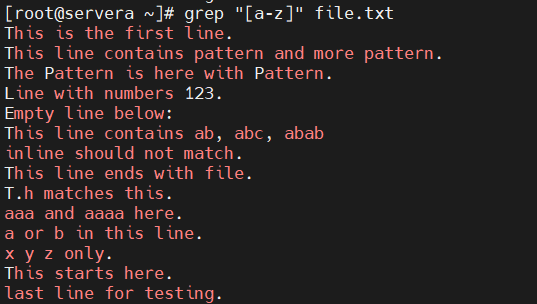
grep "[a-z]" file.txt
查找包含小写字母的行
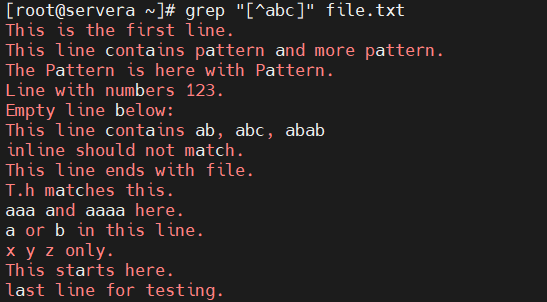
grep "[^abc]" file.txt
查找不包含a、b、c的行
扩展正则表达式
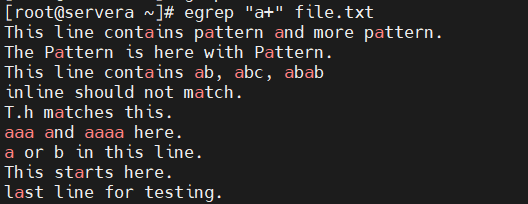
egrep "a+" file.txt
一个或多个a
egrep "a{2,5}" file.txt
2到5个a

egrep "a|b" file.txt
a或b

egrep "(ab)+" file.txt
ab组合

常用示例:
grep "^john:" passwd
查找用户信息

grep "40[34]" access.log
查找错误日志

grep -E "[0-9]{1,3}\\.[0-9]{1,3}\\.[0-9]{1,3}\\.[0-9]{1,3}" access.log
查找IP地址

grep "POST" access.log
查找特定HTTP方法

grep -c "pattern" file.txt
统计包含'pattern'的行数

grep "^$" file.txt
查找空行

grep "[0-9]" file.txt
查找包含数字的行

echo "Contact: john@example.com, mary@test.org" | grep -E "[a-zA-Z0-9._%+-]+@[a-zA-Z0-9.-]+\\.[a-zA-Z]{2,}"
查找邮箱地址






评论前必须登录!
注册